3 Lobbyphone Door Open Time Setting
From 1sec. Upto 8 sec. are available to set.
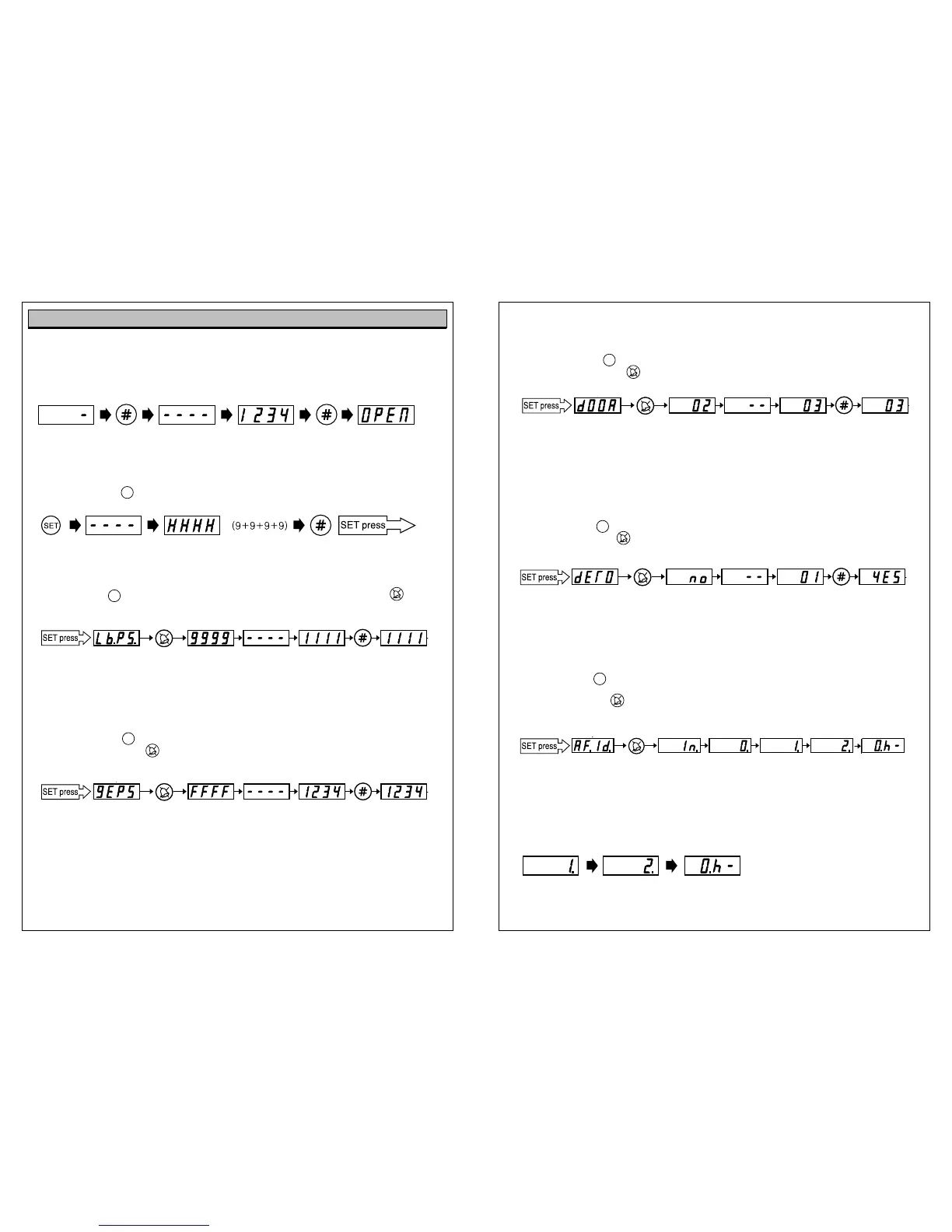
a) Press “SET” button again until “dOOR” sign emerges on display.
b) Press “CANCEL” button , then “02” (initial setting value) sign emerges on display.
c) Input new value from 1 to 8 and press “#” button to complete new door open time registration.
4 Bypass Call to Guardhouse Phone Setting.
This is the function to bypass the call from Lobby phone to Guardhouse phone (KIP-120) automatically,
when there is no answer till 30sec. from the monitor, while Lobby Phone calling.
“0”= no : no operation of bypass
“1”= yes : operation of bypass
a) Press “SET”button again until “dErO”sign emerges on display.
b) Press “CANCEL”button , then “no”(initial setting value) sign emerges on display.
c) Input new value between 0 and 1, then press “#”button to complete the bypass call function to Guardhouse phone
(KIP-120) or not.
- If you do not use guardhouse phone KIP-120 in a system, the bypass call function to guardhouse phone setting
should be
““
0
””
= no in lobby phone.
5 Registration of Lobby Phone (KLP-100 series) RF-ID Card (
option)
Press “SET” button again until “RF.id.” sign emerges on display.
a) Press ‘Cancel’ button , then ‘In’ sign emerges and changes to ‘0’ sign at interval of a second.
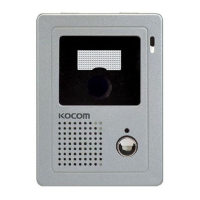
At this time, contact the card to lens part. (1 time)
Registration tone sound is heard (twice). Indicator displays “1.”
b) Contact the card to lens part (once).
Registration tone sound is heard. Indicator displays “0002.”
c) Contact the card to lens part (once).
Registration tone sound is heard. Indicator displays “Oh-.”
Registration of a card is completed. -> Completion tone sound is heard (T.T.T.T).
- In order to register a card, the card should be contacted to lens part total 3 times.
▷
Door open using common password.
Function is available only after setting up password.
To open common gate, press ‘# + common password + #’.
In case opening common gate by password registered as ‘1234’.
■Lobby Phone Setting
Press “SET”button.
Input 4-digit system password (default password:”9999”) and press “#”
1 Lobby phone System Password Setting.
Press ‘SET’ button again until “Lb.PS” sign emerges on display. After pressing ‘Cancel’ button ,
if you input new password and press ‘#’ button, then new password is registered.
ex) When making password ‘9999’ changed into ‘1111’.
- Only up to four ciphers are available for password and the first digit should be over 1.(over 1000)
- Be sure not to forget new password and not to expose it to the others.
2 Common Password Registration
a) Press “SET” button again until “GEPS” sign emerges on display.
b) Press “CANCEL” button , then “FFFF” (initial setting value) sign emerges on display.
c) Input new common password in 4digits and press “#” button to complete new common password
registration.
- Only up to four ciphers are available for password and the first digit should be over 1.(over 1000)
- Be sure not to forget new password and not to expose it to the others.
Operational Descriptions
SET
SET
SET
9
10
Stand by # button Hoid Common password # button Releasing common gate
Button Hold Resistered password # button Setting mode
Lobbyphone password setting mode button Existing password Hold New password input button New password
button Initial setting value Hold New Value Input button
New Value
Lobbyphone Door open
time setting mode
SET
SET
SET
Hold
New Password Input
button
New Password
button
Initial Value
Common Password
Registaration mode
One Contact Two Contact Three Contact
RF-ID Card Registration mode button Input State Hold One Contact Two Contact Three Contact
button
Initial setting value
Hold New Value Input button
New Value
Bypass call to Guard house
phone setting mode


 To Next Page
 Loading...