EasyManua.ls Logo

KOCOM KLP-420 series - User Manual

KOCOM KLP-420 series
10 pages
Print Icon
To Next Page IconTo Next Page
Loading...
KLP-420 series O1105
KLP-420 series MANUAL
<8JSF$PNNPO-PCCZ1IPOF0QFSBUJPO*OTUBMMBUJPO.BOVBM>
4*/$&

KOREA COMMUNICATIONS CO.,LTD
http://www.kocom.com
E-mail : export@kocom.co.kr
This manual is based on the date as shown in the right and specifications are subject to
change without notice for quality improvement
Warranty
Warranty Card
1. Name of the product.
2. Model number of the product.
3. The area of problem.
4. Phone number and address at which you can be contacted.
1) This product is produced under strict quality control and inspection procedures.
2) If this product breaks down during proper use as a result of product defect, KOCOM
will repair it within one year from date of purchase free of charge.
3) The following cases will be subject to charge, even during warranty period:
a. Breakdown during transport, or through careless treatment, by consumer.
b. Breakdown cause by unauthorized repair, or system modification.
c. Breakdown caused by natural disaster or power disorder.
PRODUCT
MODEL
DATE PURCHASED
WARRANTY PERIOD
AGENCY ADDRESS
KOCOM Warranties the original purchaser of this product as follows.
To receive after service, have the following ready before you
contact our branches.
www.kocom.com
4UZMJTIEFTJHOXJUI5PVDICVUUPOLFZQBE
,FZQBE#BDLMJHIUPOBVUPNBUJDBMMZBUOJHIU
6QUP)PVTFTDPOOFDUJPO
&BTZUPJOTUBMMPOMZXJUIXJSFTPG#64TZTUFNJOPVU
"VEJP7JEFP$POWFSTBUJPOXJUI7JTJUPS
%PPSPQFO'VODUJPOCZ"DDFTT$PEFPSCZ3'DBSE,-1$3
8IJUF-&%POUPIFMQBVTFSUPJEFOUJGZUIFWJTJUPSXFMMBUOJHIU
&YUFOTJPOUIFTBNF-PCCZQIPOFVQUPVOJUT
$BNF
(VBSE4UBUJPO,".%DPOOFDUJPOBWBJMBCMF
SB"OHMFBEKVTUBCMF
%JHJUBMCVTUZQFNVMUJQMFTZTUFN
8JSFDPNNPOHBUFMPCCZQIPOF
All manuals and user guides at all-guides.com
all-guides.com

Other manuals for KOCOM KLP-420 series

Question and Answer IconNeed help?

Do you have a question about the KOCOM KLP-420 series and is the answer not in the manual?

Summary

Safety Precautions

Usage and Environmental Warnings

Critical warnings for product usage and environmental considerations.

Component Safety Instructions

Specific safety instructions for system components and operation.

Product Overview and Specifications

Technical Specifications

Detailed specifications including model, power, material, and dimensions.

Wiring Diagram Configurations

Guard Station Wiring (Type A)

Type A - 1 Building Configuration

Wiring diagram for Guard Station in a single building setup.

Type A - 2 Buildings Configuration

Wiring diagram for Guard Station in a two-building setup.

Guard Station Wiring (Type B)

Type B - Direct Mode (1 Building)

Wiring diagram for Guard Station in direct mode, single building.

Operation Instructions

Door Unlock Methods

Instructions on how to unlock doors using various methods.

System Setup Procedures

RF Card Management

Instructions for registering and deleting RF cards for access.

Advanced Setup Configuration

Summary

Safety Precautions

Usage and Environmental Warnings

Critical warnings for product usage and environmental considerations.

Component Safety Instructions

Specific safety instructions for system components and operation.

Product Overview and Specifications

Technical Specifications

Detailed specifications including model, power, material, and dimensions.

Wiring Diagram Configurations

Guard Station Wiring (Type A)

Type A - 1 Building Configuration

Wiring diagram for Guard Station in a single building setup.

Type A - 2 Buildings Configuration

Wiring diagram for Guard Station in a two-building setup.

Guard Station Wiring (Type B)

Type B - Direct Mode (1 Building)

Wiring diagram for Guard Station in direct mode, single building.

Operation Instructions

Door Unlock Methods

Instructions on how to unlock doors using various methods.

System Setup Procedures

RF Card Management

Instructions for registering and deleting RF cards for access.

Advanced Setup Configuration

Overview

This document provides comprehensive information regarding the KLP-420 series Lobby Phone, a digital bus type multiple system designed for common gate access. It covers its functions, usage, installation, and maintenance, ensuring users can effectively operate and troubleshoot the device.

Function Description

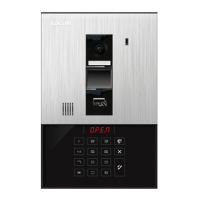
The KLP-420 series Lobby Phone serves as a central communication and access control point for multi-dwelling units. Its primary function is to facilitate audio and video conversations between visitors and residents, enabling secure entry management. The device features a stylish design with a touch button keypad, which automatically backlights at night for enhanced visibility.

Key functions include:

  • Visitor Communication: Allows visitors to call specific houses, initiating an audio and video conversation with residents. This enables residents to visually identify visitors before granting access.
  • Door Open Function: Residents can open the door remotely using an access code or, for the KLP-C420R model, an RF card. This provides a convenient and secure method for granting entry.
  • Guard Station Connection: The lobby phone can connect to a guard station (KAM-D340), allowing security personnel to monitor and manage visitor access.
  • Extension Capability: The system supports extending the same lobby phone up to four units, providing flexibility for larger complexes.
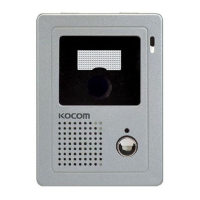
  • Camera Angle Adjustment: The built-in camera's angle can be adjusted, ensuring optimal viewing of visitors regardless of their height.
  • Night Vision Enhancement: A white LED illuminates automatically at night, helping users identify visitors clearly even in low-light conditions.
  • Digital Bus Type System: Utilizes a 4-wire BUS system for easy installation and reliable communication.

Usage Features

The KLP-420 series Lobby Phone is designed for user-friendly operation, incorporating several features to enhance convenience and security.

Keypad and Display:

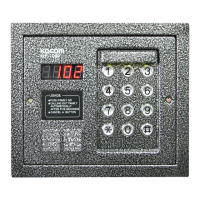
  • 10-Key Dial Button: Used for inputting house numbers, guard station numbers, and access codes.
  • FND Display: Shows the entered numbers, menu options, and system status messages (e.g., "BUSY," "P.YES.").
  • Mood Lamp: Illuminates at night for security and visibility.
  • Camera LED: Turns on when a house is called, aiding in visitor recognition at night.

Call and Communication:

  • Calling a House: To call a house, users simply press the house number followed by the "Call" button.
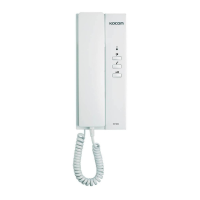
  • Speaking with a Visitor: Residents can speak with a visitor by pressing the "TALK" button on their residential unit.
  • Canceling Calls: The "Cancel" button allows users to end a call or stop a speaking session.
  • Call Duration: Communication time is limited to 3 minutes, with waiting times dependent on the interlocked monitor.

Door Unlock Functions:

  • Common Password Unlock: Visitors or residents can unlock the door by entering a common password followed by the "#" button in standby mode.
  • House Password Unlock: Residents can unlock the door by entering their specific house number, followed by the "#" button and their house password.
  • RF Card Unlock (KLP-C420R only): Users with registered RF cards can simply touch the card to the reader to open the door.

System Setup and Registration:

  • Setup Mode: Accessed by pressing the "Setup" button in standby mode, allowing configuration of various system parameters.
  • System Password Setup: Allows changing the system's administrative password.
  • Common Password Setup: Enables setting or changing the common password for door access.
  • RF-CARD Register: For KLP-C420R models, this menu allows registering RF cards to specific house numbers.
  • House RF-CARD Delete: Provides options to delete individual RF cards or all RF cards associated with a house.
  • Lobby Phone Building No. Setup: Configures the building number for the lobby phone.
  • Lobby Phone ID Setup: Sets the unique ID for the lobby phone.
  • Guard Identification Number Setup: Configures the ID for the guard station.
  • House No. Register: Allows registering house numbers to mapping numbers, which are set via DIP switches on the repeater.
  • House Password View: Enables viewing the registered house password for a specific house number.
  • Common Gate Unlock On-Time Setup: Adjusts the duration for which the door remains unlocked after activation.

Maintenance Features

Proper maintenance is crucial for the longevity and optimal performance of the KLP-420 series Lobby Phone. The manual outlines several guidelines to ensure the device remains in good working condition.

General Maintenance:

  • Cleaning: The inside of the device should be kept clean to prevent dust accumulation, which can lead to fire hazards. If professional cleaning is required, users should contact their dealer or service center.
  • LCD Cleaning: The LCD screen should only be cleaned with a dry and soft cloth, avoiding damp cloths or harsh chemicals.
  • Wiring Inspection: Regularly check the wiring for any damage or loose connections. If the electric line is connected inside the unit, contact a dealer or service center for inspection.
  • Environmental Protection: Avoid installing the unit in places exposed to water, dust, fire, noxious gases, or extreme temperatures. Ensure the unit is not near heaters, washing machines, or areas with high humidity.
  • Power Supply: Use only the specified voltage and avoid overloading power terminals. In case of power disorder or natural disaster, the warranty may be voided.
  • Firmware Updates: The manual mentions that specifications are subject to change without notice for quality improvement, implying potential firmware updates or hardware revisions.

Troubleshooting and Repair:

  • Abnormality Handling: If the unit exhibits abnormal behavior (e.g., liquid spills, physical damage, distinct change in performance, or failure to operate normally), users should unplug it and contact an authorized service center.
  • Damaged Electric Code: Replace any damaged electric cords immediately.
  • Disconnection Device: The mains plug serves as a disconnection device and should remain readily accessible.
  • Professional Repair: Do not attempt to disassemble or repair the unit yourself, as this can lead to electric shock or further damage. Repairs should only be performed by authorized service personnel.
  • Dew Condensation: If dew condensation occurs on the camera lens due to temperature differences, the image quality may be disturbed. This is not a defect and will recover once the condensation clears. Installing the camera in a location that prevents significant temperature fluctuations can mitigate this issue.
  • Noise and Image Distortion: Avoid installing the unit near strong electromagnetic waves (e.g., microwaves, cell phones) or antennas, as this can cause image distortion or voice noise.
  • Wiring for Optimal Performance: Ensure communication lines are built distant from power sources to prevent communication disorders. Use appropriate wiring materials and ensure proper grounding. For optimal voice and image quality, adhere to the recommended wire lengths for CAT5 cables (up to 150M for standard quality, up to 300M for slightly lower quality).

By following these guidelines, users can ensure the KLP-420 series Lobby Phone operates efficiently and reliably for an extended period.

KOCOM KLP-420 series Specifications

General IconGeneral
TypeVideo Door Phone
DisplayLCD
LCD Size4.3 inches
CameraYes
AudioTwo-way communication
ConnectivityWired
Power SourceExternal
Power Supply12V DC
Wiring4-wire
Mount TypeSurface Mount
Night VisionYes
Operating Temperature-10°C to 50°C

Related product manuals