EasyManua.ls Logo

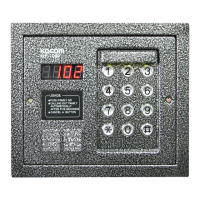
KOCOM KLP-1000 - User Manual

KOCOM KLP-1000
6 pages
Print Icon
To Next Page IconTo Next Page
Loading...
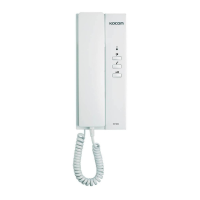
MULTIPLE DOORPHONE
(KLP-1000 & KDP-205)
Thank you very much
for purchasing KOCOM
BUS type multi-doorphone.
please read this manual
thoroughly to ensure
correct usage, before
operating
Contents
1.Special Features
2.Precautions for Operation
3.Components
4.DIP S/W Setting MODE1, MODE2
5.How to operate
6.Function
7.Specifications
8.Installation
Warranty
Warranty Card
PRODUCT
MODEL
DATE PURCHASED
WARRANTY PERIOD
AGENCY
AGENCY ADDRESS
KOCOM Warranties the original purchaser of this product as follows.
1) This product is produced under strict quality control and inspection procedures.
2) If this product breaks down during proper use as a result of product defect,
KOCOM will repair it within one year from date of purchase free of charge.
3) The following cases will be subject to charge, even during warranty period:
a. Breakdown during transport, or through careless treatment, by consumer.
b. Breakdown cause by unauthorized repair, or system modification.
c. Breakdown caused by natural disaster or power disorder.
Warranty
Warranty Card
To receive after service, have the following ready
when you contact our branches
1. Name of the product
2. Model number of the product
3. The area of problem
4. Phone number and address at which you can be contacted.
KLP-1000 10.03
http://www.kocom.com
BUS TYPE - DIGITAL
Caution
Please pay attention that the password can be changed by someone who
call at the common gate.
In this case, please cut off the phone when the beep tone sounds at handset.
Take care not to expose the password.
All functions of the KLP-1000 can be stoped by pushing #button.
If the melody of KDP-205 sounds and communicate continually to KLP-1000 at
the common gate, please let the handset of KDP-205 be lightly on position
Do not push the hook switch in holding a handset to your ear.
Question and Answer IconNeed help?

Do you have a question about the KOCOM KLP-1000 and is the answer not in the manual?

Summary

Caution

Warranty

Warranty Card

Contains fields for product, model, purchase date, warranty period, and agency.

Special Features

KLP-1000 Special Features

Easy installation, night visibility, large capacity, common gate access, parallel extension.

KDP-205 Special Features

Integrated communication/door opener lines, no extra power source needed.

Precautions for Operation

Components

DIP S;W Setting MODE1

KDP-205 DIP S;W Instruction (Mode 1)

Guides setting DIP switches for KDP-205 up to 39 floors.

Floor and Family S;W Institution Example

Illustrates DIP S/W setting for floor and family numbers, e.g., NO.3901.

KDP-205 DIP S;W Exercises (Mode 1)

Provides numerous examples of DIP S/W settings for KDP-205 in Mode 1.

DIP S;W Setting MODE2

KDP-205 DIP S;W Instruction (Mode 2)

Details how to set DIP switches for KDP-205 in Mode 2 for up to 255 units.

Floor and Family S;W Institution Example (Mode 2)

Shows DIP S/W setting for floor and family numbers using Mode 2.

KDP-205 DIP S;W Exercises (Mode 2)

Lists many examples of DIP S/W settings for KDP-205 in Mode 2.

How to Operate

Visitor Operations

Instructions for visitors to call families and open the common gate.

Householder Communication & Door Open

Covers communication between units and opening the common gate.

Householder Calling to KLP-1000

Process for householders to call the KLP-1000 unit.

Password Registration at KLP-1000

Steps to register or change the password on the KLP-1000.

Householder Door Open Calling

How householders can open the common gate via calling.

Function

KLP-1000 Functions

Details functions like family number display, back tone, communication, lighting, and gate opening.

KDP-205 Functions

Covers communication initiation and common gate opening from the KDP-205 unit.

Specifications

Installation

Surface Mount Type Installation

Instructions for mounting the unit on a surface.

Flush Mount Type Installation

Instructions for flush mounting the unit into a wall.

Summary

Caution

Warranty

Warranty Card

Contains fields for product, model, purchase date, warranty period, and agency.

Special Features

KLP-1000 Special Features

Easy installation, night visibility, large capacity, common gate access, parallel extension.

KDP-205 Special Features

Integrated communication/door opener lines, no extra power source needed.

Precautions for Operation

Components

DIP S;W Setting MODE1

KDP-205 DIP S;W Instruction (Mode 1)

Guides setting DIP switches for KDP-205 up to 39 floors.

Floor and Family S;W Institution Example

Illustrates DIP S/W setting for floor and family numbers, e.g., NO.3901.

KDP-205 DIP S;W Exercises (Mode 1)

Provides numerous examples of DIP S/W settings for KDP-205 in Mode 1.

DIP S;W Setting MODE2

KDP-205 DIP S;W Instruction (Mode 2)

Details how to set DIP switches for KDP-205 in Mode 2 for up to 255 units.

Floor and Family S;W Institution Example (Mode 2)

Shows DIP S/W setting for floor and family numbers using Mode 2.

KDP-205 DIP S;W Exercises (Mode 2)

Lists many examples of DIP S/W settings for KDP-205 in Mode 2.

How to Operate

Visitor Operations

Instructions for visitors to call families and open the common gate.

Householder Communication & Door Open

Covers communication between units and opening the common gate.

Householder Calling to KLP-1000

Process for householders to call the KLP-1000 unit.

Password Registration at KLP-1000

Steps to register or change the password on the KLP-1000.

Householder Door Open Calling

How householders can open the common gate via calling.

Function

KLP-1000 Functions

Details functions like family number display, back tone, communication, lighting, and gate opening.

KDP-205 Functions

Covers communication initiation and common gate opening from the KDP-205 unit.

Specifications

Installation

Surface Mount Type Installation

Instructions for mounting the unit on a surface.

Flush Mount Type Installation

Instructions for flush mounting the unit into a wall.

KOCOM KLP-1000 Specifications

General IconGeneral
BrandKOCOM
ModelKLP-1000
CategoryIntercom System
LanguageEnglish

Related product manuals