3 4
4. DIP S/W Setting
MODE1 (Default)
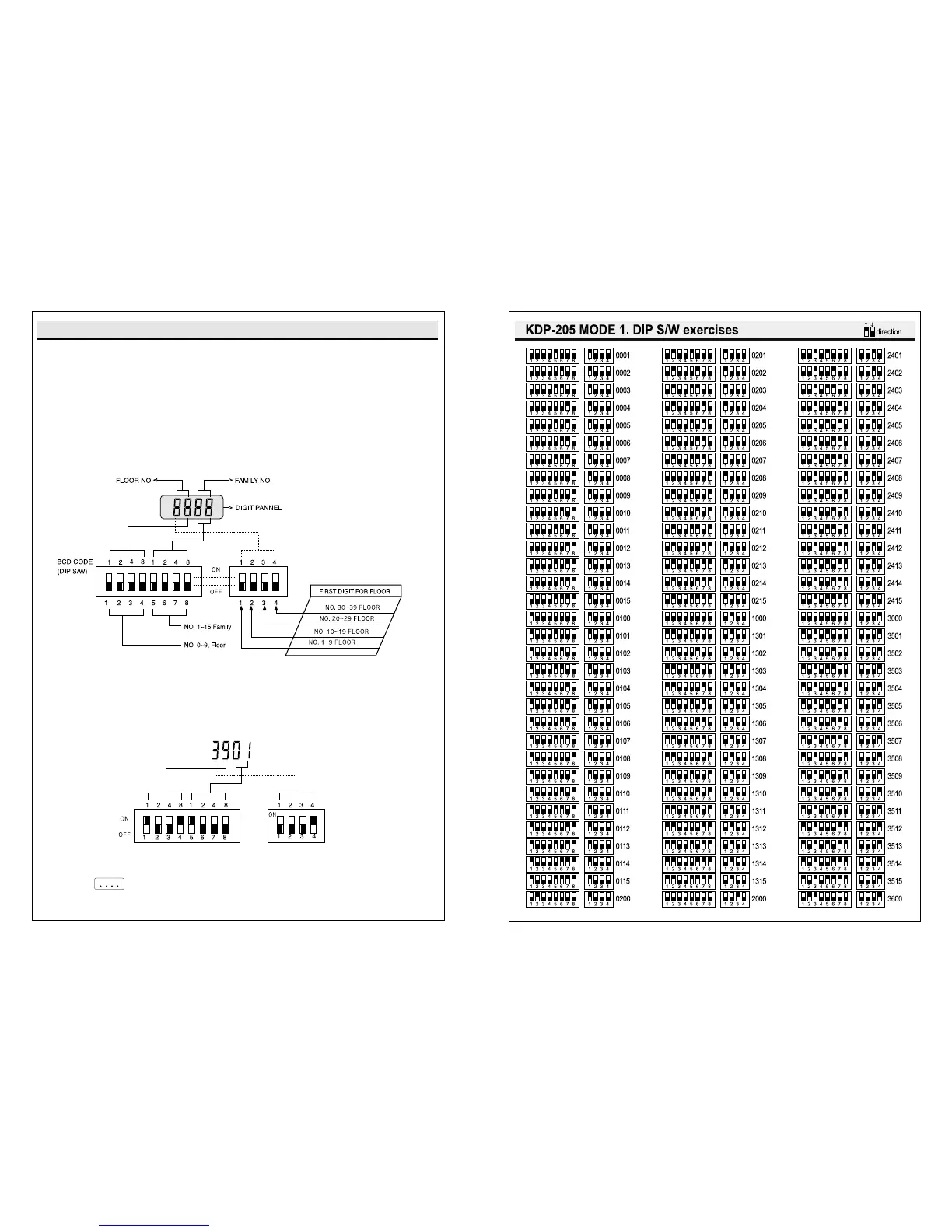
KDP-205 DIP S/W INSTRUCTION(MAX: NO.15~NO.39 FLOOR)
Firmware Ver. 04XX supports both 2 ways of Dip S/W Settings.
Mode 1 : This is setting 15 houses from 1st floor to 39th floor. (Default)
Mode 2 : This is setting 1~255 houses in order.
Mode 1 : Set Dip S/W like the below
How to check Mode 1 : On putting the house password,
FND Point will flicker every 0.2 seconds.
FLOOR AND FAMILY S/W INSITITUTION


 To Next Page