EasyManua.ls Logo

KOCOM KLP-410 Series - User Manual

KOCOM KLP-410 Series
6 pages
Print Icon
To Next Page IconTo Next Page
Loading...
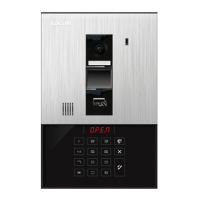
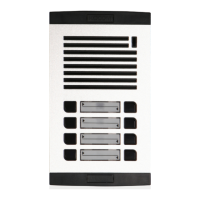
KLP-410 series

[Multiplex House Lobby Phone User/Installation Manual]
■ Household call & conversation feature
■ Guard call & conversation feature
■ Routed guard call feature
■ Automatic door open feature using common PIN code
■ Automatic door open feature using household PIN code
■ Automatic door open feature using RF-Card (※KLP-C410R)
KLP-410 Series

KLP-410 series N0326
SINCE
1976
KOREA COMMUNICATIONS CO.,LTD
http://www.kocom.com
E-mail : export@kocom.co.kr
This manual is based on the date as shown in the right and specifications are subject to
change without notice for quality improvement
Warranty
Warranty Card
1. Name of the product.
2. Model number of the product.
3. The area of problem.
4. Phone number and address at which you can be contacted.
1) This product is produced under strict quality control and inspection procedures.
2) If this product breaks down during proper use as a result of product defect, KOCOM
will repair it within one year from date of purchase free of charge.
3) The following cases will be subject to charge, even during warranty period:
a. Breakdown during transport, or through careless treatment, by consumer.
b. Breakdown cause by unauthorized repair, or system modification.
c. Breakdown caused by natural disaster or power disorder.
PRODUCT
MODEL
DATE PURCHASED
WARRANTY PERIOD
AGENCY ADDRESS
KOCOM Warranties the original purchaser of this product as follows.
To receive after service, have the following ready before you
contact our branches.
www.kocom.com
Question and Answer IconNeed help?

Do you have a question about the KOCOM KLP-410 Series and is the answer not in the manual?

Summary

Warranty Information

Service Preparation Checklist

List of essential items to prepare before contacting service branches for after-sales support.

KOCOM Limited Warranty Terms

Details KOCOM's warranty policy, including free repairs within one year and conditions for chargeable repairs.

LOBBYPHONE Features Overview

Household Call and Conversation

Enables calling and conversing with households.

Guard Call and Conversation

Enables calling and conversing with the guard.

Routed Guard Call Functionality

Allows calls to be routed to the guard.

Automatic Door Access Features

Features for automatically opening doors using PIN codes or RF-Cards.

User Safety and Precautions

General Installation Safety

Important guidelines for safe installation and handling to prevent injury and property damage.

Electrical and Wiring Safety

Cautions related to electrical work, wiring, and secure installation to prevent fire or shock.

Maintenance and Cleaning Safety

Precautions to take when checking the inside of the device or performing cleaning.

Operational Usage Warnings

Warnings about installing the unit near water, heat, gas, or chemicals, and handling power cords.

Device Usage Cautions

General cautions for using the unit, including avoiding liquids, thunderstorms, and modifications.

Abnormal Operation Handling

Instructions on when to unplug the unit and seek service for abnormalities like liquid spills or performance changes.

System Component Safety

General safety advice for the entire system, including videophone and component handling.

Videophone Specific Safety

Specific safety instructions for the videophone, including wiring and cleaning the LCD.

Operational Knowledge Base

Essential information about the product's design, operational limitations, and display characteristics.

Wiring Diagrams and Specifications

Single Apartment Wiring Schematic

Schematic showing wiring connections for a single apartment system, including camera, terminal box, and lobby phone.

Multiple Apartment Wiring Diagram

Diagram illustrating wiring for multiple apartment systems, detailing common wire connections and cable specifications.

Interphone Wiring Specifications

Information on cable types (UTP, Coax), wire gauges, power requirements, and distance limitations for interphone wiring.

Additional Adapter Installation Guide

Guidance on when an additional adapter is necessary for expanding the system with more interphones.

Product Overview and Installation

Lobby Phone Component Identification

Detailed identification of each part of the lobby phone unit, including buttons, display, and indicators.

Technical Product Specifications

Technical specifications for KLP-C410, KLP-C410R, and KLP-D410 models, including power and dimensions.

Lobby Phone Terminal Block Details

Description of terminal connections on the lobby phone, detailing functions for video, voice, sensors, and door locks.

Lobby Phone Mounting Height

Recommendations for the standard installation height of the lobby phone for optimal performance and image capture.

System Setup and Configuration

PIN Number Registration Procedures

Steps for registering household and common PIN numbers for accessing system features.

Household PIN Door Access

Instructions on how to use household PIN numbers to open the lobby door for a set duration.

LED Operation Mode Settings

Explanation of different LED operation modes and how to select them via menu.

System Menu Navigation Guide

Guide to navigating the system menus, including accessing specific functions via numeric keys and buttons.

Master System PIN Management

Procedure for setting and changing the system's master PIN code for security.

RF-Card Registration and Deletion

Instructions for registering and deleting RF-Cards for door access, including bulk deletion.

Door Open Timer Configuration

Configuration for the duration the lobby door remains open after activation by PIN or RF-Card.

Guardroom Call Routing Setup

Setting up the Guardroom Routed Call function to direct calls to the guard.

Advanced System Settings

Lobby Phone ID Assignment

Procedure for setting or changing the unique ID number for the lobby phone unit.

DVR Link Functionality Setup

Instructions for enabling or disabling the DVR Link function for video recording.

System Communication Protocol Selection

Guidance on selecting the communication protocol version for system integration.

Language and Voice Prompt Settings

Instructions for selecting between English and Korean comments and voice prompts.

General Setup Menu Operations

Overview of how to navigate general setup menus and use buttons for selection and confirmation.

Summary

Warranty Information

Service Preparation Checklist

List of essential items to prepare before contacting service branches for after-sales support.

KOCOM Limited Warranty Terms

Details KOCOM's warranty policy, including free repairs within one year and conditions for chargeable repairs.

LOBBYPHONE Features Overview

Household Call and Conversation

Enables calling and conversing with households.

Guard Call and Conversation

Enables calling and conversing with the guard.

Routed Guard Call Functionality

Allows calls to be routed to the guard.

Automatic Door Access Features

Features for automatically opening doors using PIN codes or RF-Cards.

User Safety and Precautions

General Installation Safety

Important guidelines for safe installation and handling to prevent injury and property damage.

Electrical and Wiring Safety

Cautions related to electrical work, wiring, and secure installation to prevent fire or shock.

Maintenance and Cleaning Safety

Precautions to take when checking the inside of the device or performing cleaning.

Operational Usage Warnings

Warnings about installing the unit near water, heat, gas, or chemicals, and handling power cords.

Device Usage Cautions

General cautions for using the unit, including avoiding liquids, thunderstorms, and modifications.

Abnormal Operation Handling

Instructions on when to unplug the unit and seek service for abnormalities like liquid spills or performance changes.

System Component Safety

General safety advice for the entire system, including videophone and component handling.

Videophone Specific Safety

Specific safety instructions for the videophone, including wiring and cleaning the LCD.

Operational Knowledge Base

Essential information about the product's design, operational limitations, and display characteristics.

Wiring Diagrams and Specifications

Single Apartment Wiring Schematic

Schematic showing wiring connections for a single apartment system, including camera, terminal box, and lobby phone.

Multiple Apartment Wiring Diagram

Diagram illustrating wiring for multiple apartment systems, detailing common wire connections and cable specifications.

Interphone Wiring Specifications

Information on cable types (UTP, Coax), wire gauges, power requirements, and distance limitations for interphone wiring.

Additional Adapter Installation Guide

Guidance on when an additional adapter is necessary for expanding the system with more interphones.

Product Overview and Installation

Lobby Phone Component Identification

Detailed identification of each part of the lobby phone unit, including buttons, display, and indicators.

Technical Product Specifications

Technical specifications for KLP-C410, KLP-C410R, and KLP-D410 models, including power and dimensions.

Lobby Phone Terminal Block Details

Description of terminal connections on the lobby phone, detailing functions for video, voice, sensors, and door locks.

Lobby Phone Mounting Height

Recommendations for the standard installation height of the lobby phone for optimal performance and image capture.

System Setup and Configuration

PIN Number Registration Procedures

Steps for registering household and common PIN numbers for accessing system features.

Household PIN Door Access

Instructions on how to use household PIN numbers to open the lobby door for a set duration.

LED Operation Mode Settings

Explanation of different LED operation modes and how to select them via menu.

System Menu Navigation Guide

Guide to navigating the system menus, including accessing specific functions via numeric keys and buttons.

Master System PIN Management

Procedure for setting and changing the system's master PIN code for security.

RF-Card Registration and Deletion

Instructions for registering and deleting RF-Cards for door access, including bulk deletion.

Door Open Timer Configuration

Configuration for the duration the lobby door remains open after activation by PIN or RF-Card.

Guardroom Call Routing Setup

Setting up the Guardroom Routed Call function to direct calls to the guard.

Advanced System Settings

Lobby Phone ID Assignment

Procedure for setting or changing the unique ID number for the lobby phone unit.

DVR Link Functionality Setup

Instructions for enabling or disabling the DVR Link function for video recording.

System Communication Protocol Selection

Guidance on selecting the communication protocol version for system integration.

Language and Voice Prompt Settings

Instructions for selecting between English and Korean comments and voice prompts.

General Setup Menu Operations

Overview of how to navigate general setup menus and use buttons for selection and confirmation.

KOCOM KLP-410 Series Specifications

General IconGeneral
BrandKOCOM
ModelKLP-410 Series
CategoryIntercom System
LanguageEnglish

Related product manuals