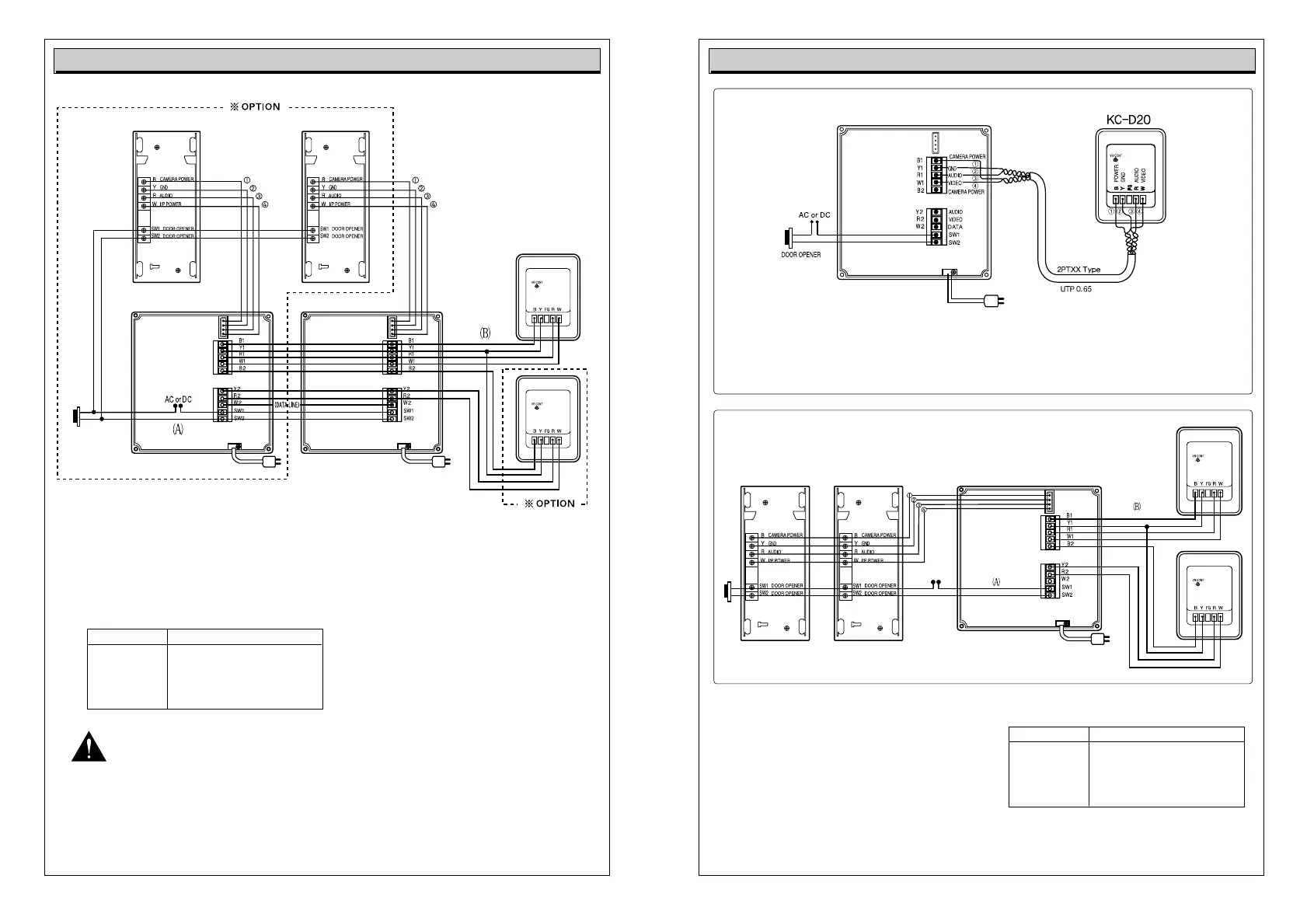
Video Doorphone Wiring Diagram 1 Video Doorphone Wiring Diagram 2
Caution for wiring
Available video doorphone wiring with TIV O.65mm is less than 50m in length.
Connecting wiring between monitor and door camera should not be installed
near other electrical cable, nor be horizontal.
(In such case, clear picture can not be expected due to interruption by electrical noise)
Transmission 4-wired Wiring
TIV0.5 : Max. 20m
Cable Distance TIV0.6 : Max. 30m
TIV0.65: Max. 50m
Coaxial cable : Max. 100m
In case, 2 camera are used, terminal GND(Y) of each camera should be connected
to the terminal Y1 of the first monitor.
For the dotted line in TIV 1.6 must be used
For the dotted line in TIV 0.65must be used. (Max. cable distance 50m)
Transmission 4-wired Wiring
TIV0.5 : Max. 20m
Cable Distance TIV0.6 : Max. 30m
TIV0.65: Max. 50m
Coaxial cable : Max. 100m
For the dotted line in TIV 1.6 must be used
For the dotted line in TIV 0.65must be used.
(Max. cable distance 50m)
In case of UPT cable wiring, please refer to the wiring and this wiring is recommended.
please avoid wiring R(audio)and W(video) in a twisted cable.



 To Previous Page