Adjusting Camera Settings 5-1
&+$37(5
$ GMXVWLQJ&DPHUD6HWWLQJV
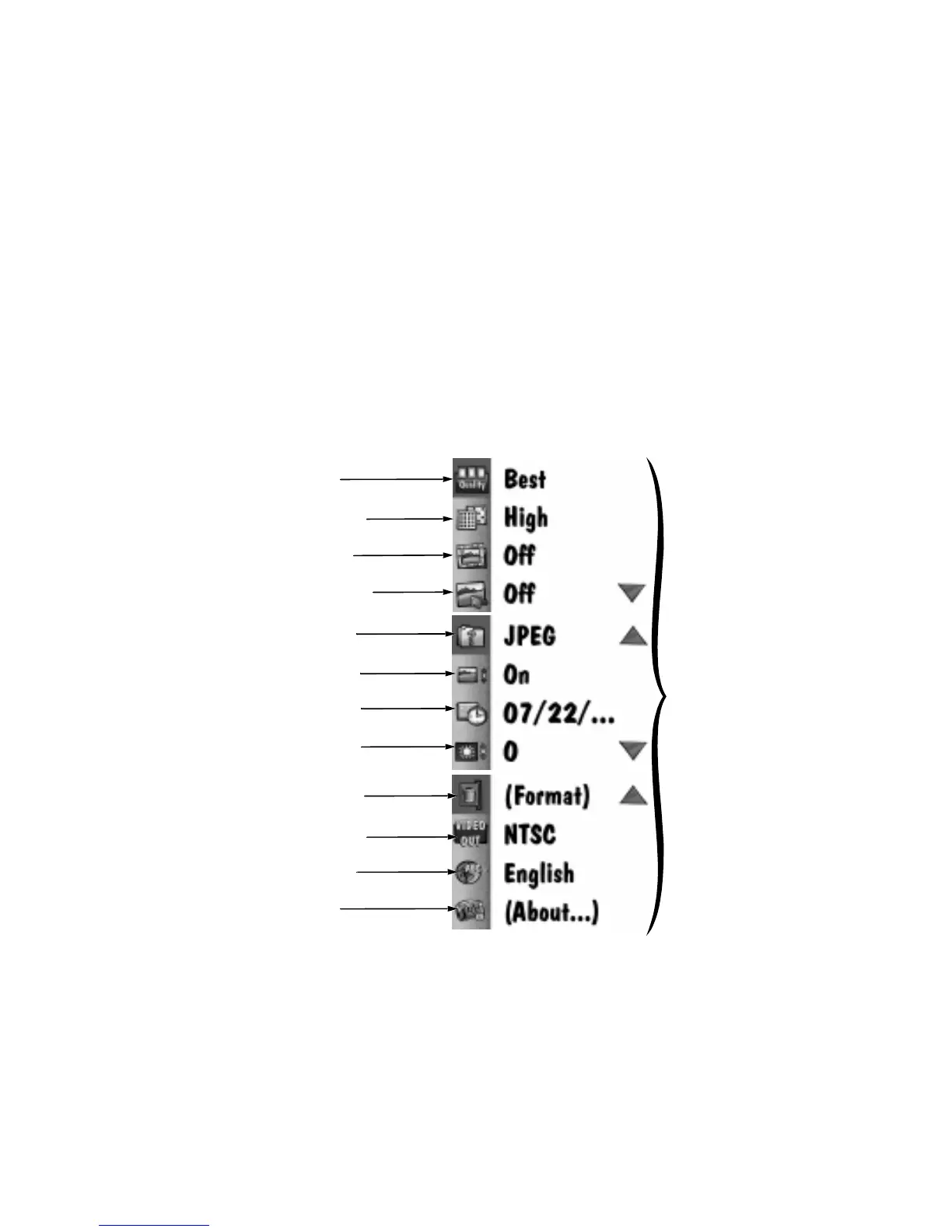
When the mode dial is set to Preferences, the main Preferences screen appears on the liq-
uid crystal display (LCD). The Preferences screen, illustrated below, allows you to adjust or
activate the following camera settings:
The following sections describe each of these settings.
default
settings
Quality icon
Resolution icon
Template icon
Date Stamp icon
File Type icon
Quickview icon
Date/Time icon
LCD Brightness icon
Video-Out icon
Language icon
About icon
Format Memory Card icon


 To Next Page