5-2 KODAK DIGITAL SCIENCE DC210 Plus Zoom Camera User’s Guide
4XDOLW\
The Quality screen sets the picture quality to Best, Better, or Good. Refer to “Quality” in
Chapter 3 for more information on picture quality. To set quality, perform the following
steps:
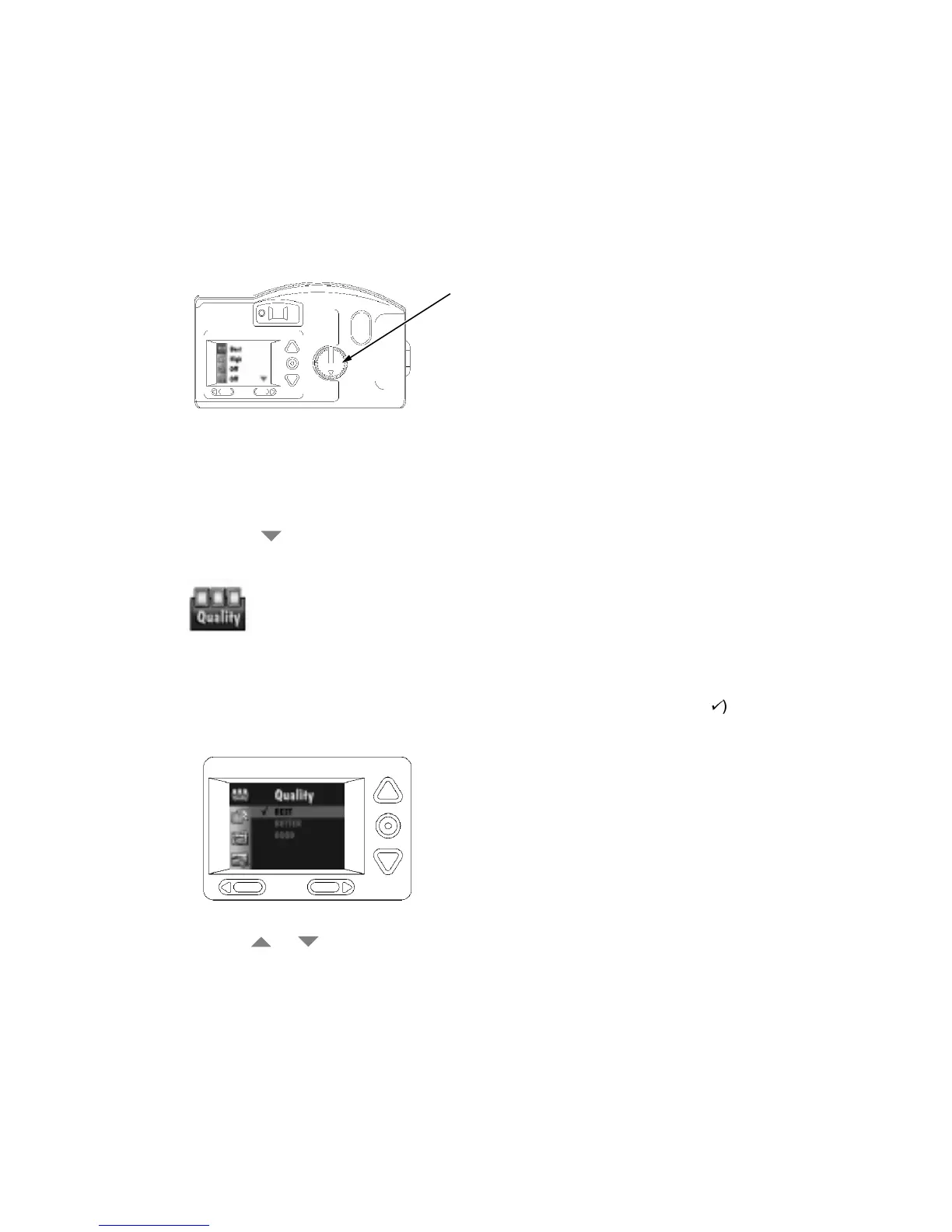
1. Set the mode dial to Preferences.
2. Turn on the camera.
The LCD displays the Preferences screen.
3. Press the
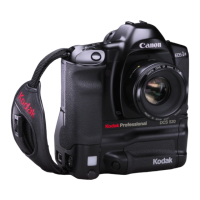
button until the Quality icon (shown below) is highlighted.
4. Press the Do-It button.
The LCD displays the main Quality screen. The current setting is checked (
9
).
5. Press a or
button until the appropriate option is highlighted.
6. Press the Do-It button.
The main Preferences screen reappears.
The Quality setting is maintained until another setting is selected. This setting does
not
change when the camera is turned off.
mode dial


 To Next Page