Taking pictures and videos
www.kodak.com/go/support
5
Reviewing the picture or video just taken
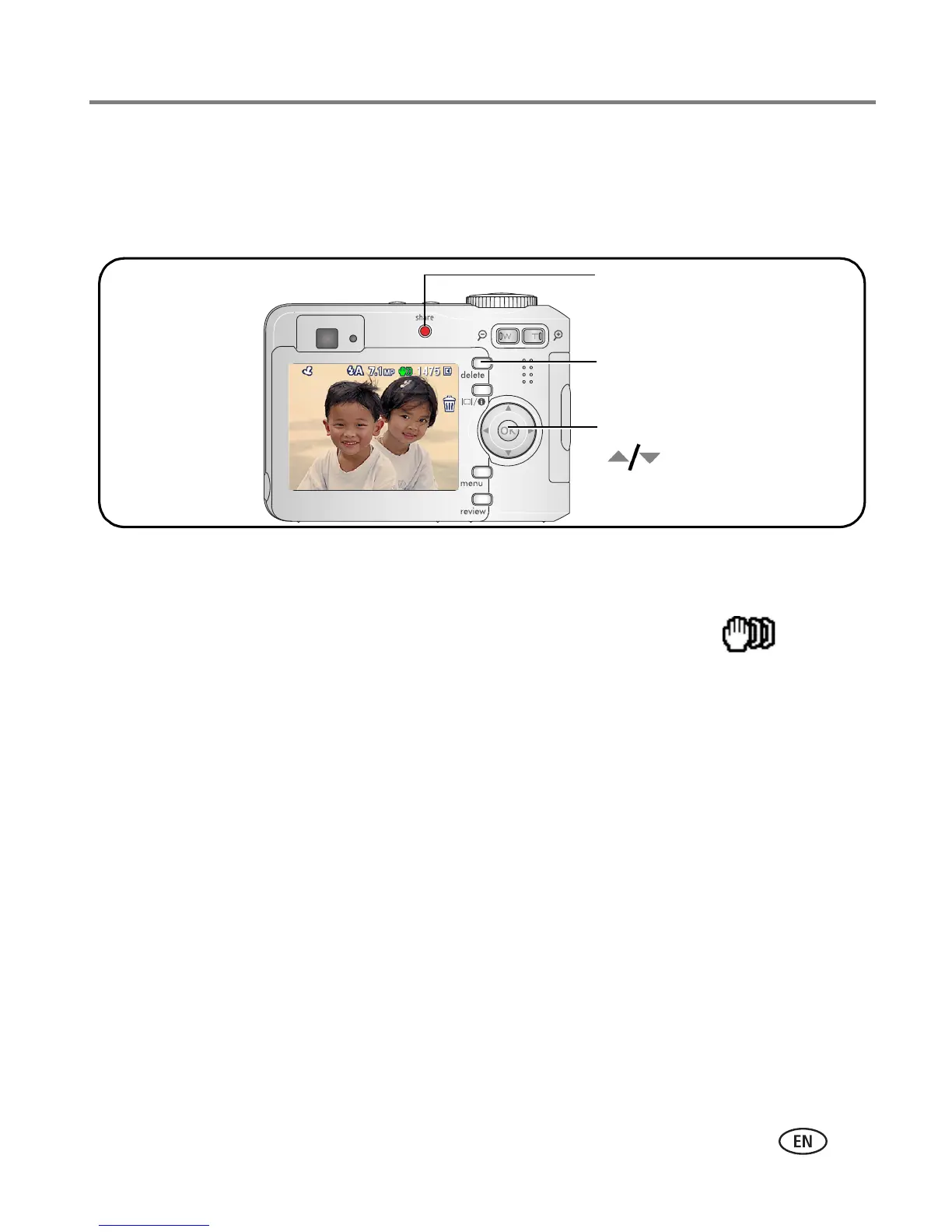
After you take a picture or video, the LCD displays a quickview for approximately 5
seconds.
To review pictures and videos anytime, see page 9.
Understanding blur warning icons
If the feature is turned on (see page 25), a picture blur warning icon is
displayed during quickview and review.
Green—Picture is sharp enough for an acceptable 4 x 6-inch (10 x 15 cm) print.
Yellow—Picture may be sharp enough for an acceptable 4 x 6-inch (10 x 15 cm)
print or sharpness is not determined.
Red—Picture is not sharp enough for an acceptable 4 x 6-inch (10 x 15 cm) print.
White—Printability is still being determined.
If you press
no buttons,
the picture/
video is saved.
Delete
Play a video.
to adjust volume.)
(
Tag a picture/video for email or as a
favorite, or tag a picture for print.


 To Next Page
 Loading...