EasyManua.ls Logo

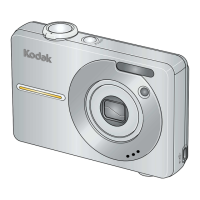
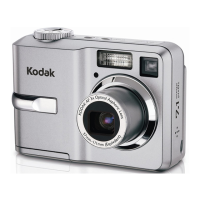
Kodak EasyShare C743 - User Manual

Kodak EasyShare C743
70 pages
Print Icon
To Next Page IconTo Next Page
Loading...
Kodak EasyShare C743/C703
zoom digital camera
User’s guide
www.kodak.com
For interactive tutorials, www.kodak.com/go/howto
For help with your camera, www.kodak.com/go/c743support or
www.kodak.com/go/c703support

Table of Contents

Other manuals for Kodak EasyShare C743

Questions and Answers

Kodak EasyShare C743 Specifications

General IconGeneral
Megapixel7.1 MP
Camera typeCompact camera
Sensor typeCCD
Image stabilizerYes
Image sensor size1/2.5 \
Digital zoom5 x
Optical zoom3 x
InterfaceUSB 2.0
Digital SLRNo
Dimensions (WxDxH)92.2 x 32.4 x 65.7 mm
Camera shutter speed4 - 1/1400 s
Compatible operating systemsWindows XP, 2000 SP4 Macintosh OS X 10.3
Focal length (35mm film equivalent)37 - 111 mm
Focus adjustmentAuto
Normal focusing range0.6 - ∞ m
Auto focusing (AF) modesContinuous Auto Focus
Macro focusing range (tele)0.22 - 0.7 m
Macro focusing range (wide)0.13 -0.7 m
ISO sensitivity80, 100, 200, 400
Flash modesauto, fill-in, Flash off, Red-eye reduction
Flash range (tele)0.6 - 2 m
Flash range (wide)0.6 - 3.6 m
Internal memory32 MB
Compatible memory cardsmmc, ms pro, sd
Motion JPEG frame rate30 fps
Video formats supportedQuickTime
Maximum video resolution640 x 480 pixels
Display diagonal2.4 \
Product colorSilver
Scene modesBacklight, beach, Children, Close-up (macro), Fireworks, Night portrait, party (indoor), Portrait, self-portrait, Sports, Landscape (scenery)
Photo effectsblack&white, Sepia
White balanceauto, daylight, Fluorescent, Tungsten
Camera playbacksingle image, slide show
Battery technologyNickel-Metal Hydride (NiMH)
Viewfinder typeOptical
Weight and Dimensions IconWeight and Dimensions
Depth32.4 mm
Width92.2 mm
Height65.7 mm
Weight145 g

Summary

1 Setting Up Your Camera

2 Taking Pictures and Videos

Taking a Picture

Step-by-step guide on how to capture a still photograph.

Taking a Video

Instructions on how to record video clips with sound.

3 Transferring and Printing Pictures

Installing EasyShare Software

Steps to install the necessary software for data transfer.

4 Doing More with Your Camera

Using Zoom and Picture Modes

Using optical/digital zoom and selecting picture-taking modes.

Adjusting Camera Settings

Using self-timer, exposure compensation, and burst mode.

5 Troubleshooting Camera Issues

Resolving Common Camera Problems

Solutions for issues like camera not turning on or pictures not saving.

7 Appendix: Specifications and Safety

Important Safety Instructions

Critical safety precautions for using the camera, batteries, and accessories.

Related product manuals