EasyManua.ls Logo

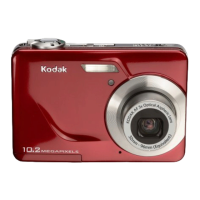
Kodak EasyShare CX7530 zoom - User Manual

Kodak EasyShare CX7530 zoom
67 pages
Print Icon
To Next Page IconTo Next Page
Loading...
Kodak EasyShare
CX7530 zoom digital camera
Users guide
www.kodak.com
For interactive tutorials, www.kodak.com/go/howto
For help with your camera, www.kodak.com/go/cx7530support

Table of Contents

Questions and Answers

  • R
    Robert MontgomeryAug 17, 2025
    What to do if my Kodak EasyShare CX7530 zoom says 'Memory card full'?
    • T
      Travis SandersAug 17, 2025
      If your Kodak Digital Camera displays 'Memory card full', it means the image storage is full. You can insert a new card, transfer pictures to your computer, or delete pictures from the card. Another reason could be that the maximum number of files or folders has been reached. In this case, transfer pictures and videos to your computer, then format the card or internal memory. Be aware that formatting will delete all pictures and videos, including protected files.
  • B
    Brian PhelpsAug 19, 2025
    Why doesn't my Kodak Digital Camera recognize the SD card?
    • K
      Kelly WareAug 19, 2025
      If your Kodak Digital Camera doesn't recognize the SD/MMC card, it might not be SD/MMC certified, so consider purchasing a certified card. The card could also be corrupt; try reformatting it, but be aware that this will delete all pictures and videos, including protected files. Also, ensure the card is properly inserted into the slot and pushed to seat correctly.
  • S
    stephanie89Aug 22, 2025
    What to do if Kodak Digital Camera freezes when inserting or removing a card?
    • A
      Ashley HillAug 22, 2025
      If your Kodak Digital Camera freezes up when a card is inserted or removed, it means the camera detects an error. Turn the camera off, then back on. Make sure the camera is off when inserting or removing a card.
  • A
    Alejandro JamesAug 27, 2025
    Why doesn't the shutter button work on my Kodak EasyShare CX7530 zoom Digital Camera?
    • M
      Mary HayesAug 27, 2025
      If the shutter button on your Kodak Digital Camera isn't working, there could be several reasons. First, ensure the camera is turned on. If it is, check if the ready light is blinking red, indicating the camera is still processing a picture. Wait until it stops blinking. Also, the card or internal memory might be full, so transfer pictures to your computer, delete some from the camera, switch the image storage location, or insert a new card with available memory. Make sure you are pressing the shutter button correctly. Finally, verify that the camera is not in Favorites mode; switch to a picture- or video-taking mode.
  • M
    Maria LongAug 30, 2025
    How to brighten a dark picture on Kodak Digital Camera?
    • J
      Jacob CruzAug 30, 2025
      If your picture is too dark or underexposed with your Kodak Digital Camera, the flash might not be on, or the subject was too far away for the flash to be effective. Move closer, ensuring there is no more than 11.8 ft (3.6 m) between the camera and the subject, or 6.9 ft (2.1 m) in Telephoto. Make sure auto exposure was achieved by pressing the Shutter button halfway and hold until the ready light glows green, then press the Shutter button the rest of the way down to take the picture. If there is not enough light, increase Exposure Compensation.
  • M
    Michelle CardenasSep 1, 2025
    How do I fix an overexposed picture on Kodak Digital Camera?
    • B
      Brenda SimonSep 2, 2025
      If your picture is too light when using your Kodak Digital Camera, it could be due to several reasons. The subject might be too close for the flash, so move so there is at least 2 ft (0.6 m) between the camera and subject. Also, ensure that your hands or other objects do not cover the light sensor. If there is too much light, decrease Exposure Compensation. To take the best possible pictures, press the Shutter button halfway and hold. When the ready light glows green, press the Shutter button the rest of the way down to take the picture to ensure auto exposure is achieved.
  • D
    Dr. Michael Jacobs DDSSep 4, 2025
    What causes corrupted pictures on Kodak EasyShare CX7530 zoom?
    • J
      justin07Sep 4, 2025
      If your stored pictures are corrupted on your Kodak Digital Camera, it may be because the card was removed or the batteries expired while the ready light was blinking. Retake the picture, ensure you do not remove the card while the ready light is blinking, and keep the battery charged.
  • S
    Susan MccoySep 7, 2025
    Why doesn't the slide show run on external video device from my Kodak Digital Camera?
    • G
      Gabrielle LynchSep 7, 2025
      If the slide show does not run on an external video device with your Kodak Digital Camera, the Video Out setting might be incorrect. Adjust the camera Video Out setting (NTSC or PAL). The external device may also be set incorrectly, so consult the external device’s user’s guide.
  • C
    clinemollySep 12, 2025
    What to do if picture is not displayed in Review mode on Kodak EasyShare CX7530 zoom?
    • S
      Steven GarrettSep 12, 2025
      If you do not see a picture (or the expected picture) on the camera screen in Review mode on your Kodak Digital Camera, the camera may not be accessing the correct image storage location. Check the image storage location setting.
  • L
    Lynn SullivanSep 13, 2025
    Why is there a black screen instead of a picture in Review mode on my Kodak EasyShare CX7530 zoom?
    • K
      Katelyn WaltonSep 13, 2025
      If a black screen is displayed instead of a picture in Review mode on your Kodak Digital Camera, the file format is unrecognized. Transfer the picture to the computer.

Summary

Getting Started

Installing the Software First

Instructions for installing the Kodak EasyShare software before connecting the camera.

Loading the Batteries

Step-by-step guide on how to insert AA or rechargeable batteries into the camera.

Taking Pictures and Videos

Taking a Picture

Step-by-step instructions for capturing still photographs with the camera.

Reviewing Pictures and Videos

Deleting Pictures and Videos

Methods for removing unwanted photos and videos from the camera's storage.

Software and Data Management

Installing the Software

Step-by-step guide to installing the Kodak EasyShare software on your computer.

Transferring Pictures with the USB Cable

Guide for connecting the camera to a computer using a USB cable to transfer photos.

Troubleshooting

Camera Problems

Solutions for common issues like the camera not turning on or lenses not retracting.

Camera Screen Messages

Explanations and solutions for various error messages displayed on the camera screen.

Kodak EasyShare CX7530 zoom Specifications

General IconGeneral
BrandKodak
ModelEasyShare CX7530 zoom
CategoryDigital Camera
LanguageEnglish

Related product manuals