EasyManua.ls Logo

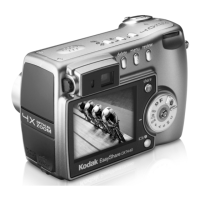
Kodak EasyShare DX6340 - User Manual

Kodak EasyShare DX6340
134 pages
Print Icon
To Next Page IconTo Next Page
Loading...
Kodak EasyShare
DX6340 zoom digital camera
User’s Guide
www.kodak.com
For interactive tutorials, www.kodak.com/go/howto

Table of Contents

Questions and Answers

  • C
    Corey SellersJul 26, 2025
    What to do if pictures are not transferred from my Kodak EasyShare DX6340 to the computer?
    • M
      Micheal FloresJul 26, 2025
      If your pictures aren't transferring, several factors could be the cause. First, ensure that the AC adapter or USB cable is securely connected. If the connections are good, verify that the software is installed. Another potential issue is having too many applications running; close unnecessary software and try again. Also, make sure the camera wasn't removed from the camera dock during transfer; if it was, replace it and press the Transfer button. Finally, ensure you've pressed the Transfer button to initiate the process.
  • A
    Amy RobinsonAug 5, 2025
    Why my Kodak Digital Camera pictures are not transferred to computer?
    • U
      ukingAug 5, 2025
      There are several reasons why your Kodak Digital Camera pictures might not be transferring to your computer. It could be due to a loose connection with the AC adapter or USB cable. It's also possible that the necessary software hasn't been installed, or that too many applications are running simultaneously on your computer. Another reason may be that camera was removed from the camera dock during picture transfer. Finally, the transfer might not initiate if the Transfer button was not pressed.
  • A
    Ashley StewartAug 16, 2025
    How to fix Kodak EasyShare DX6340 when pictures are not transferred to the computer?
    • M
      mackenzieelliottAug 16, 2025
      To resolve issues with picture transfers from your Kodak Digital Camera to your computer, start by checking that the AC adapter or USB cable is securely connected. If that's not the problem, make sure the required software is installed on your computer. Closing any unnecessary applications might also help. Ensure that the camera remains on the camera dock during the entire transfer process, and that you press the Transfer button to begin.

Summary

Getting Started

Install Software First

Instructions for installing the Kodak EasyShare software before connecting the camera.

Loading the Battery

Step-by-step guide to inserting the battery.

Turning On the Camera

Details on how to power on the camera and check status icons.

Setting the Date and Time

Procedures for setting the camera's date and time.

Taking Pictures

Take a Picture

Step-by-step guide for capturing still images.

Picture-Taking Modes

Details on various shooting modes like Auto, Sport, Portrait, Night, Landscape, Close-up.

PAS Mode

Explains PAS mode and its sub-modes (Program, Aperture, Shutter).

Customizing Camera Settings

Installing Software and Connecting to Computer

Install the Software

Step-by-step guide for installing Kodak EasyShare software.

Transferring Pictures With the USB Cable

How to connect and transfer files using a USB cable.

Using the Camera Dock 6000

Charging the Battery

How to charge the camera battery using the dock.

Transferring Pictures With the Dock

How to transfer files from the camera to a computer via the dock.

Troubleshooting

Camera Problems

Common issues with the camera and their solutions.

Camera;Computer Communications

Troubleshooting issues with connecting camera to computer.

MMC;SD Cards and Internal Memory

Troubleshooting issues with memory cards and internal storage.

Kodak EasyShare DX6340 Specifications

General IconGeneral
Optical Zoom3x
Digital Zoom3.3x
LCD Screen Size2.2 inches
Battery TypeLi-Ion rechargeable battery
Storage16 MB Internal
Camera typePoint and Shoot
Sensor Resolution3.1 megapixels
Supported Flash MemorySD
Storage MediaSD Card

Related product manuals