EasyManua.ls Logo

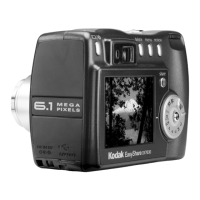
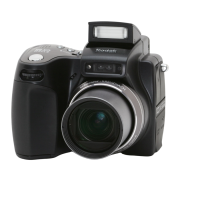
Kodak EasyShare DX7590 - User Manual

Kodak EasyShare DX7590
82 pages
Print Icon
To Next Page IconTo Next Page
Loading...
Kodak EasyShare
DX7590 zoom digital camera
User’s guide
www.kodak.com
For interactive tutorials, www.kodak.com/go/howto
For help with your camera, www.kodak.com/go/dx7590support

Table of Contents

Questions and Answers

  • J
    Joseph CrawfordJul 30, 2025
    What to do if memory card is not recognized on Kodak Digital Camera?
    • J
      Jeremy LeonJul 31, 2025
      If your Kodak Digital Camera does not recognize the memory card or freezes when the card is inserted, it could be due to card corruption. Format the card in the camera or try using another memory card.
  • M
    Mario WilliamsAug 6, 2025
    What to do if I cannot take a picture with my Kodak Digital Camera?
    • C
      cindy24Aug 7, 2025
      If you cannot take a picture with your Kodak Digital Camera, try the following: * Turn the camera off and then on again. * Fully depress the shutter button. * Insert a charged battery. * Wait until the AF/AE indicator turns green before taking another picture. If the memory is full, transfer pictures to the computer, delete pictures from the camera or card, change the image storage location, or insert a new card.
  • S
    sjohnsonAug 15, 2025
    How to free up storage on Kodak EasyShare DX7590?
    • W
      William SmithAug 15, 2025
      If the storage on your Kodak Digital Camera is almost or entirely full, you can: * Transfer pictures to your computer. * Delete pictures from the card or insert a new one. * Change the image storage location to internal memory.
  • K
    kimberlybrownAug 22, 2025
    What to do if an error message appears on my Kodak Digital Camera screen?
    • T
      Theresa CastroAug 22, 2025
      If an error message appears on the EVF/LCD screen of your Kodak Digital Camera, try these steps: 1. Turn the camera off. 2. Remove the memory card. 3. Remove the battery and wipe the contacts with a clean, dry cloth. 4. Reinstall the battery. 5. Turn the camera on.

Summary

Getting Started

Battery Management

Covers charging, inserting, battery life, and safety precautions.

Taking Pictures and Videos

Taking a Picture

Step-by-step guide to capturing still photographs with the camera.

Using the Flash

Instructions on turning on and changing settings for the built-in flash.

Tips for Better Pictures

Advice on zoom, exposure compensation, aperture, and shutter speed.

Reviewing Pictures and Videos

Media Organization and Protection

Protecting media from deletion and tagging for albums.

Transferring and Printing Pictures

Transferring Files via USB Cable

Step-by-step guide to transferring files using a USB cable.

Direct Camera-to-Printer Connection

Instructions for connecting the camera and printing directly.

Troubleshooting Camera Problems

Power, Control, and Display Issues

Solutions for camera not powering on, control malfunctions, lens, and screen problems.

Flash, Battery, and Memory Card Problems

Resolving flash issues, short battery life, and memory card errors.

Error Messages and Status Indicators

Interpreting error messages and power ring light statuses.

Getting Help and Support

Telephone Customer Support

Contact information and required details for customer support.

Kodak EasyShare DX7590 Specifications

General IconGeneral
Resolution5.0 Megapixels
Optical Zoom10x
Digital Zoom3x
LCD Screen Size2.2 inches
Storage MediaSD/MMC card
Battery TypeLithium-Ion rechargeable
BrandKodak
ModelEasyShare DX7590
Sensor TypeCCD
Image Sensor Size1/2.5 inches
Image StabilizationNo
Minimum Aperturef/8.0
Video RecordingYes
Camera TypeDigital camera
Focal Length6.3-63mm (equivalent to 38-380mm in 35mm format)
Maximum Aperturef/2.8
ISO Speed80, 100, 200, 400, 800
Shutter Speed16 - 1/2000 sec
FlashBuilt-in
Video Resolution640 x 480

Related product manuals