EasyManua.ls Logo

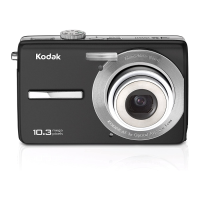
Kodak EASYSHARE M1063 - User Manual

Kodak EASYSHARE M1063
75 pages
Print Icon
To Next Page IconTo Next Page
Loading...
KODAK EASYSHARE
M1063/MD1063/MX1063
Digital Camera
Extended User Guide
www.kodak.com
For interactive tutorials: www.kodak.com/go/howto
For help with your camera: www.kodak.com/go/m1063support

Table of Contents

Other manuals for Kodak EASYSHARE M1063

Questions and Answers

  • C
    Christopher HartSep 8, 2025
    What to do if my Kodak EASYSHARE M1063 Digital Camera says not enough space to copy files?
    • D
      Dr. Alisha RoweSep 8, 2025
      If your Kodak Digital Camera displays 'Not enough space to copy files', delete pictures from the image storage location you are copying to, or insert a new card.
  • J
    jeremymillerSep 7, 2025
    What to do if my Kodak EASYSHARE M1063 freezes when inserting or removing a card?
    • A
      Alexander RyanSep 7, 2025
      If your Kodak Digital Camera is freezing up when you insert or remove a card, try turning the camera off and then back on. Make sure the camera is turned off before inserting or removing a card. If the issue continues, try using a different SD/SDHC card.
  • B
    Barbara HughesAug 22, 2025
    What to do if my Kodak Digital Camera says memory card requires formatting?
    • M
      Mary CoxAug 22, 2025
      If your Kodak Digital Camera displays a message that the memory card requires formatting, you can either insert a new card or format the card. Keep in mind that formatting will erase all pictures and videos, including protected files.
  • G
    Gabrielle WoodSep 4, 2025
    How to fix Kodak EASYSHARE M1063 not recognizing SD card?
    • C
      Christopher MoodySep 4, 2025
      If your Kodak Digital Camera does not recognize the SD card, try these steps: First, use a certified SD/SDHC card. If that doesn't work, reformat the card. Remember that formatting will erase all data. Also, make sure the card is correctly inserted into the slot.
  • U
    uhughesSep 3, 2025
    What to do if my Kodak EASYSHARE M1063 Digital Camera says memory card is unusable?
    • J
      julia34Sep 3, 2025
      If your Kodak Digital Camera is displaying a message that the memory card is unusable, you can try inserting a new card or formatting the existing one. Be aware that formatting the card will delete all pictures and videos, including protected files.
  • G
    Gabriel JohnsonSep 1, 2025
    What to do if my Kodak EASYSHARE M1063 Digital Camera says memory card full?
    • T
      Tiffany RossSep 1, 2025
      If your Kodak Digital Camera displays 'Memory card full', you can insert a new card, transfer pictures to your computer, or delete pictures from the card.
  • A
    Adrian ClarkAug 31, 2025
    Cannot transfer pictures from Kodak EASYSHARE M1063, how to fix?
    • D
      Douglas BrayAug 31, 2025
      If you are unable to transfer pictures from your Kodak Digital Camera and the Add New Hardware Wizard cannot locate drivers, disconnect the USB cable (and camera from any dock). Close all open applications and reinstall the software. Reboot the computer or try another computer.
  • C
    cassandradavisAug 30, 2025
    Why are my Kodak EASYSHARE M1063 Digital Camera pictures not clear?
    • E
      Eric EvansAug 30, 2025
      If your Kodak Digital Camera is not producing clear pictures, try cleaning the lens. Also, ensure that your camera is not in Close-up mode and that there is at least 23.6 inches (60 cm) between the camera and the subject. For stability, place the camera on a flat surface or use a tripod.
  • T
    Theresa StoutAug 29, 2025
    Why are my Kodak EASYSHARE M1063 Digital Camera pictures too light?
    • M
      Maria FlemingAug 29, 2025
      If the pictures from your Kodak Digital Camera are too light, try decreasing the Exposure Compensation. Another option is to turn off the flash and move further away from the subject.
  • J
    joel91Aug 27, 2025
    Why are my Kodak EASYSHARE M1063 Digital Camera pictures too dark?
    • C
      cmcbrideAug 27, 2025
      If the pictures you take with your Kodak Digital Camera turn out too dark, try turning on the flash. You can also move closer to the subject, ensuring you're within the flash's effective range. Consider using Fill flash or repositioning yourself to avoid having light behind the subject. Alternatively, increase the Exposure Compensation.

Summary

Camera Overview

Front View Controls

Identification of controls and features on the front of the camera.

Back View Controls

Identification of controls and features on the back of the camera.

Setting Up Your Camera

Initial Setup and Battery Charging

Covers attaching strap, loading/charging battery, and initial configuration.

Using Memory Cards

Instructions for inserting and using SD/SDHC memory cards for storage.

Taking Pictures and Videos

Capturing Images and Videos

Basic steps for taking photos and recording videos.

Zoom, Flash, and Modes

Using zoom, flash, and various shooting modes for optimal results.

Advanced Shooting Techniques

Covers camera help, panoramic pictures, and understanding shooting icons.

Working with Pictures and Videos

Reviewing and Managing Media

Browsing, magnifying, playing videos, and using sound tags.

Editing and Organizing Media

Cropping, editing videos, running slide shows, and selecting multiple files.

Viewing and Transferring Media

Viewing media in different ways, connecting to TV, and copying files.

Doing More with Your Camera

Camera Settings and Customization

Using menus to change settings, customization options, and maintenance.

Advanced Features and Aids

Using self-timer, burst mode, exposure compensation, and framing grid.

Transferring, Printing, and Tagging

Software Installation and Media Transfer

Installing software and transferring pictures using a USB cable.

Printing and Tagging Options

Printing methods, ordering prints, and tagging pictures for various purposes.

Troubleshooting

Resolving Camera and Display Issues

Solutions for operational problems, picture corruption, and display errors.

Troubleshooting Storage and Connectivity

Addressing memory card, computer communication, and error messages.

Getting Help

Customer Support and Resources

Contact information, FAQs, and online resources for product support.

International Customer Support Numbers

Phone numbers for Kodak customer support in various countries.

Appendix

Camera Specifications and Technical Details

Comprehensive technical data including specifications, storage, and dimensions.

Maintenance, Warranty, and Safety

Guidelines for care, upgrades, safety, and warranty information.

Compliance and Regulatory Information

Legal rights, warranty limitations, and global/regional compliance standards.

Kodak EASYSHARE M1063 Specifications

General IconGeneral
Megapixel10.3 MP
Camera typeCompact camera
Sensor typeCCD
Image stabilizerYes
Image sensor size1/2.33 \
Digital zoom5 x
Optical zoom3 x
InterfaceUSB 2.0
Digital SLRNo
Dimensions (WxDxH)91 x 21 x 57 mm
Camera shutter speed4 - 1/1400 s
Focal length (35mm film equivalent)32 - 96 mm
Focus adjustmentAuto
Normal focusing range0.6 - ∞ m
Macro focusing range (tele)0.35 - 0.70 m
Macro focusing range (wide)0.10 - 0.70 m
Light meteringCentre-weighted
ISO sensitivity64, 100, 200, 400, 800, 1000
Flash modesauto, fill-in, Flash off, Red-eye reduction
Flash range (tele)0.6 - 1.7 m
Flash range (wide)0.6 - 3 m
Internal memory16 MB
Compatible memory cardssd, sdhc
Motion JPEG frame rate15 fps
Maximum video resolution640 x 480 pixels
Display diagonal2.7 \
Display resolution (numeric)230000 pixels
Product colorBlue
Battery typeKLIC-7001
Scene modesBacklight, beach, Candlelight, Children, Close-up (macro), Documents, Fireworks, Museum, Night landscape, Panorama, Portrait, self-portrait, Sports, Sunset, Landscape (scenery)
Photo effectsblack&white, Neutral, Sepia
White balanceauto, daylight, Fluorescent, Shade, Tungsten
Camera playbackSlide show
Weight and Dimensions IconWeight and Dimensions
Depth21 mm
Width91 mm
Height57 mm
Weight125 g

Related product manuals