EasyManua.ls Logo

Kodak EASYSHARE Z950 - User Manual

Kodak EASYSHARE Z950
72 pages
Print Icon
To Next Page IconTo Next Page
Loading...
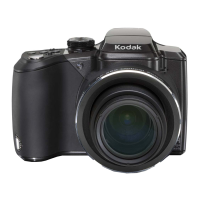
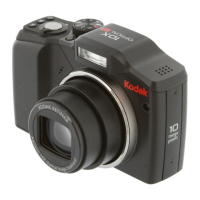
KODAK EASYSHARE Z950
Digital Camera
Extended user guide
www.kodak.com
For interactive tutorials, visit www.kodak.com/go/howto
For help with your camera, visit www.kodak.com/go/z950support

Table of Contents

Other manuals for Kodak EASYSHARE Z950

Questions and Answers

  • W
    wcummingsSep 12, 2025
    What to do if my Kodak EASYSHARE Z950 displays a blue or black screen instead of a picture?
    • J
      Joseph PayneSep 12, 2025
      If your Kodak Digital Camera displays a blue or black screen instead of a picture, transfer the picture to the computer, then format the card or internal memory.
  • P
    Paul McdonaldSep 10, 2025
    What to do if my Kodak EASYSHARE Z950 stored pictures are corrupted?
    • S
      Sandra HallSep 10, 2025
      If stored pictures on your Kodak Digital Camera are corrupted, retake the pictures. Also, avoid removing the card while the camera is on, keep the rechargeable battery charged and transfer the pictures to the computer, then format the card or internal memory.
  • J
    Jeff SmithSep 9, 2025
    What to do if Kodak EASYSHARE Z950 Digital Camera pictures taken in Smart Capture are not correctly rotated?
    • A
      Ashley MurraySep 9, 2025
      If pictures taken in Smart Capture with your Kodak Digital Camera are not correctly rotated when transferred to the computer, change the Orientation Sensor setting to “On” in the Setup menu. Then, take new pictures and transfer them.
  • M
    Michael JacksonSep 8, 2025
    What to do if Kodak EASYSHARE Z950 slide show does not run on external video device?
    • K
      kcruzSep 8, 2025
      If the slide show on your Kodak Digital Camera does not run on an external video device, adjust the camera Video Out setting (NTSC or PAL).
  • J
    Joshua PerezAug 23, 2025
    Why Kodak EASYSHARE Z950 Digital Camera does not turn on?
    • J
      Jared SantosAug 23, 2025
      If your Kodak Digital Camera doesn't turn on, try these steps: install a new battery, charge the rechargeable battery, or remove and reinsert the battery.
  • G
    galvanbrandonSep 6, 2025
    Why does Kodak EASYSHARE Z950 Digital Camera picture remaining number not decrease after taking a picture?
    • V
      Vanessa RoseSep 6, 2025
      If the picture remaining number on your Kodak Digital Camera does not decrease after taking a picture, the camera is operating normally. Continue taking pictures.
  • A
    amandapowersSep 5, 2025
    What to do if my Kodak Digital Camera displays 'High camera temperature'?
    • B
      brownrobertSep 5, 2025
      If your Kodak Digital Camera displays a 'High camera temperature' message, leave the camera off for ten minutes, then turn it back on.
  • M
    Mariah NguyenSep 3, 2025
    What to do if my Kodak EASYSHARE Z950 Digital Camera memory card is unusable?
    • J
      Jonathan SpencerSep 4, 2025
      If your Kodak Digital Camera says the memory card is unusable, insert a new card or format the card.
  • R
    Rachel Martinez DDSSep 2, 2025
    What to do if my Kodak EASYSHARE Z950 Digital Camera memory card is locked?
    • D
      Denise BanksSep 2, 2025
      If your Kodak Digital Camera displays 'Memory card is locked', insert a new card, move the switch on the card to unlock it, or change the image storage location to internal memory.
  • A
    angelica40Sep 1, 2025
    What to do if my Kodak Digital Camera freezes up when a card is inserted or removed?
    • J
      Jose DrakeSep 2, 2025
      If your Kodak Digital Camera freezes when inserting or removing a card, turn the camera off and then back on. Also, make sure the camera is turned off before inserting or removing a card.

Summary

Product Features Overview

Back View of the Camera

Identifies the rear controls and ports of the camera.

Front View of the Camera

Identifies the front controls and features of the camera.

Setting Up Your Camera

Loading the Rechargeable Battery

Steps for inserting the rechargeable battery into the camera.

Charging the Rechargeable Battery

Details on how to charge the camera's rechargeable battery.

Turning On the Camera

Steps to power on the digital camera.

Setting the Language, Date;Time

How to configure camera language, date, and time settings.

Storing Pictures on an Optional SD or SDHC Card

Instructions for using external memory cards for storage.

Taking Pictures;Videos

Taking a Picture

Basic steps for capturing still photographs with the camera.

Taking a Video

Instructions on how to record video clips.

Capture Modes Overview

Overview of different shooting modes available on the camera.

Using the Flash

Explains different flash modes and their application.

P, A, S, and M Modes Explained

Explanation of Program, Aperture, Shutter, and Manual modes.

Changing P, A, S, or M Mode Settings

How to adjust settings within manual and priority modes.

Using Exposure Compensation to Adjust Brightness

How to adjust image brightness before taking a picture.

Working with Pictures;Videos

Reviewing Pictures;Videos

Steps to access and view captured photos and videos.

Deleting Pictures;Videos

How to remove unwanted photos and videos from the camera.

Using the Menu Button

Using the Capture Menu

Accessing and adjusting camera settings via the Capture menu.

Using the Setup Menu

Accessing and configuring camera settings via the Setup menu.

Transferring, Printing, and Sharing Pictures

Installing the Software

Steps to install the KODAK EASYSHARE Software.

Transferring Pictures with the USB Cable

How to connect and transfer photos using a USB cable.

Printing Pictures

Options for printing photos directly from the camera.

Getting Help

Getting Help from Your Camera

Accessing the camera's built-in help system for guidance.

Troubleshooting Camera Problems

Solutions for common camera problems and errors.

LCD Messages Explained

Explains common error and status messages on the LCD screen.

Appendix

Camera Specifications

Detailed technical specifications of the digital camera.

Important Safety Instructions

Crucial safety warnings and precautions for product usage.

Kodak EASYSHARE Z950 Specifications

General IconGeneral
BrandKodak
ModelEASYSHARE Z950
CategoryDigital Camera
LanguageEnglish

Related product manuals