EasyManua.ls Logo

Kodak EASYSHARE ZD710 - User Manual

Kodak EASYSHARE ZD710
79 pages
Print Icon
To Next Page IconTo Next Page
Loading...
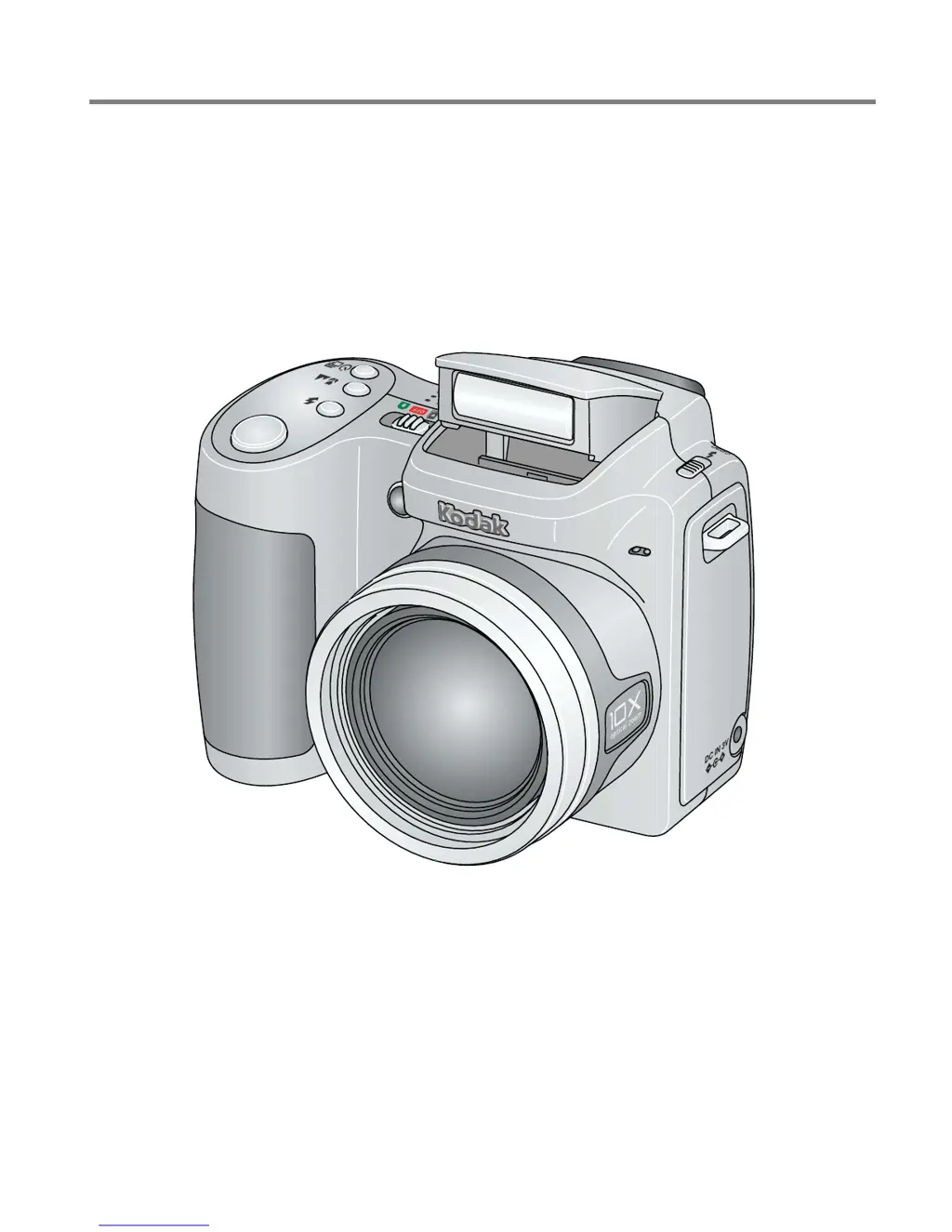
Kodak EasyShare ZD710
zoom digital camera
User’s guide
www.kodak.com
For interactive tutorials, www.kodak.com/go/howto
For help with your camera, www.kodak.com/go/zd710support

Table of Contents

Other manuals for Kodak EASYSHARE ZD710

Questions and Answers

  • Z
    zachary83Aug 14, 2025
    Why is the battery life so short on my Kodak Digital Camera?
    • G
      Gregory DavisAug 14, 2025
      If the battery life of your Kodak Digital Camera is short, ensure that you have installed the correct battery type. Before inserting a battery, wipe the contacts with a clean, dry cloth. You may also need to insert a new or charged battery.
  • A
    Amy HernandezAug 18, 2025
    What to do if error message appears on Kodak Digital Camera?
    • J
      James AlvarezAug 18, 2025
      If your Kodak Digital Camera displays an error message, try the following steps: First, follow any prompts displayed on the EVF/LCD screen. If the problem persists, turn the camera off and then on again. As a next step, remove the memory card from the camera. Also, remove the battery and wipe the contacts with a clean, dry cloth. Try inserting a new or charged battery. If these steps don't resolve the issue, further assistance may be needed.
  • E
    ericnavarroAug 21, 2025
    What to do if storage location is full on Kodak Digital Camera?
    • F
      farleymichaelAug 21, 2025
      If the storage on your Kodak Digital Camera is almost or entirely full, transfer your pictures to a computer. Alternatively, delete pictures from the card or insert a new card. You can also change the image storage location to the internal memory.
  • D
    Derek ClarkeAug 25, 2025
    What to do if memory card not recognized on Kodak Digital Camera?
    • J
      Jeff JacksonAug 25, 2025
      If your Kodak Digital Camera does not recognize the memory card or freezes with the card inserted, the card may be corrupted. Try formatting the card in the camera. You can also try changing the image storage location to the internal memory.
  • D
    Dawn JohnsonAug 28, 2025
    Why I cannot take a picture with my Kodak EASYSHARE ZD710 Digital Camera?
    • C
      Cassidy SantosAug 28, 2025
      There are several reasons why you might not be able to take a picture with your Kodak Digital Camera. First, turn the camera off and then on again, ensuring it is not in Favorites mode. If prompted, set the language and date/time. Make sure to press the Shutter button all the way. Wait until the AF/AE indicator turns green before attempting to take another picture. Also, if the memory is full, transfer pictures to your computer, delete pictures, change the image storage location, or insert another card. Finally, ensure that the battery is charged.
  • R
    Rodney WilliamsAug 31, 2025
    Why does the flash not fire on my Kodak EASYSHARE ZD710?
    • J
      John SnyderAug 31, 2025
      If the flash on your Kodak Digital Camera is not firing, first open the flash unit. Also, check the flash setting and change it as needed. Note that the flash may not fire in all modes.
  • S
    Sonya ParkerSep 3, 2025
    How to fix picture orientation on Kodak Digital Camera?
    • H
      Heidi LynnSep 3, 2025
      To ensure accurate picture orientation on your Kodak Digital Camera, set the Orientation Sensor to ON.
  • G
    Gary JonesSep 6, 2025
    What to do if my Kodak EASYSHARE ZD710 Digital Camera cannot take a picture?
    • L
      Linda NguyenSep 6, 2025
      If your Kodak Digital Camera is not taking pictures, try the following: * Turn the camera off and then on again, ensuring it is not in Favorites mode. If prompted, set the language and date/time. * Press the Shutter button all the way down. * Insert a new or charged battery. * Wait until the AF/AE indicator turns green before taking another picture. If the memory is full, transfer pictures to your computer, delete pictures, change the image storage location, or insert another card.
  • L
    Laura BennettSep 10, 2025
    What to do if storage location is full Kodak EASYSHARE ZD710 Digital Camera?
    • A
      April BooneSep 10, 2025
      If the storage on your Kodak Digital Camera is almost or entirely full, try transferring pictures to your computer. Alternatively, you can delete pictures from the card or insert a new card. You might also want to change the image storage location to internal memory.

Summary

Product Features

Front View

Overview of the camera's front panel controls and features.

Back View

Detailed explanation of buttons and connectors on the camera's rear.

Setting Up Your Camera

Loading the Battery

Instructions for inserting various battery types into the camera.

Taking Pictures;Videos

Taking a Picture

Core steps to capture a still photograph using the camera.

Taking a Video

Guide to recording video clips with the camera.

Using the Flash Button

Guide to operating the flash and selecting different flash modes.

Working with Pictures;Videos

Reviewing Pictures and Videos

How to review and navigate through captured pictures and videos.

Deleting Pictures and Videos

Steps for deleting unwanted pictures and videos from the camera.

Using Kodak Perfect Touch Technology

How to enhance picture quality using Kodak Perfect Touch.

Making a Picture from a Video

How to extract a still image frame from a video.

Trimming a Video

Guide on how to trim unwanted parts of a video.

Copying Pictures and Videos

Instructions for copying files between camera memory and SD card.

Doing More with Your Camera

Capture Modes

Overview of different shooting modes available on the camera.

SCN (Scene) Modes

Details on various scene modes for specific shooting conditions.

Using the Menu Button

Guide to accessing and using the camera's main menu.

Using the Capture Tab

Settings related to capturing photos, like picture size and color mode.

Using the Capture Plus Tab

Advanced capture settings such as white balance and exposure metering.

Using the Setup Menu

Customizing camera settings through the Setup menu.

Taking Panoramic Pictures

Guide on how to capture and stitch panoramic images.

P, A, S, and M Modes

Explanation of Program, Aperture, Shutter, and Manual shooting modes.

Changing P, A, S, or M Mode Settings

How to adjust settings within P, A, S, and M shooting modes.

Using the Histogram to View Picture Exposure

How to use histograms to evaluate and adjust picture exposure.

Transferring and Printing Pictures

Installing the Software

Step-by-step guide for installing the Kodak EasyShare software.

Transferring Pictures

Instructions for transferring photos from camera to computer.

Printing Pictures

Methods for printing photos, including using a printer dock.

Direct Printing with a PictBridge Enabled Printer

How to print directly to PictBridge compatible printers.

Printing from a PictBridge Enabled Printer

Detailed steps for printing using a PictBridge printer.

Troubleshooting

Camera Problems

Common issues with the camera and their solutions.

You Cannot Take a Picture

Solutions for inability to take pictures.

Computer;Connectivity Problems

Troubleshooting issues related to computer connection.

Picture Quality Problems

Common issues affecting picture quality and their fixes.

Getting Help

Appendix

Camera Specifications

Technical details and specifications of the camera.

Care and Maintenance

Guidelines for cleaning and maintaining the camera.

Limited Warranty

Details of the product's warranty coverage and limitations.

Kodak EASYSHARE ZD710 Specifications

General IconGeneral
Megapixel7.1 MP
Sensor typeCCD
Image stabilizerYes
Image sensor size1/2.5 \
Digital zoom5 x
Optical zoom10 x
Digital SLRNo
Minimum RAM128 MB
Camera shutter speed1/2–1/2000; 8-1/1000 s
Minimum storage drive space200 MB
Minimum system requirementsUSB
Compatible operating systemsWINDOWS XP OS + /INTERNET EXPLORER 6.0 +/MACINTOSH OS X 10.3 +/SAFARI 1.1 +
FocusTTL
Focus adjustmentAuto
ISO sensitivity80, 100, 200, 400, 800, 1600, auto
Internal memory32 MB
Compatible memory cardsmmc, sd
Motion JPEG frame rate30 fps
Video formats supportedQuickTime
Display diagonal2 \
I/O portsA/V NTSC/PAL
USB version2.0
Product colorBlack
Bundled softwareKODAK EASYSHARE
Flash modesauto, fill-in, Flash off, Red-eye reduction
White balanceauto, daylight, Fluorescent, Tungsten
Weight and Dimensions IconWeight and Dimensions
Depth72.6 mm
Width97.8 mm
Height77.5 mm
Weight280 g

Related product manuals