EasyManua.ls Logo

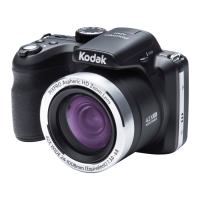
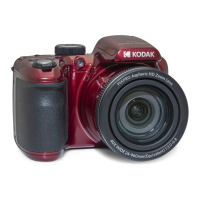
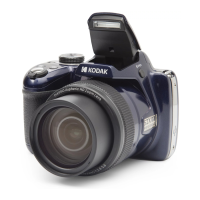
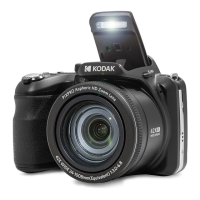
Kodak PIXPRO AZ255 - User Manual

Kodak PIXPRO AZ255
91 pages
Print Icon
To Next Page IconTo Next Page
Loading...
i
User Manual
DIGITAL CAMERA
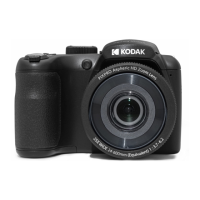
KODAK PIXPRO AZ255

Table of Contents

Questions and Answers

  • T
    Thomas BrownAug 13, 2025
    What to do if my Kodak PIXPRO AZ255 does not turn on?
    • B
      Brian OwensAug 13, 2025
      If your Kodak Digital Camera doesn't turn on, it might be due to depleted batteries. Try replacing them with new ones. Another possibility is that the batteries are not correctly installed; make sure to reinstall them correctly.
  • L
    Laura RomeroAug 16, 2025
    Why can't I write to the memory card of my Kodak PIXPRO AZ255 Digital Camera?
    • O
      Olivia CruzAug 17, 2025
      If you cannot write to the memory card of your Kodak Digital Camera, the memory card may be locked. Release the write lock of the memory card or replace it with another card.
  • M
    Melissa AndersonAug 21, 2025
    Why is the picture blurred on my Kodak Digital Camera?
    • A
      Amber RussellAug 21, 2025
      If your Kodak Digital Camera pictures are blurred, it is likely due to camera movement while taking the picture. Turn on Anti-shake mode to resolve this.
  • M
    Michael DeleonAug 25, 2025
    What to do if my Kodak PIXPRO AZ255 Digital Camera turns off suddenly?
    • J
      John PalmerAug 25, 2025
      If your Kodak Digital Camera turns off suddenly, the batteries may be depleted. Replace them with new batteries.
  • L
    lopezjohnnyAug 28, 2025
    What to do if my Kodak PIXPRO AZ255 Digital Camera images and video files cannot be saved?
    • M
      Matthew TorresAug 28, 2025
      If your Kodak Digital Camera cannot save images and video files, it could be due to a full memory card. Try using another memory card or deleting unnecessary files. Alternatively, the memory card might be locked; in that case, unlock it.
  • D
    Donald SmithSep 1, 2025
    Why is saving data to memory card so slow on my Kodak PIXPRO AZ255?
    • E
      Elizabeth CamposSep 1, 2025
      If saving data to the memory card is slow on your Kodak Digital Camera, it might be because you are using a memory card below Class 10. Using a memory card with Class 10 or higher standard should improve performance.
  • M
    Melissa BlairSep 5, 2025
    What to do if there are too many movies to process on my Kodak Digital Camera?
    • S
      Shirley VasquezSep 5, 2025
      If your Kodak Digital Camera has too many movies to process, it means that the number of pictures or folders in the memory card exceed the specifications, so the playback can not be displayed. Delete unwanted files to resolve this.
  • C
    cheryl39Sep 8, 2025
    Why does the flash flash on the LCD screen of my Kodak PIXPRO AZ255?
    • A
      antonio70Sep 8, 2025
      If the flash flashes on the LCD screen of your Kodak Digital Camera, the current shooting environment requires flash. Turn on the flash.

Summary

Important Safety Notes

Camera Safety Precautions

Guidelines for preventing damage and ensuring safe operation of the camera body.

Battery Safety Precautions

Instructions for the safe handling, use, and disposal of camera batteries.

Memory Card Safety Precautions

Guidelines for the proper handling and use of memory cards with the camera.

Other Safety Notes

Additional safety considerations for using the camera's features and components.

Critical Usage Warnings

Understanding Camera Modes

Camera Mode Dial and Shooting Modes

Explanation of the mode dial and descriptions of different shooting modes like Auto, P, S, A, M.

Basic Camera Operations

Zoom and Focus Operations

How to use the zoom function and adjust focus for optimal image capture.

Exposure Control Settings

Adjusting EV, Exposure Compensation, and ISO for correct image brightness.

Shutter and Aperture Settings

Controlling shutter speed and aperture size for creative photography.

Playback and File Management

Navigating Camera Menus

Photo Menu Options

Detailed settings and options available within the camera's photo menu.

Appendices and Support

Prompts and Warning Messages

Explanations of camera messages and their corresponding actions.

Troubleshooting Common Issues

Solutions for common problems encountered while operating the camera.

Kodak PIXPRO AZ255 Specifications

General IconGeneral
Megapixel16.35 MP
Camera typeCompact camera
Sensor typeBSI CMOS
Image stabilizerYes
Total megapixels16.76 MP
Image sensor size1/2.3 \
Image formats supportedEXIF, JPEG
Maximum image resolution4608 x 3456 pixels
Still image resolution(s)(4:3) 16MP: 4608x3456, 10MP: 3648x2736, 5MP: 2592x1944, 3MP: 2048x1536, 0.3MP: 640x480, (3:2) 14MP: 4608x3072, (16:9) 12MP: 4608x2592, 2MP: 1920x1080
Scene modesBeach, Children, Fireworks, Landscape (scenery), Night landscape, Night portrait, Panorama, Party (indoor), Pet, Portrait, Snow, Sports, Sunset
Photo effectsBlack&White, Sepia, Vivid
White balanceAuto, Cloudy, Daylight, Fluorescent, Incandescent, Manual
Shooting modesAuto, Manual, Movie, Program, Scene, Shutter priority
Camera playbackThumbnails
Self-timer delay2, 10 s
Camera file systemDCF, DPOF 1.1
Digital zoom4 x
Optical zoom25 x
Combined zoom100 x
Focal length range4.3 - 107.5 mm
Lens structure (elements/groups)11/12
Maximum focal length (35mm film equiv)600 mm
Minimum focal length (35mm film equiv)24 mm
FocusTTL
Focus adjustmentAuto
Auto focusing (AF) modesCentre weighted Auto Focus, Spot Auto Focus
Macro focusing range (wide)0.3 - ∞ m
Normal focusing range (tele)2.5 - ∞ m
Normal focusing range (wide)0.6 - ∞ m
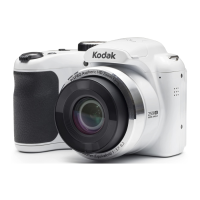
Product colorWhite
Light meteringCentre-weighted, Spot
ISO sensitivity100, 200, 400, 800, 1600, 3200
Light exposure modesAperture priority AE, Shutter priority AE
ISO sensitivity (max)3200
ISO sensitivity (min)100
Light exposure correction± 3EV (1/3EV step)
Battery life (max)2 h
Battery technologyAlkaline
Battery life (CIPA standard)300 shots
Number of batteries supported4
Fastest camera shutter speed1/2000 s
Slowest camera shutter speed30 s
Flash modesAuto, Flash off, Flash on, Red-eye reduction, Slow synchronization, Soft
Flash exposure correction±3EV (1/3 EV step)
Operating temperature (T-T)0 - 40 °C
Operating relative humidity (H-H)0 - 90 %
Video resolutions640 x 480, 1280 x 720, 1920 x 1080 pixels
Video formats supportedMOV
Maximum video resolution1920 x 1080 pixels
Resolution at capture speed640x480@120fps, 640x480@30fps, 1280x720@30fps, 1280x720@60fps, 1920x1080@30fps
Quantity per pack1 pc(s)
Audio formats supportedPCM
Cables includedUSB
Memory slots1
Internal memory67 MB
Compatible memory cardsSD, SDHC, SDXC
Maximum memory card size512 GB
Display diagonal3 \
Display resolution (numeric)460000 pixels
USB version2.0
USB connectorMicro-USB
Weight and Dimensions IconWeight and Dimensions
Depth69.7 mm
Width113.6 mm
Height77.7 mm
Weight336 g

Related product manuals