K71000 Automatic PMCC Flash Point Analyzer
Operation and Instruction Manual
K71000-Manual -18-
5 Operation
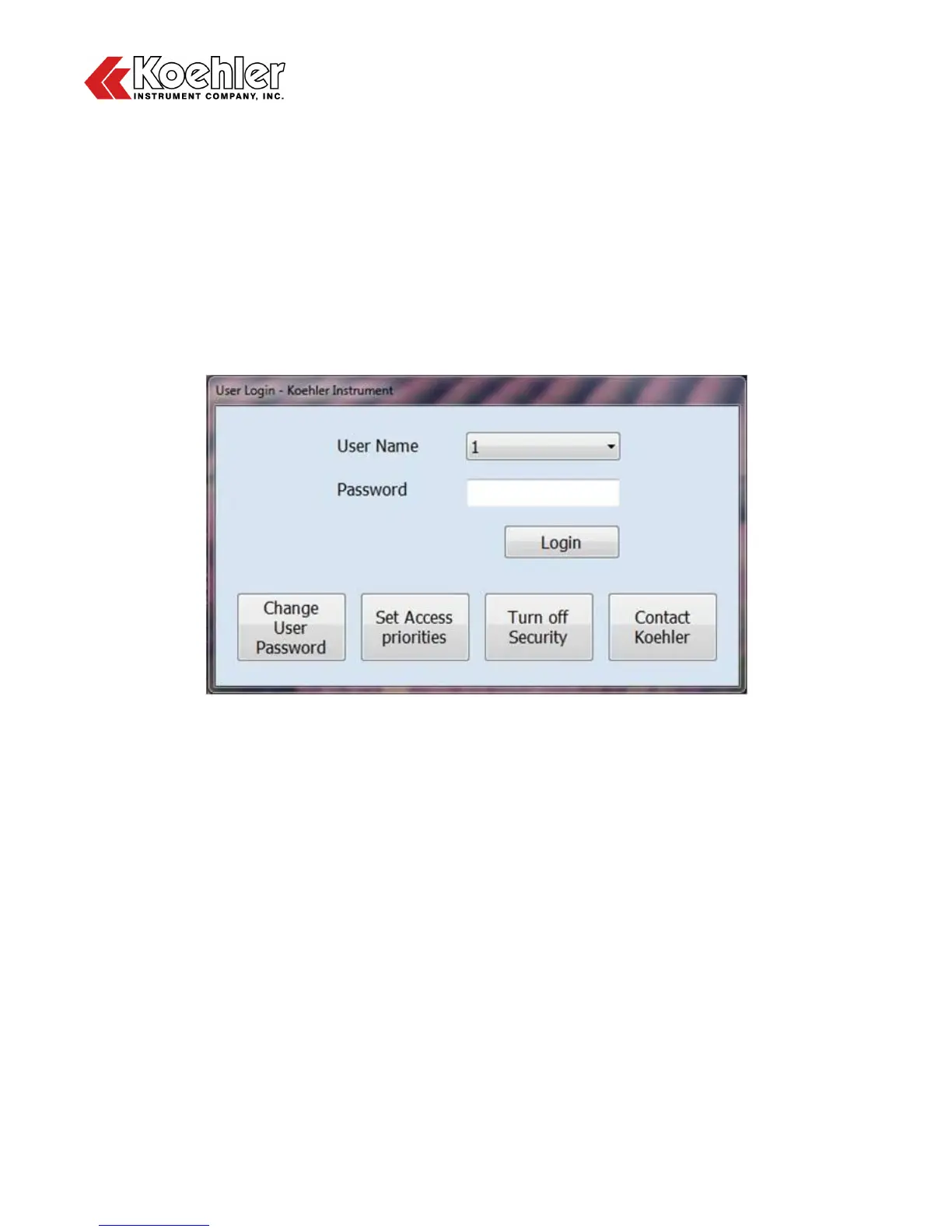
1. User Login - Upon turning on the instrument the user will be prompted to select the desired user log
in level. There are four levels to choose from. Factory preset pass codes for Levels 1, 2, and 3 are
listed below:
Level 1 – 1234
Level 2 – 2345
Level 3 – 3
Levels 1, 2, and 3 can be custom configured by pressing the Set Access Priorities Key. The fourth or
factory level is designed for administrative purposes only and specifically allows for access to the
factory settings menu. From this screen, the user can also Change User Password, Set Access
Priorities, Turn off Security and Contact Koehler.
Figure 4: User Login Screen
2. Change User Password - Clicking on the Change User Password button will bring up a screen that
will allow the user to change the password of any of the four user levels. Choose the desired user
level by clicking on the Select User Level pull down tab. Then type in the Current Password for that
level, the New Password, then click Save.


 To Next Page