K71000 Automatic PMCC Flash Point Analyzer
Operation and Instruction Manual
K71000-Manual -19-
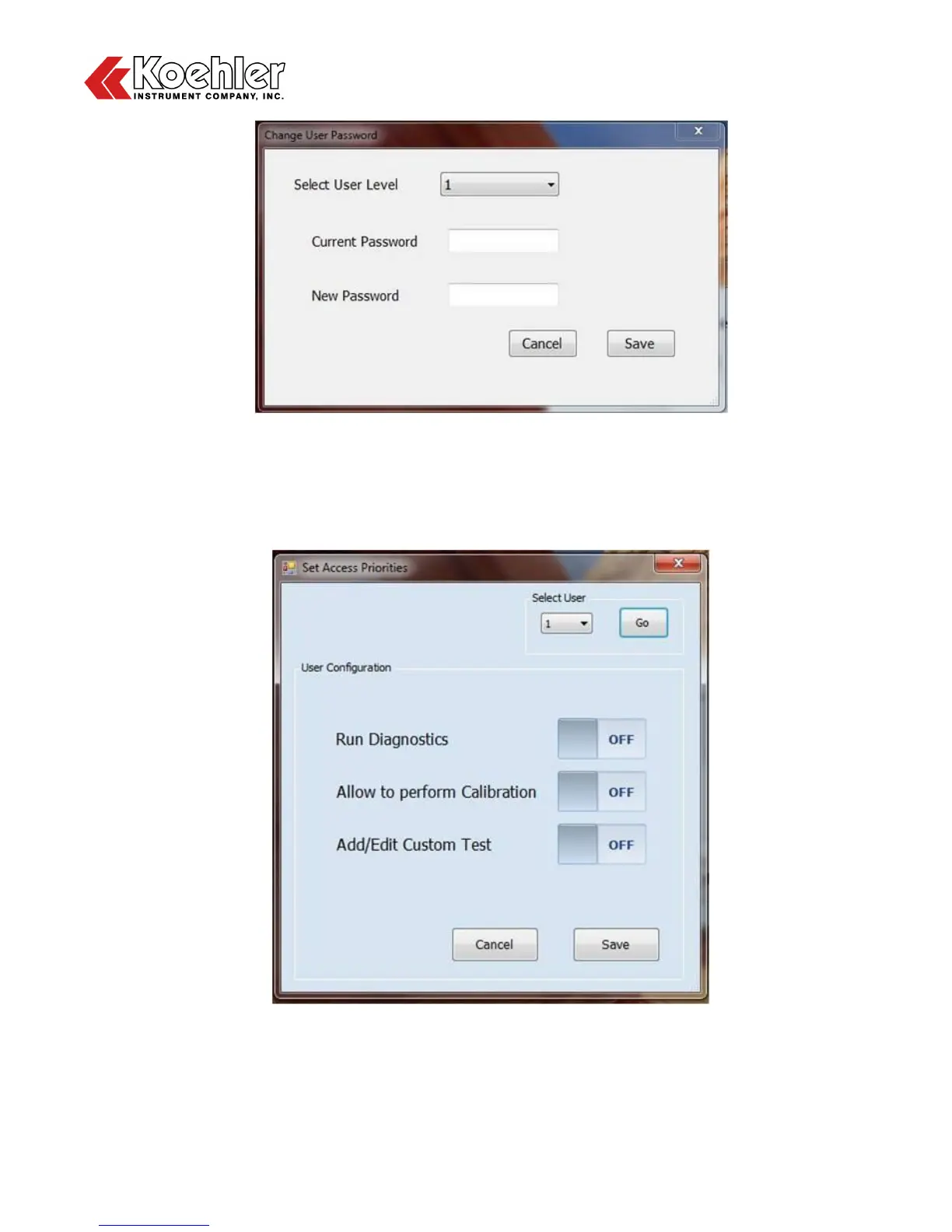
Figure 5: Change User Password Screen
3. Set Access Priorities - Clicking on the Set Access Priorities button will allow the user to select the
which operations they want a particular user level to have access to. The user can choose to turn on
or off access to the Diagnostics, Calibration and Custom Test Menus. Click Save when complete.
Figure 6: Set Access Priorities Screen
4. Last Global Parameter - Reverting back to the User Login Screen, After choosing your login
preference you will be asked, "Do you want to load the last global parameter setting? Clicking Yes will


 To Next Page