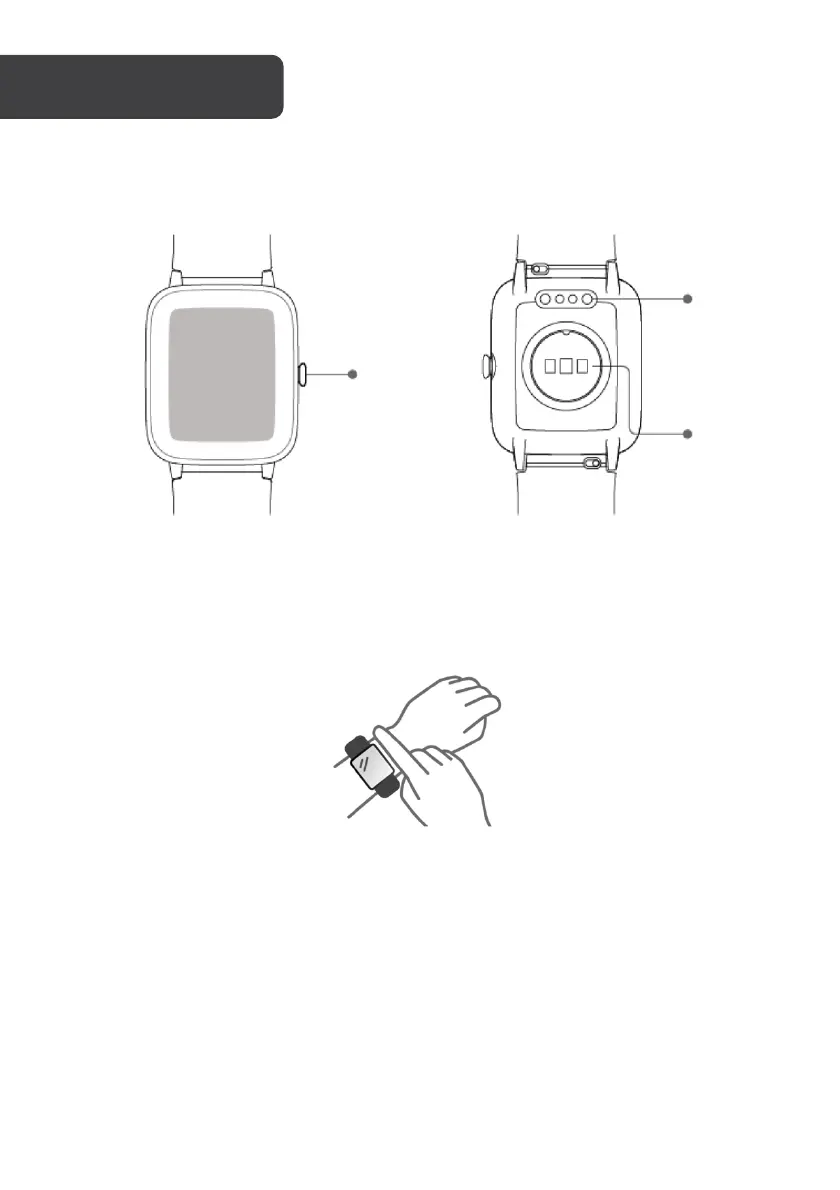
How to wear:
Make sure that the bottom sensor is lightly in contact with your skin and there is a gap of
about one finger’s width between the wrist strap and your wrist.
To u c h o p e rati o n :
This watch features a full touch screen that supports both “tap” and “tap and hold”
operations:
• Ta p o n c e - select and switch
• Ta p a n d h o l d - access and confirm.
Button operation:
This watch features a function button that supports short press operation:
• Short press - return to the watch face, close alerts, exit program prompts.


 To Next Page