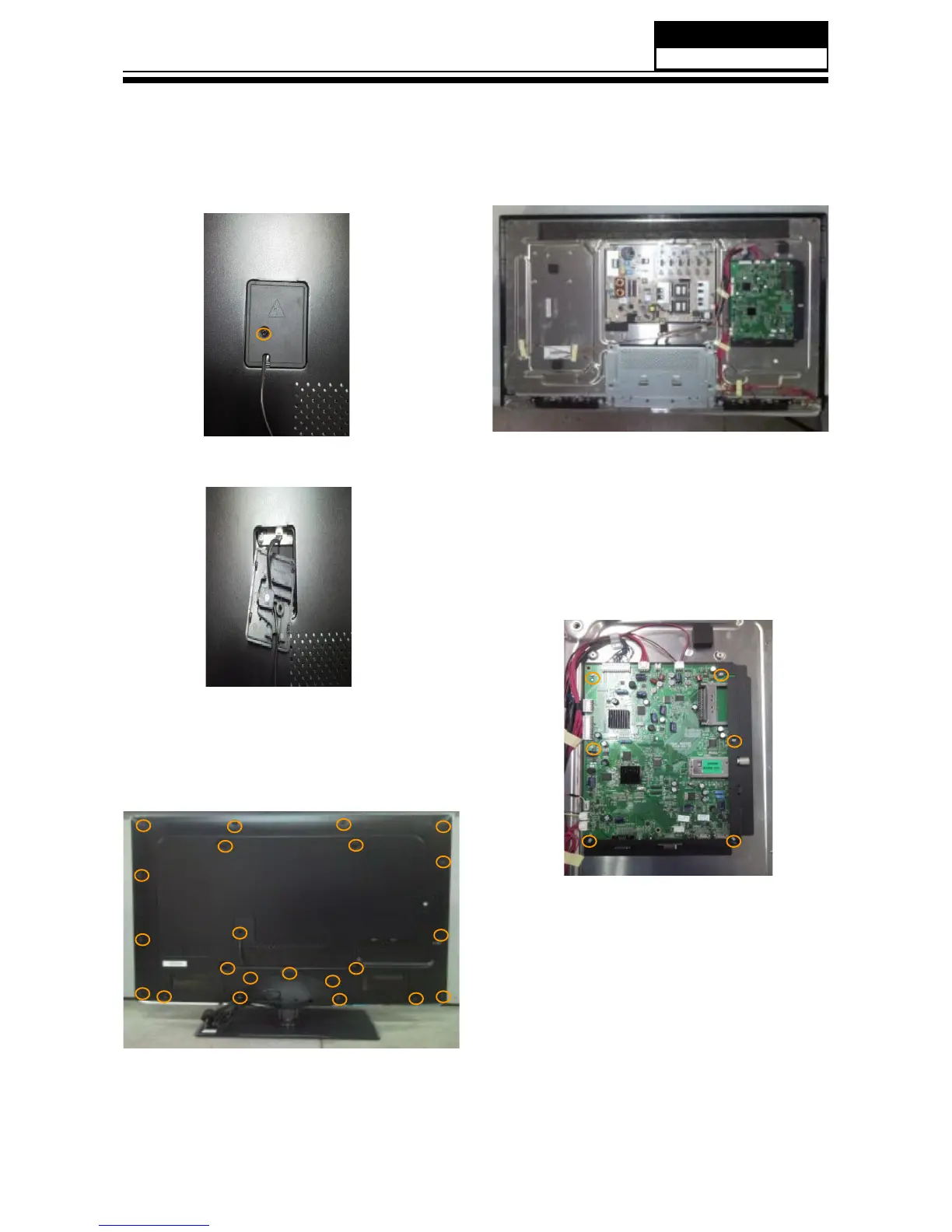
3-3. Remove the Back Cover
1. Remove the twenty-two screws indicated
by the red circles in below picture.
2. Then remove the back cover from the
unit.
3-2. Remove the Power Cord
Then remove the power cord.
Remove the screw indicated by the red
circles in below picture.
Then remove the mainboard.
3-4. Remove the Mainboard
Remove the five screws indicated by the red
circles in below picture.
3-5. Remove the speaker
Remove the screw indicated by the red
circles in below picture.
Then remove the speaker.


 To Next Page