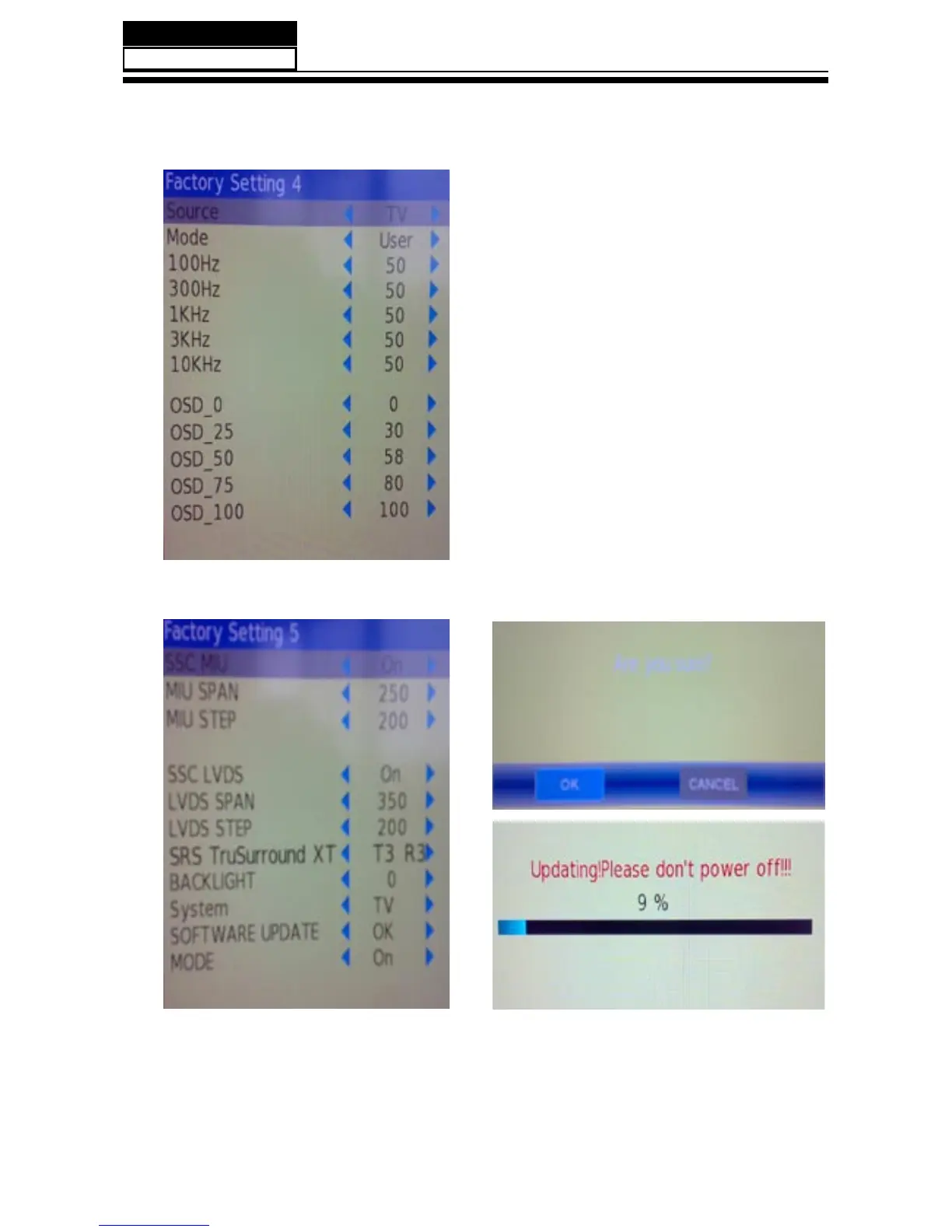
8-2-3. Audio
8-2-4. Software UpDate
This page is control the sound effect ,from
100Hz to 10KHz.
In this page , you just consider the software
update function.Plug USB into the 1st USB port
,select "SOFTWARE UPDATE" press "OK", Then
flip the other window,perss "OK",The update is
going work.
NOTE : After software update ,turn to the Factory
Setting 1 page reset all.


 To Next Page