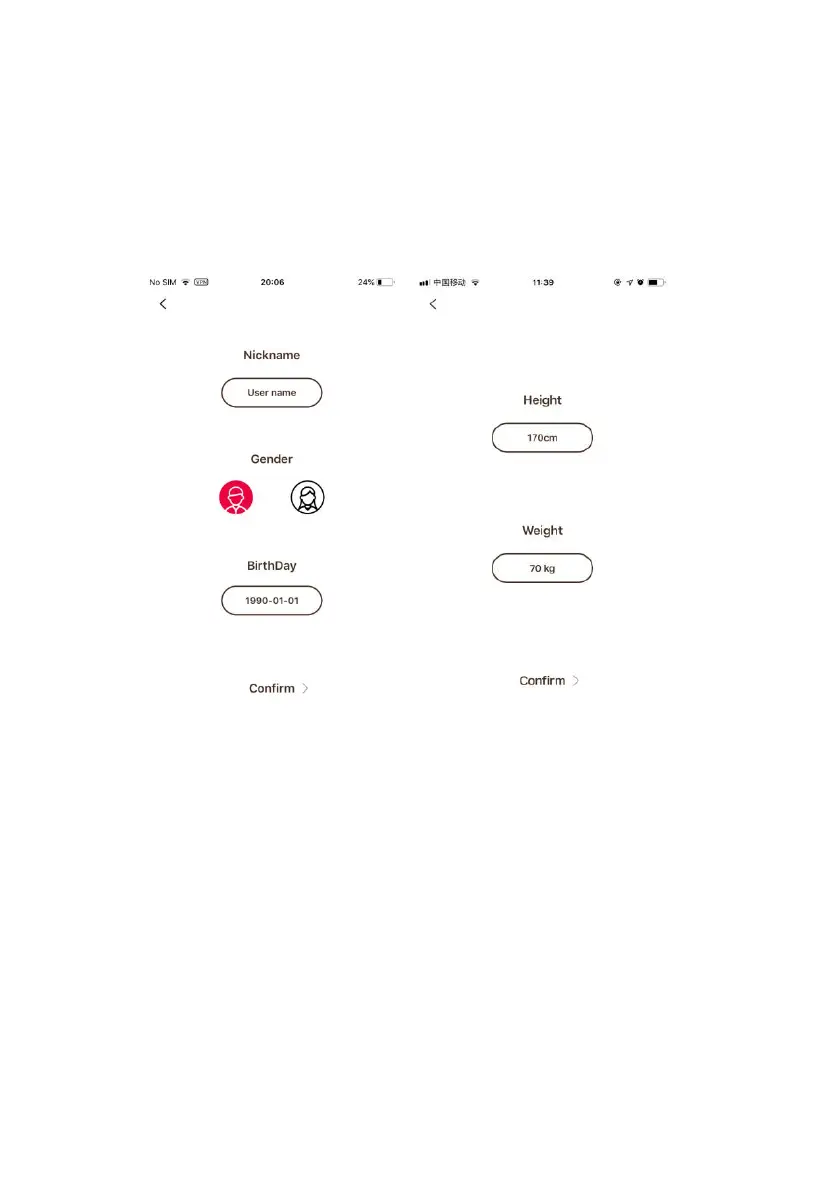
3. Personal data settings
After installing the app, enter settings and click on the top profile to enter
the personal data settings page. In order to estimate the calorie
consumption more accurately, it is recommended to set the personal
information in the App as accurate as possible.
4. Pairing
1. Turn on Bluetooth in your phone
’
s settings.
2. Scan for devices, locate the device and tap
“
Pair
”
.
3. Accept permissions if prompted.


 To Next Page