19
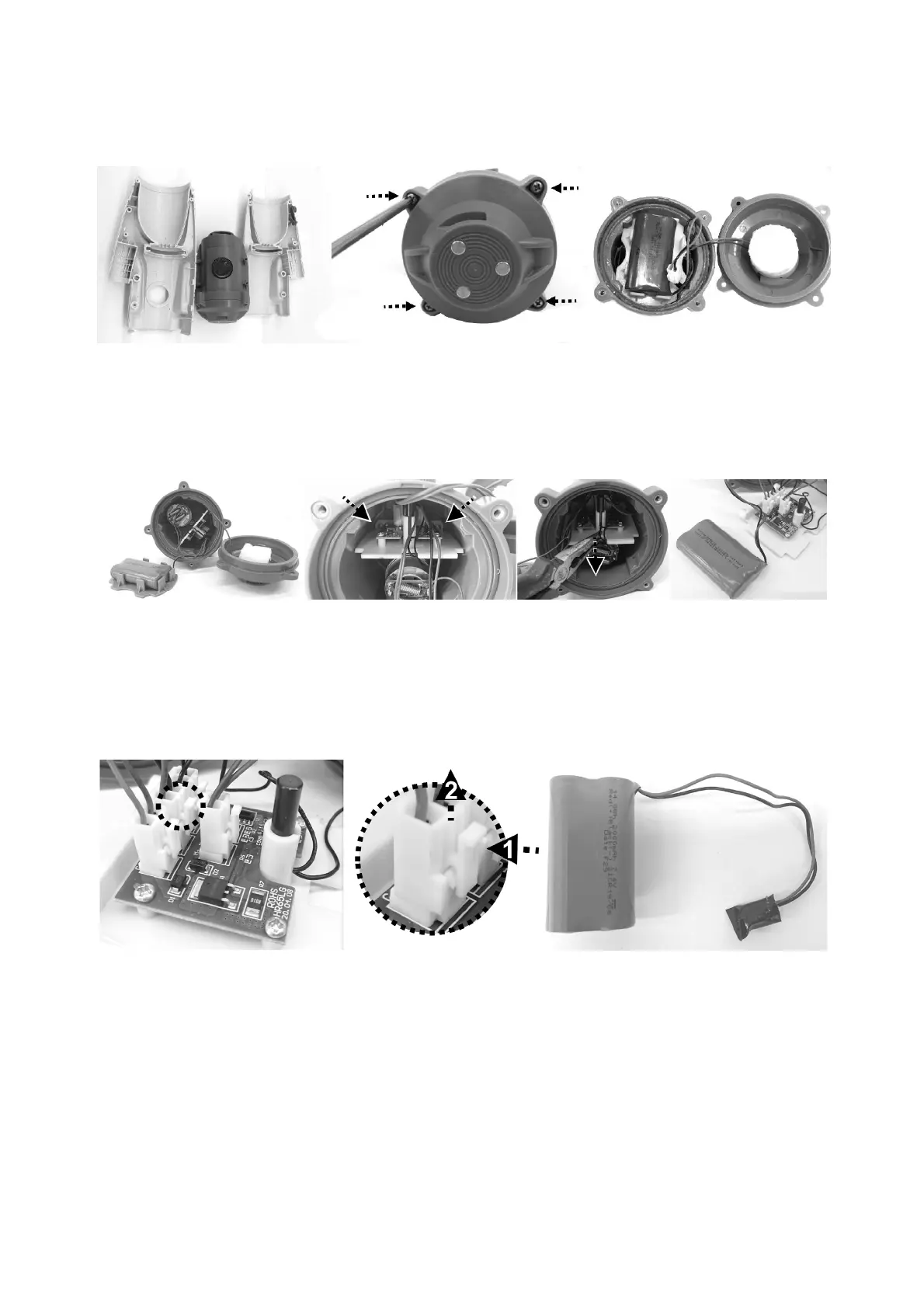
3. Separate the body in two halves to access the main chamber. Use a
Philips screwdriver to remove the end cover and access the battery pack.
4. Use Philips screwdriver to unscrew screw on the corner of the supporting
plate as pointed at. Use clamp to catch the plate and pull it out to expose
the wire connectors on the PCB.
5. Locate the middle connector as indicated, press the clip on the connector
and pull it out. NOTE: Wrap the connector immediately with insulating
tape in order to avoid short circuit caused by the contact of both wire
terminals.


 To Next Page