4.1 Report
4.2 Menu
10
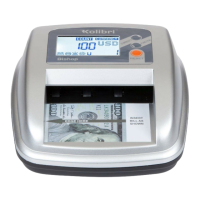
This function is available by pressing the REPORT button and provides an on-screen
report of the total amount of each denomination counted, the value of the counted
bills of that denomination, and a grand total value of all bills counted.
Bills that fail are not recorded on the report screen.
To exit the report screen, press the BACK button.
The menu can be accessed by pressing the MENU button. To navigate and choose the
settings, use the arrows and press the SELECT button to conrm. To exit the menu,
press the BACK button.
FUNCTIONS
4.
Settings Description
KEY BEEP Toggles “ON/OFF” the beeping that occurs with
every action
Sets the direction the bill will be ejected
Selects the operating mode
WARNING BEEP
SLEEP MODE
DIRECTION
MODE
Toggles “ON/OFF” the beeping that occurs when
bill is not recognized
Sets the time for unit to enter into sleep mode


 To Next Page