OUTLINE OF GEARSHIFT MODE
There are automatic shift mode and manual shift mode in the gear shift mode. Select the mode to match the
use.
Automatic shift mode
Mode for general dozing work. The speed range is shifted down automatically when the load increases, and
shifted up to the set maximum speed range when the load decreases. The torque converter lockup operates
and the optimum speed range is selected automatically, according to the load. This mode is excellent in fuel
economy and production.
Manual shift mode
A mode for dozing and ripping of rough ground. When the auto shift down is ON, if a load is applied, the speed
range automatically shifts down, but when the load is removed, the speed range does not automatically shift up.
When the automatic downshift is OFF, the speed range must be shifted up and down manually. Select the Auto
Shift Down in the customize mode.
METHOD FOR CHANGING GEARSHIFT MODE
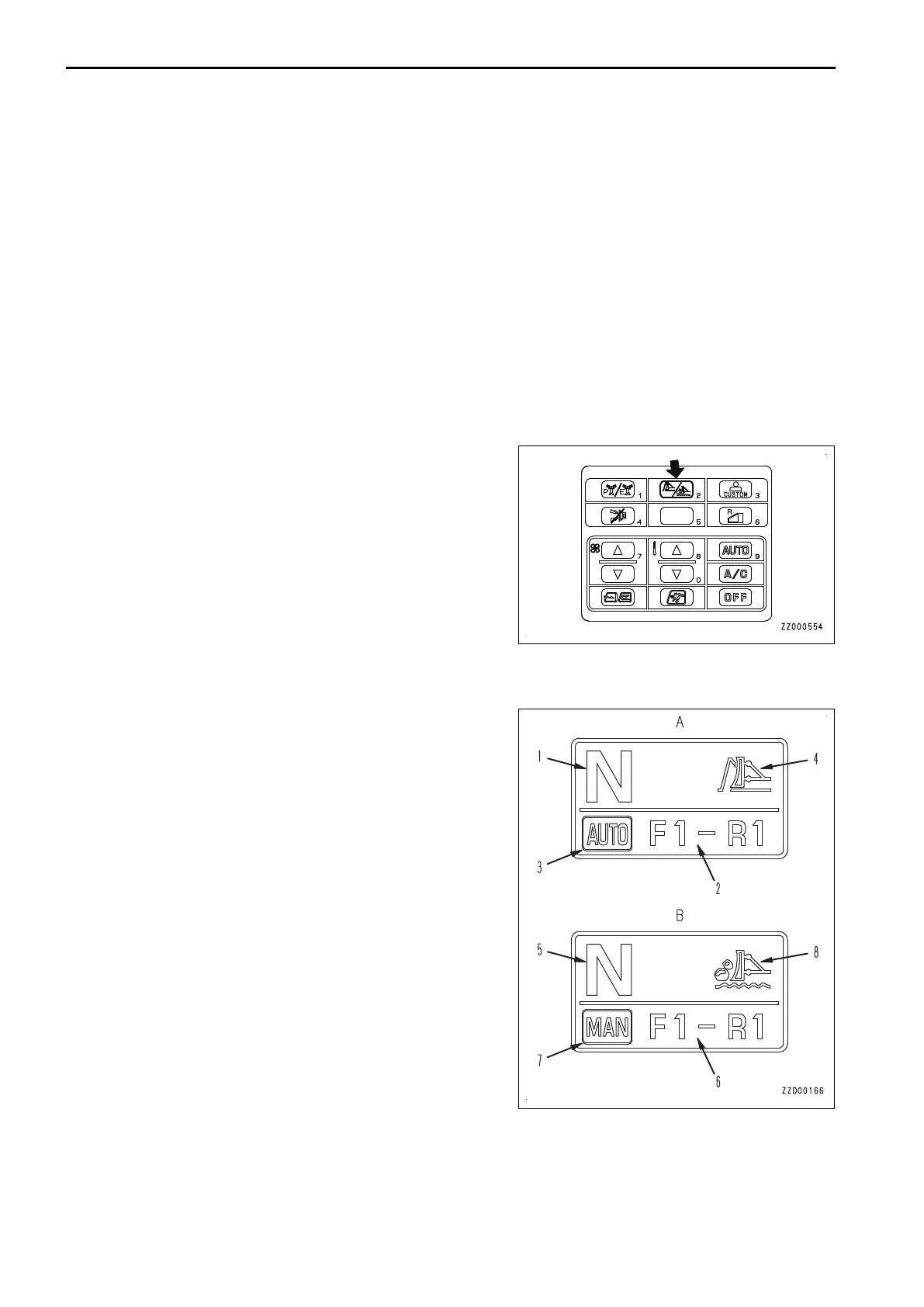
Press the gear shift mode selector switch when in neutral.
The Auto Shift Mode and Manual Shift Mode are switched to
each other.
DISPLAY OF GEARSHIFT MODE
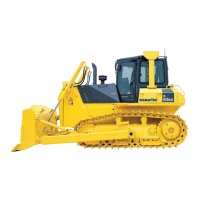
The gear shift mode is displayed in the gear shift mode display section of the monitor panel as shown below.
(A) Automatic shift mode
(1) Present speed range
(2) Preset (speed range when moving machine off) and maxi-
mum speed range when traveling
(3) “AUTO” mark displaying automatic mode
(4) Mark displaying automatic mode
(B) Manual shift mode
(5) Present speed range
(6) Preset (speed range when moving machine off)
(7) “MAN” mark displaying manual mode
(8) Mark displaying manual mode
Display color of “MAN” mark (7)
When auto shift down ON is selected: Lights up in blue.
When auto shift down OFF is selected: Lights up in gray (back-
ground color).
MACHINE OPERATIONS AND CONTROLS OPERATION
3-208



 To Next Page