10
※ In principle, only the hand piece and foot pedal provided with the product or purchased separately from KOMAX
guarantee compatibility with the device.
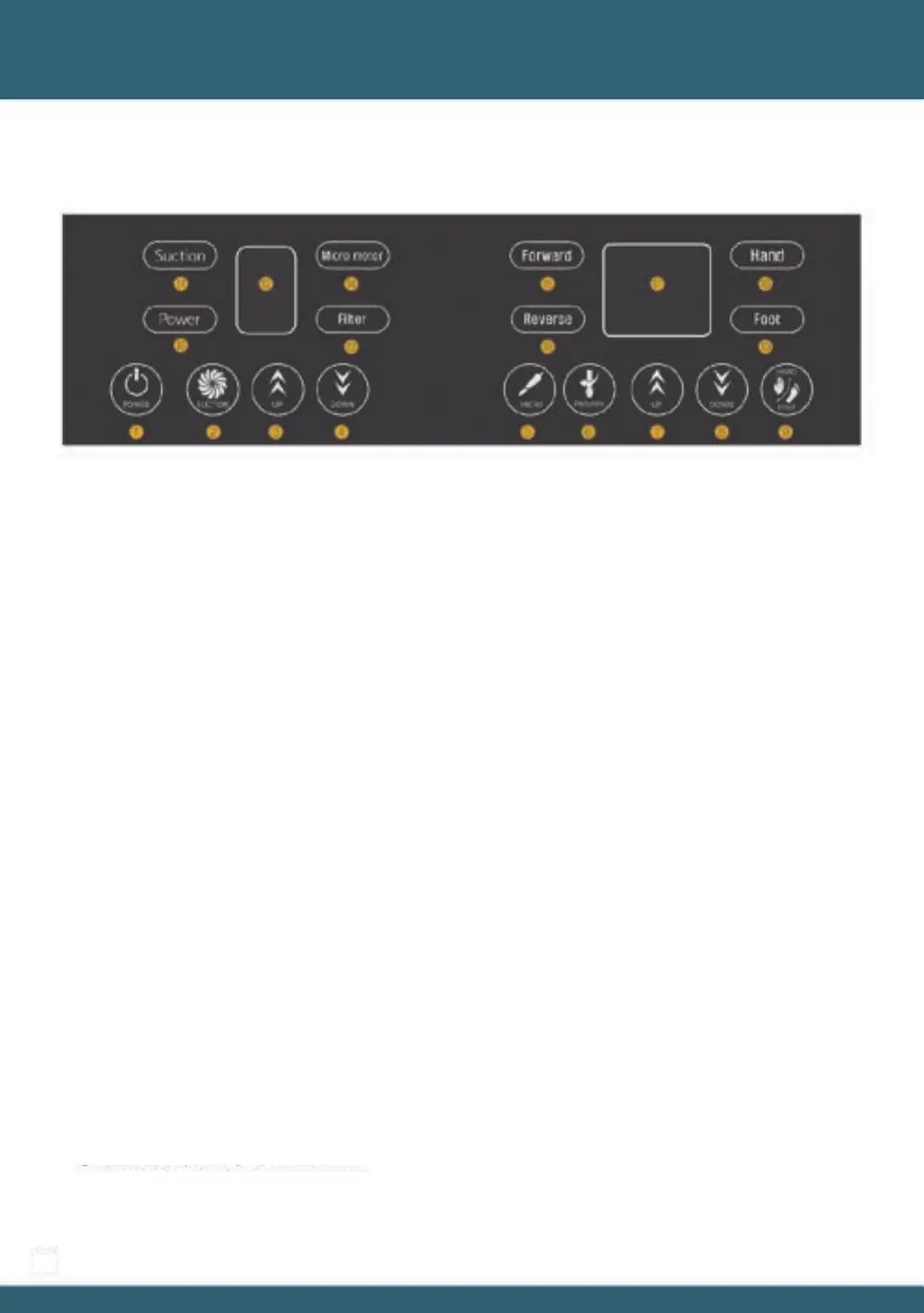
- If the foot pedal is not connected in the ⑲ Foot mode, an "E2" error is displayed on the ⑰ display window.
If you want to connect the foot pedal, you must disconnect the power plug and reconnect to reboot.
- You can change the direction by touching the ⑥ FWD/REW button. For the safety reason, before changing the
direction, stop the hand piece operation. After setting the direction, work again, When the ⑨ HAND/FOOT mode
is switched, the operating hand piece and suction stops automatically.
Touch the ⑤ MICRO button to operate the product again.
- The maximum speed of the hand piece in the ⑲ Foot mode is the speed displayed on the ⑰ display window then
the hand piece is stopped, and the maximum RPM of the hand piece can be changed by using the ⑦ ⑧ UP / DOWN
button when the hand piece is stopped.
- In ⑲ Foot mode, touch the ⑤ MICRO button to turn on the ⑭ Micro motor lamp. Step on the foot pedal to
operate the hand piece and suction. If you do not step on the foot pedal, the hand piece and suction stop.
- ⑱ In HAND mode, if you touch the ⑤ Micro button, the hand piece operates at the set RPM and starts suction.
When using hand piece interlocking
When using the suction function alone, press ② SUCTION button, and then ⑪ LED light up, suction starts.
It stops once you press ② again.
If you touch ① the button, ⑩ changes from red LED to white LED, and the suction level and RPM of the hand piece
are displayed on the numeric display window along with the direction display LED and HAND / FOOT LED.
When the power is connected, ⑩ LED turns on red.
※ When the power is connected (boot), the hardware version, firmware version, and motor usage time are
displayed in the order of each display window.
05 Product usage



 To Next Page