5. ACCESS TO THE AIR HANDLING UNIT PARAMETERS ONLINE
(IN THE EXTERNAL NETWORK) THROUGH THE PHONE, USING THE ROUTER
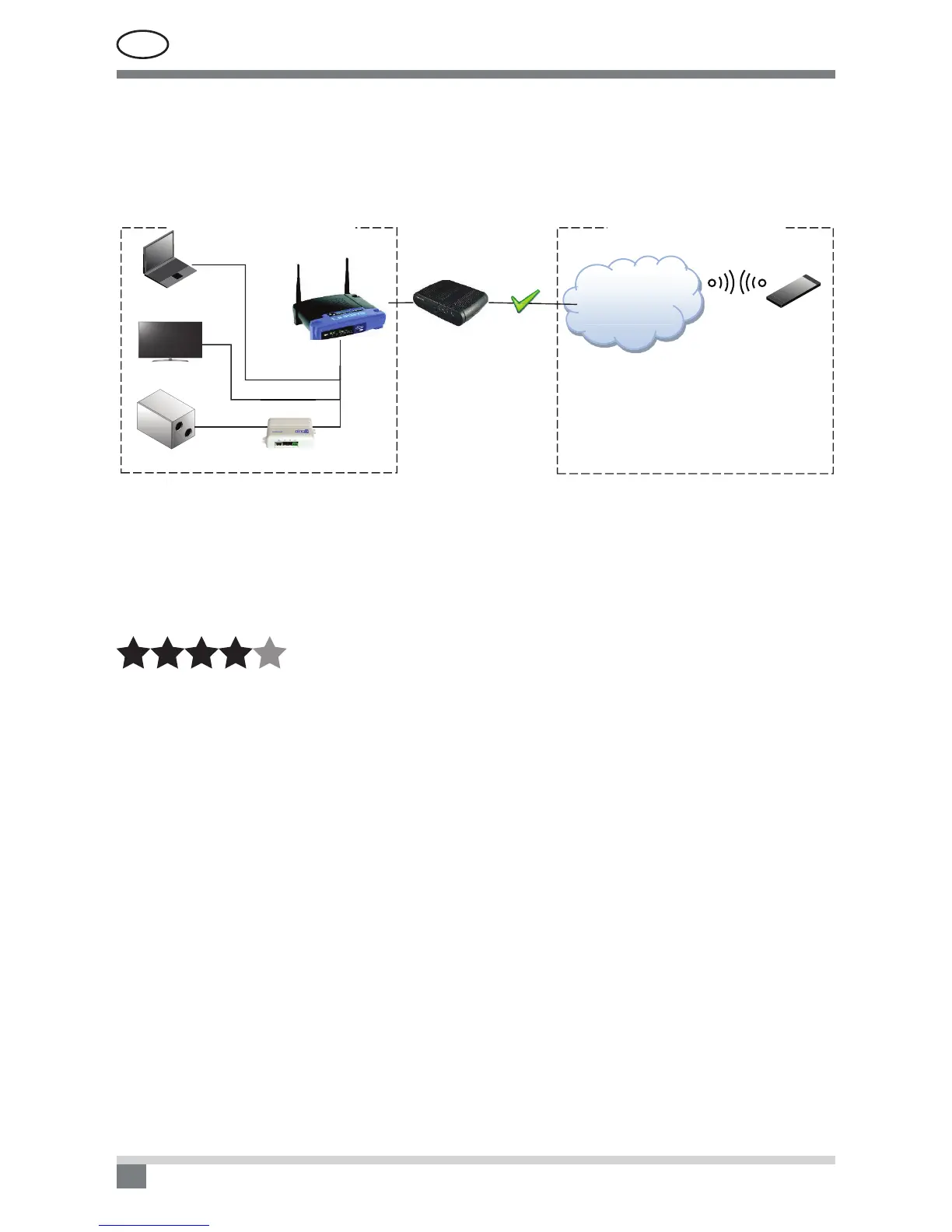
By connecting the router to the Internet, one can imagine that part of the router is connected to the external
network (internet), and the other part is the part that can create another own local area network with its devices.
See Fig.
192.168.0.200
55.188.10.222
192.168.0.30
84.15.200.253
Modemas
VIDINIS TINKLAS IŠORINIS TINKLAS
192.168.0.29
Ping2
C4
INTERNET
LOCAL AREA NETWORK EXTERNAL NETWORK
Modem
To prevent the router being lost in the external network, and maintain communication with the router and
with other devices in the network, the router must have a unique IP address assigned by your Internet provider.
Therefore, let’s assume that the Internet provider has assigned the address to the router – 84.15.200.253. Now,
all devices on the external network can access the router at this address, but the local area network created by
the router and the devices in it are still out of reach. Meanwhile, devices in the local area network can interact
with each other and access the devices on the external network (internet).
COMPLEXITY
(Situation 1 – the phone on the Internet wants to reach the Komfovent air handling unit)
First, create a route – tunnel in the router (Port forwarding), and indicate in it: the way in which the device
from the external network will communicate with the device in the router’s local area network.
This is very simple. Assign the unique port number to the specic address of the device in the local area
network, indicating the protocol type to be used for communication (TCP or UDP).
With this specied data, the router will know what the device is trying to access from the external network,
and route its data in the right way.


 To Next Page