PLAY360
Copyright©KOMPAN A/S
V00050GB 20140814 RikBon/PetrJu
12/19
Assembly order (continued)
Installing wall panels
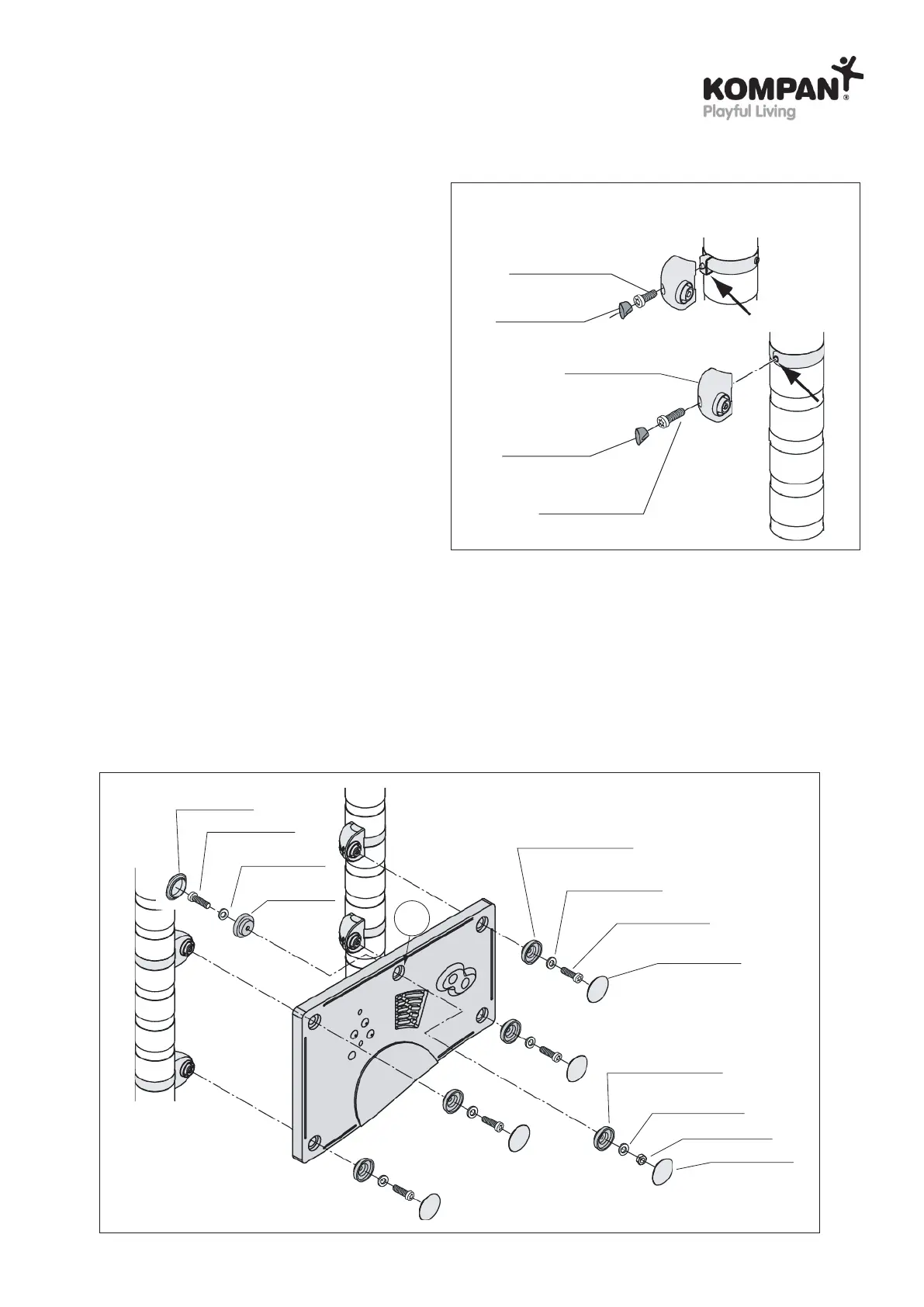
First install the wall brackets onto the posts:
Installation of wall brackets: Wall brackets may
be attached to a strap or to a secondary connector,
see ill. 19 which bolts to use.
IMPORTANT!
Do not tighten connections nor install the plastic
cover for wall bracket until all panels have been
installed.
ill. 19
321300708020
Fitting for wall panel
A400504-06
Fitting for wall panel
A400504-06
A400505-xxx
ill. 20
Installing upper wall panels (ill. 20): Four wall brackets are used to support an upper wall panel.
- Panels are attached to the wall bracket using a fitting for wall panel, a washer and an 8 mm self-locking nut.
- Some types of panels are provided with a centre mounting hole. This hole is not used for fastening
if the panel is placed as upper panel. In that case the hole is to be covered with fittings for wall panel,
washers, bolt and nut, see ill. 20 (C).
321300708020
400108
A400505-xxx
321300708020
A400505-xxx
Fitting for
wall panel
A400504-06
M8x40
210100408040
A400508-06
Wall bracket
A400207-128
A400508-06
M8x30 (black)
210100408030
For secondary connectors:
For straps:
C
M8x30
210100408030
M8x30
210100408030



 To Next Page