Page 10
3 Parameter Adjustment
The AP14 uses highly advanced steering soft-
ware, which constantly assesses how the boat is
being affected by the sea conditions. By adjust-
ing its own performance, the pilot is able to
maintain the most accurate course for these con-
ditions, just as a human pilot would. So in a
rough sea, the pilot is not overworked and bat-
tery drain is kept to a minimum.
3.1 Rudder Movement (Gain)
The AP14 will make corrections if it detects that
the boat is off course. How much rudder it
applies to correct this is set by the Gain (some-
times referred to as the rudder ratio).
¥ The Gain setting can be compared to driving
a motor vehicle - at high speeds, very little
helm movement is necessary to steer the vehi-
cle (LOW Gain). When driving at slow
speeds, more helm movement is necessary
(HIGH Gain).
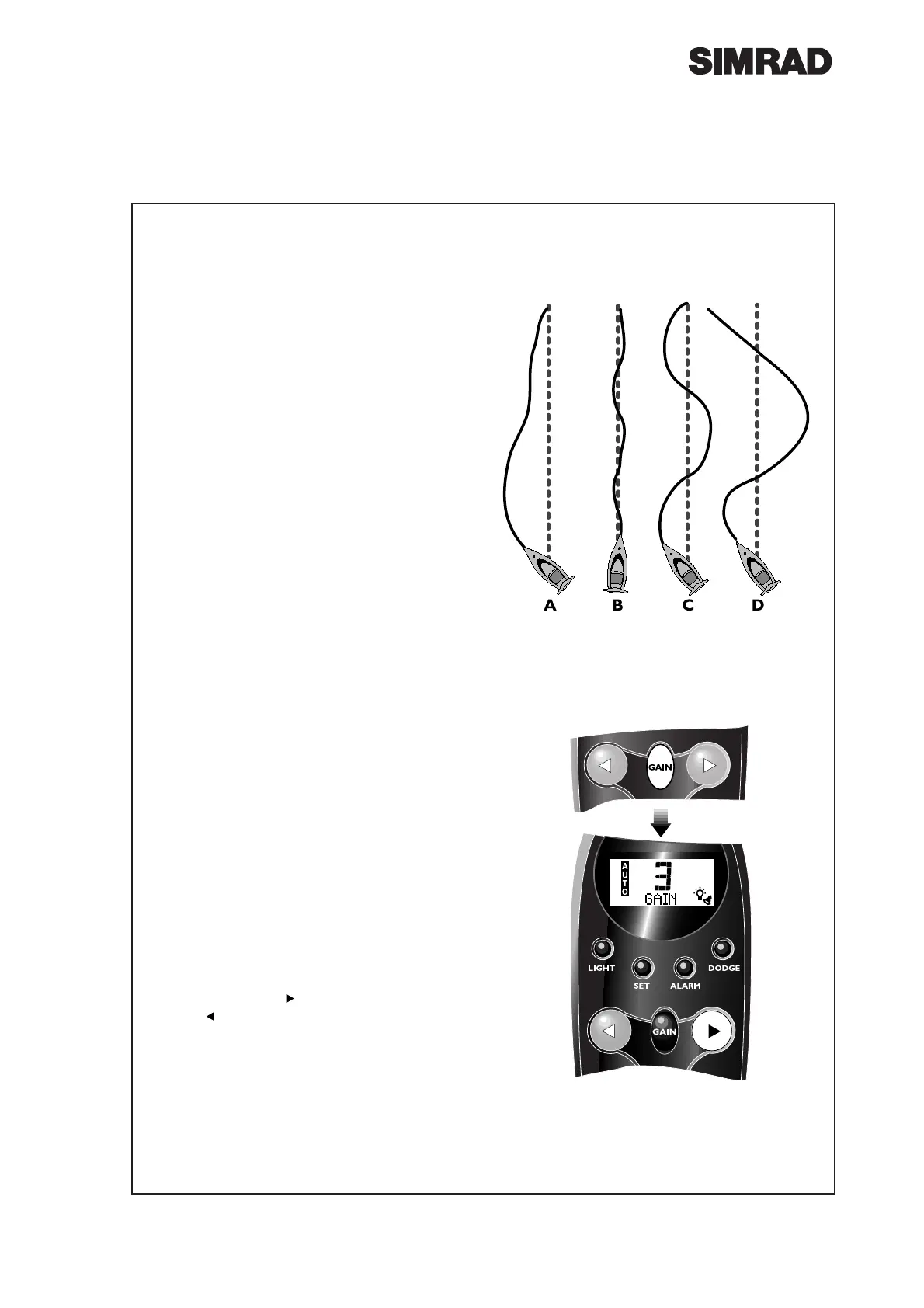
¥ Fig 3.1A shows when the Gain is too low: the
boat takes a long time to correct the heading.
¥ Fig 3.1B is ideal - errors are quickly corrected.
¥ Fig 3.1C the Gain is too high - the boat starts
to ÒSÓ, or oscillate around the correct heading.
¥ Excessive Gain (Fig 3.1D) makes the boat
oscillate increasingly off course.
The Gain can be adjusted in all modes, without
interrupting the operation of the pilot.
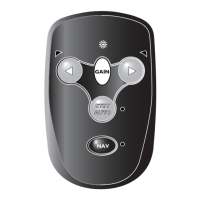
Press Gain once. The display will show GAIN
on the bottom line, along with the Gain setting
(1-9). The default setting is 5, which should give
good course keeping in most situations.
To increase, press (Fig 3.2). To decrease Gain,
press .
¥ If no key is pressed within 5 seconds, the con-
troller will return to the main display and the
Gain currently entered will be set.
Fig 3.1 - Effects of Gain setting
Fig 3.2 - Adjusting Gain setting




 To Next Page