EasyManua.ls Logo

Kongsberg Simrad AP20 - User Manual

Kongsberg Simrad AP20
126 pages
Print Icon
To Next Page IconTo Next Page
Loading...
Simrad AP20
Autopilot
ALWAYS AT THE FOREFRONT OF TECHNOLOGY
MANUAL

Table of Contents

Questions and Answers

  • D
    Danielle Strickland DDSAug 4, 2025
    Why is the rudder test too slow on my Kongsberg Simrad AP20?
    • S
      Shelly RodriguezAug 4, 2025
      If the rudder test is too slow on your Kongsberg Autopilot System, it could be due to several reasons. First, inspect for any mechanical obstructions at the rudder, tiller, or quadrant and check the back drive force. Second, bleed the hydraulic system to remove any air. Finally, consider replacing the pump unit with a bigger one if the current one has insufficient capacity.
  • T
    Thomas HooverAug 14, 2025
    What to do if there is a rudder response failure on Kongsberg Simrad AP20?
    • S
      Stephanie HoltAug 14, 2025
      If you're experiencing a rudder response failure with your Kongsberg Autopilot System, meaning there's no response to the rudder command, begin by checking all connections. Next, check the Rudder Feedback transmission link. Then, inspect the drive unit motor and brushes. Lastly, replace the junction unit Power PCB if necessary.
  • K
    Kelli PearsonAug 23, 2025
    How to fix rudder feedback failure on Kongsberg Simrad AP20?
    • C
      Cory WilsonAug 23, 2025
      If you are experiencing a rudder feedback failure with your Kongsberg Autopilot System (meaning the autopilot operates on simulated feedback), it may be caused by a missing or erratic rudder feedback signal. First, check all connections. Second, check the alignment as per the installation instructions. Third, replace the rudder feedback unit.

Summary

Introduction

General

Overview of Simrad, its products, and the AP20 autopilot system.

System components

Details the main units comprising a basic AP20 system.

AP20 Control Unit

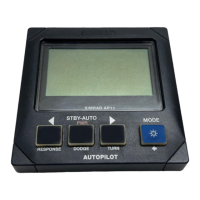
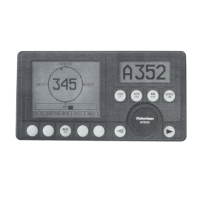
Describes the compact control unit for panel, bulkhead, or bracket mounting.

Heading Sensors

Lists the compatible heading sensor types for the AP20 autopilot.

Optional equipment

Presents a series of optional accessories available for the AP20 system.

Operation of the Autopilot

Overview

Introduces the AP20 front panel layout and its main functions.

ON;OFF - Standby mode

Explains how to turn the system on/off and enter standby mode.

Follow-Up steering (FU)

Details the Follow-Up steering mode and its operation via the course knob.

Non-Follow-Up steering (NFU)

Describes the Non-Follow-Up steering mode activated by push buttons.

Automatic Steering

Explains the AUTO mode for automatic steering on a set course.

Navigating with the AP20

Covers using the AP20 for navigation steering via external sources.

User Set-up Menu

Guides on configuring system settings like language, NAV/WIND source, etc.

Technical Specifications

AP20 Autopilot System

Provides overall system specifications including boat size, connections, and interfaces.

AP20 Control Unit

Lists dimensions, weight, power consumption, and display details.

Junction units

Details specifications for different junction unit models (J300X, J300X-40, J3000X).

RFC35 Fluxgate compass

Specifies dimensions, performance, and environmental protection of the compass.

NMEA messages

Overview of NMEA messages supported by the AP20 system.

Installation

Installation checklist

Lists essential steps for a proper AP20 system installation.

AP20 System Layout

Illustrates the system layout with optional components and connections.

RF300 Rudder feedback installation

Provides instructions for mounting and connecting the RF300 rudder feedback unit.

Drive unit installation

Details the installation of hydraulic and linear drive units for the steering system.

Software Setup Procedure

Guides through the setup of installation settings like language, dockside, and seatrial.

Dockside settings

Explains setting up boat type, drive unit voltage, and rudder calibration before sea trials.

Sea Trial

Describes calibration and testing procedures performed at sea after installation.

Maintenance

Control unit

Covers routine maintenance for the AP20 Control Unit, including cleaning.

Junction Unit

States that no special maintenance is required for the junction unit.

Rudder Feedback

Advises visual inspections and greasing of ball joints for the rudder feedback unit.

Compass

Recommends visual inspection of the compass, especially if exposed to weather.

Drive unit

Refers to the drive unit manual for specific maintenance instructions.

Exchange of software programme

Details the procedure for replacing the PROM chip for software updates.

Trouble shooting

Alarms

Lists display readouts, probable faults, and recommended actions for system failures.

System Data Menu

Explains how to access and use system data for testing and troubleshooting.

NMEA Data Menu

Guides on interpreting NMEA messages and status information for troubleshooting.

Spare Parts List

Glossary

Terms of Warranty

Kongsberg Simrad AP20 Specifications

General IconGeneral
BrandKongsberg
ModelSimrad AP20
CategoryAutopilot System
LanguageEnglish

Related product manuals