Simrad AP20 Autopilot
80 20220505H
4.29 CDI35 Interface
Locate the CDI35 as close to the compass as possible so that
there will be no problem finding it in the event of a service.
Put the two fixing screws in the slots and secure the unit to the
bulkhead. Open the unit to access the screw terminals.
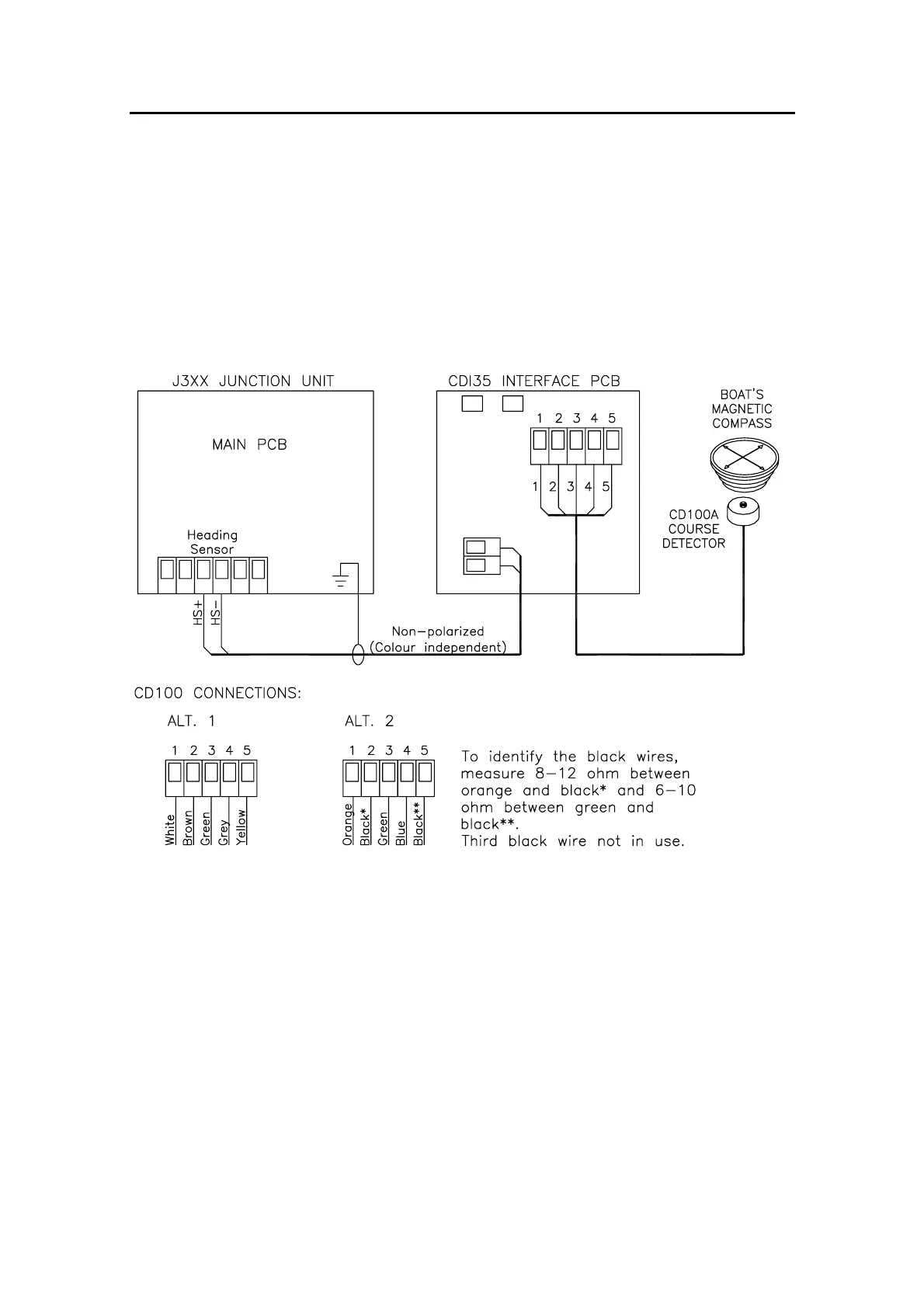
Connect the cables as shown on the diagram below.
Figure 4-29 CDI35 connections
Note ! CD100 has a connector that has to be cut off the cable.



 To Next Page