51
Chapter 2
2.2 Component names and functions
2.2.9 AeroDR Generator Interface Unit
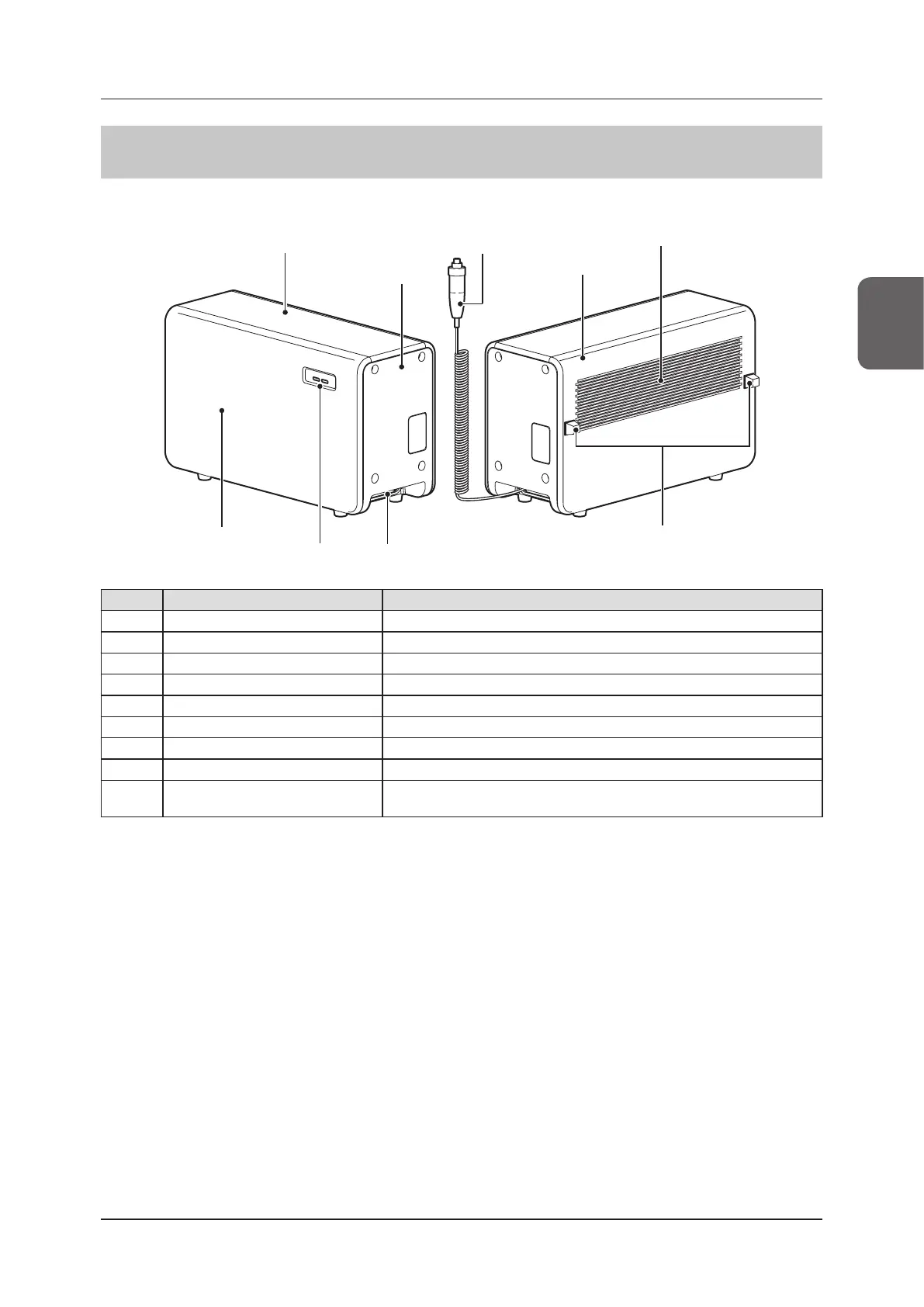
The component names and functions of the AeroDR Generator Interface Unit are as follows.
(8) Spacer
(4) Exhaust outlet
(1) Top cover
(6) LEDs
(5) Front cover
(2) Side cover
(3) Rear cover
(9) Hand switch
(7) Cable outlet
Number Name Functions
(1) Top cover Protects the internal parts.
(2) Side cover Protects the internal parts.
(3) Rear cover Protects the internal parts.
(4) Exhaust outlet Exhausts internal heat.
(5) Front cover Protects the internal parts.
(6) LEDs Indicate the status of the AeroDR Generator Interface Unit.
(7) Cable outlet Outlet for various cables.
(8) Spacer Prevents exhaust outlet from being blocked after installation.
(9) Hand switch
When S-SRM connection is adopted, a hand switch is installed in the AeroDR
Generator Interface Unit.



 To Next Page
 Loading...




