EasyManua.ls Logo

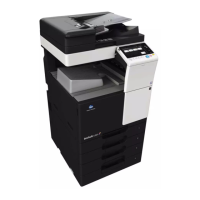
Konica Minolta ineo 227 - User Manual

Konica Minolta ineo 227
50 pages
Print Icon
To Next Page IconTo Next Page
Loading...
2016. 3
Ver. 1.02
This Service Manual (Ver. 1.02) describes
bizhub 367/bizhub 287/bizhub 227/bizhub 136DN/bizhub 128DN/
bizhub 122DN/ineo 367/ineo 287/ineo 227/Sindoh N502/
Sindoh N501/Sindoh N500/Sindoh MF3091/Sindoh MF2101/
Sindoh MF2041/Sindoh N512/Sindoh N511/Sindoh N510/
Sindoh N517/Sindoh N516/Sindoh N515
(Version: G00-27)
SERVICE MANUAL
SECURITY FUNCTION
367/287/227

Table of Contents

Question and Answer IconNeed help?

Do you have a question about the Konica Minolta ineo 227 and is the answer not in the manual?

Summary

Initial Machine Installation and Unpacking Procedures

Operational Precautions and Service Engineer Guidelines

Service Engineer Responsibilities and Training

Requirements and conduct expected from service engineers for effective security.

Service Mode Password Protection and Security

Guidelines for protecting setting data in Service Mode with strong CE passwords.

Firmware Version and Service Mode Access

Accessing the Service Mode

Step-by-step guide to access the machine's Service Mode using a CE password.

Service Mode Security Lock Management

Service Mode Access Lock State Overview

Explanation of the access lock state for Service Mode due to incorrect password entries.

Procedure for Releasing Service Mode Lock

Steps to release the Service Mode access lock and reset illegal access counts.

Enhancing Machine Security Features

Detailed Security Settings Configuration

Configuration details for CE Authentication, CE Password, and other security-related settings.

Security Enhancing Procedure Steps

Step-by-step guide to enable and configure Enhanced Security Mode and related functions.

Functions Affected by Enhanced Security Mode

Details on functions that are disabled or modified when Enhanced Security Mode is enabled.

Core Service Mode Functions

CE Authentication Functionality

Enabling and configuring the CE authentication feature for service engineer verification.

Administrator and Password Management

Administrator Password Management

Functionality to set or reset the administrator password, including temporary use of defaults.

CE Password Management

Changing the CE password required for accessing Service Mode, with security notes.

System Initialization and Data Reset Procedures

Hard Disk Drive (HDD) Management and Formatting

HDD Formatting Procedures

Cautionary notes and procedures for formatting the HDD, including data clearing.

Administrator Account Unlocking Mechanism

Administrator Unlocking Functionality

Using the function to release the administrator account access lock state.

Administrator Unlocking Procedure

Steps to unlock the administrator account when it is in an access lock state.

Data Overwriting and Clearing Procedures

Firmware Rewriting Procedures

USB Memory Preparation for Firmware Update

Conditions and preparation steps for using USB memory for firmware updates.

Firmware Update Process Via USB

Firmware Update Procedure Steps

Detailed steps for copying firmware files to USB and initiating the update.

Machine Type Configuration

FAX Kit Installation and Setup

FAX Kit Installation Procedure

Steps for installing the optional FAX kit FK-513 and initial configuration.

FAX Kit Component Installation

FAX Setting Procedure

FAX Dial Transfer Precautions

Summary

Initial Machine Installation and Unpacking Procedures

Operational Precautions and Service Engineer Guidelines

Service Engineer Responsibilities and Training

Requirements and conduct expected from service engineers for effective security.

Service Mode Password Protection and Security

Guidelines for protecting setting data in Service Mode with strong CE passwords.

Firmware Version and Service Mode Access

Accessing the Service Mode

Step-by-step guide to access the machine's Service Mode using a CE password.

Service Mode Security Lock Management

Service Mode Access Lock State Overview

Explanation of the access lock state for Service Mode due to incorrect password entries.

Procedure for Releasing Service Mode Lock

Steps to release the Service Mode access lock and reset illegal access counts.

Enhancing Machine Security Features

Detailed Security Settings Configuration

Configuration details for CE Authentication, CE Password, and other security-related settings.

Security Enhancing Procedure Steps

Step-by-step guide to enable and configure Enhanced Security Mode and related functions.

Functions Affected by Enhanced Security Mode

Details on functions that are disabled or modified when Enhanced Security Mode is enabled.

Core Service Mode Functions

CE Authentication Functionality

Enabling and configuring the CE authentication feature for service engineer verification.

Administrator and Password Management

Administrator Password Management

Functionality to set or reset the administrator password, including temporary use of defaults.

CE Password Management

Changing the CE password required for accessing Service Mode, with security notes.

System Initialization and Data Reset Procedures

Hard Disk Drive (HDD) Management and Formatting

HDD Formatting Procedures

Cautionary notes and procedures for formatting the HDD, including data clearing.

Administrator Account Unlocking Mechanism

Administrator Unlocking Functionality

Using the function to release the administrator account access lock state.

Administrator Unlocking Procedure

Steps to unlock the administrator account when it is in an access lock state.

Data Overwriting and Clearing Procedures

Firmware Rewriting Procedures

USB Memory Preparation for Firmware Update

Conditions and preparation steps for using USB memory for firmware updates.

Firmware Update Process Via USB

Firmware Update Procedure Steps

Detailed steps for copying firmware files to USB and initiating the update.

Machine Type Configuration

FAX Kit Installation and Setup

FAX Kit Installation Procedure

Steps for installing the optional FAX kit FK-513 and initial configuration.

FAX Kit Component Installation

FAX Setting Procedure

FAX Dial Transfer Precautions

Konica Minolta ineo 227 Specifications

General IconGeneral
TypeLaser
Scan Resolution600 x 600 dpi
Copy Resolution600 x 600 dpi
FunctionsPrint, Copy, Scan
Print Speed22 ppm (A4)
ConnectivityUSB 2.0, Ethernet 10/100/1000Base-T
Operating System CompatibilityWindows, macOS, Linux
Paper SizeA6
Duplex PrintingYes
Copy SpeedUp to 22 cpm
Hard DriveOptional
InterfaceUSB 2.0, Ethernet 10/100/1000Base-T

Related product manuals