Setting a Luminance Unit
[Options] -
[Luminance Unit]
Set the unit of luminance.
This screen is not displayed when Japanese is selected for the display language.
* Factory setting: cd/m
2
Operating Procedure
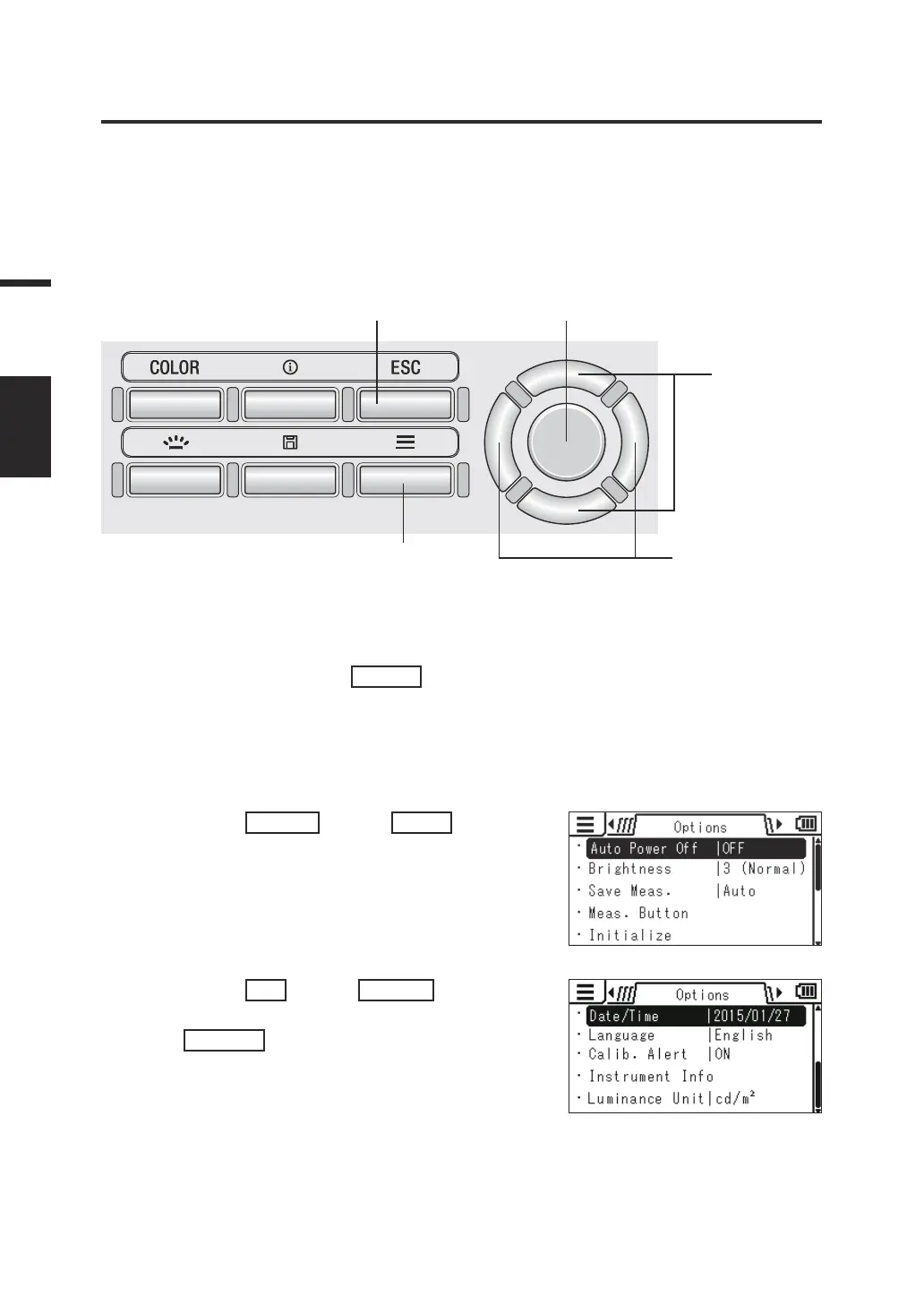
1
5 3, 4
2
3, 4
1. While the measurement screen is
displayed, press the
MENU
key.
The setting screen is displayed on the LCD
screen.
2. Press the
RIGHT
key or
LEFT
key to
display the [Options] screen.
3. Press the
UP
key or
DOWN
key to
select [Luminance Unit] and then press
the
ENTER
key.
54
Settings
LUMINANCE
UNIT














 To Next Page