Page 5
This is the name of the Document
1. Getting Started
This is a step-by-step instruction on how to start using the Koobrick Boxi.
Note: The Koobrick Boxi is sold both with and without built-in hard disk drives. If you
have purchased Koobrick Boxi with built-in hard disk drive, please go to step 4.
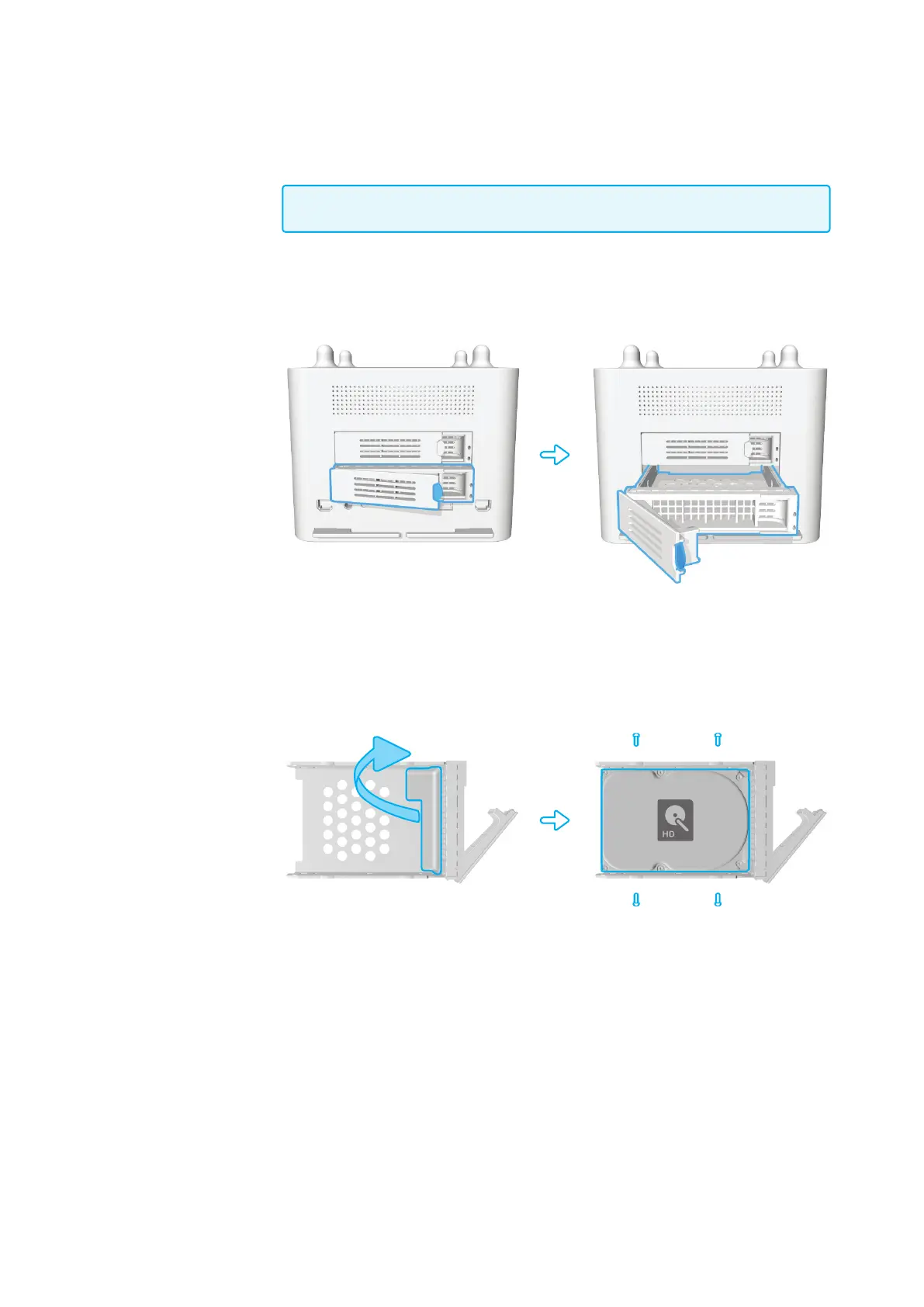
1. Pull out the disk drawer from the case of Koobrick Boxi as shown in the setup dia-
gram below.
2. Remove the plastic holder as shown, and x the hard disk drive with four screws.
Boxi User Manual
Version 1.0



 To Next Page