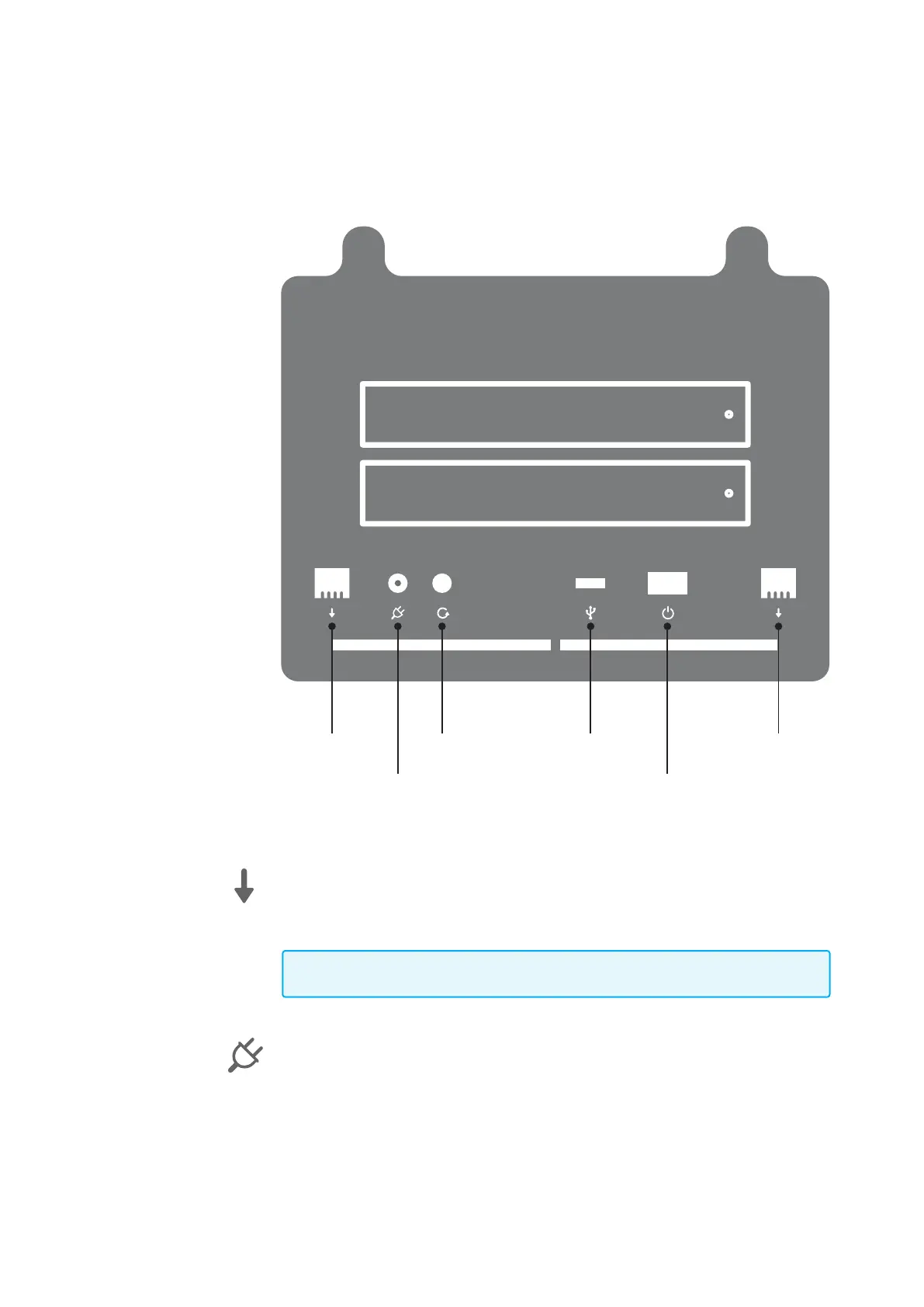
Understanding Koobrick Boxi
Ethernet Port (Local Area Network or LAN)
You should connect the LAN port of this Koobrick Boxi to your hub/switch, or one LAN
port of your router etc.
Note: To ensure the highest transfer speed we recommend to connect Koobrick Boxi
to a broadband router or Switch which support up to 1000Mbps (Gigabit).
Power Jack
Connect power from enclosed power supply.
This is the name of the Document
Boxi User Manual
Version 1.0
Page 3
WE CAN HAVE TEXT
here. About HDD vol-
umes capacity etc...
1
2
Ethernet
Port
Reset
Power On/Off
USB Ethernet
Port
Back



 To Next Page