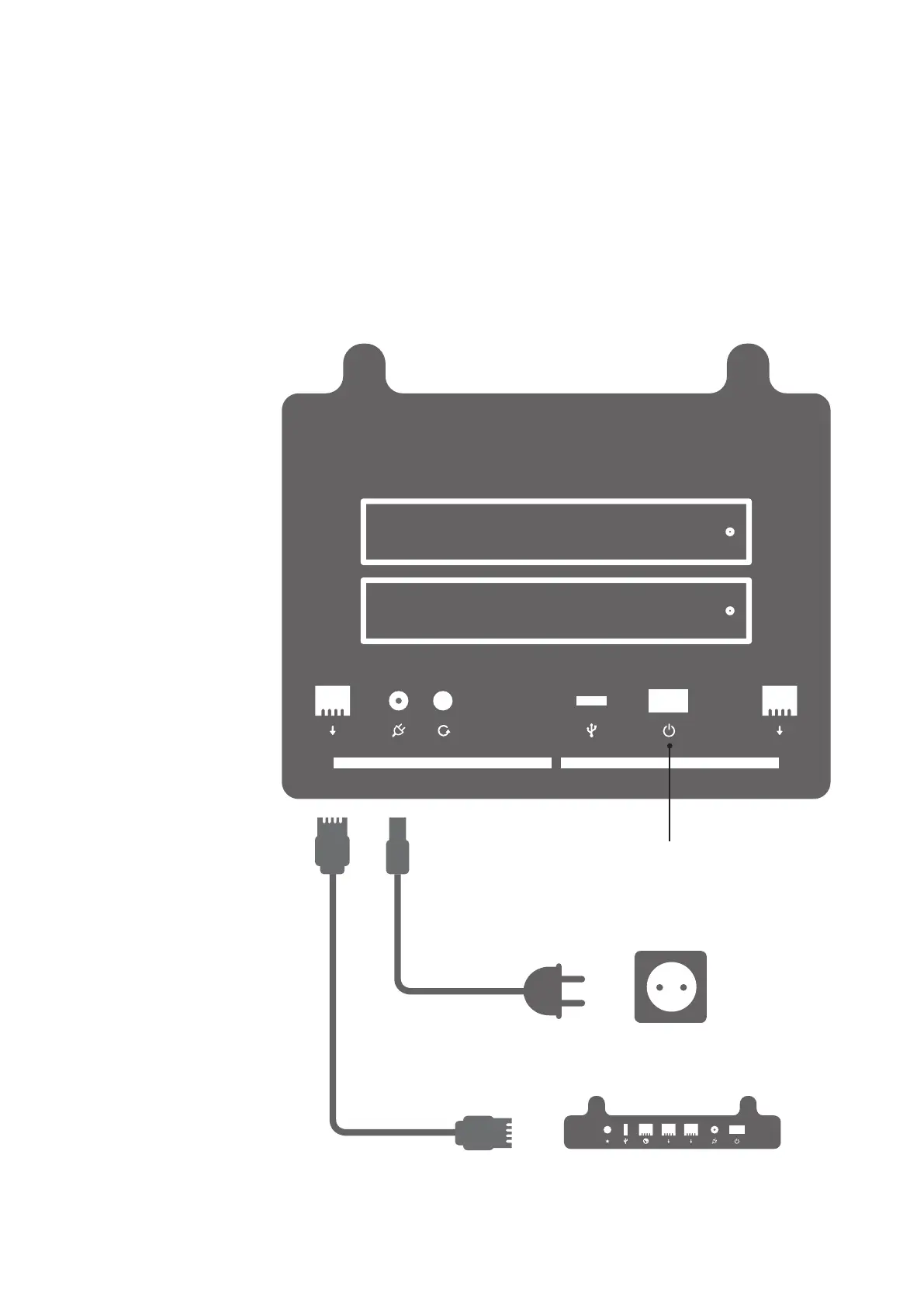
4. Connect the power adapter to the Boxi’s power connector and to an earthed power
outlet ( see diagram below )
5. Connect a network cable from the Koobrick WiFi yellow LAN port to either yellow
LAN port on the Boxi. ( see diagram below )
6. Power ON the Koobrick Boxi by pressing the power switch at the back of your Boxi.
( see diagram below )
7. To congure your Boxi see chapter 2.
1
2
Koobrick WiFi
(WiFi Router)
Power Outlet
On/Off
Network Cable
Power Cable
You can use any 802.11
WiFi router in place
of Koobrick WiFi.
This is the name of the Document
Boxi User Manual
Version 1.0
Page 7



 To Next Page