~10~
SAFETY FEATURES:
ALARM: = If the temperature exceeds 72º F the unit will shut down; a sound warning will start, and the display
will blink alternating with the temperature reading.
= This function is disabled in the rst 4 hours “ Cool Down” period or after any reset for another 4 hours.
= The unit will restart and continue the cooling and cycling if the temperature falls below 72º F.
TO RESET: = Unplug, wait 5 seconds and re plug the unit.
OVERFLOW: = If the condensate pan is lled due to excessive humidity the unit stops, and warns with a buzzer and the
"CUP FULL" message on the display.
TO RESET: Empty cup located under the cooling unit.
CONTROLS : PLUG IT IN (wait one minute) and ENJOY!
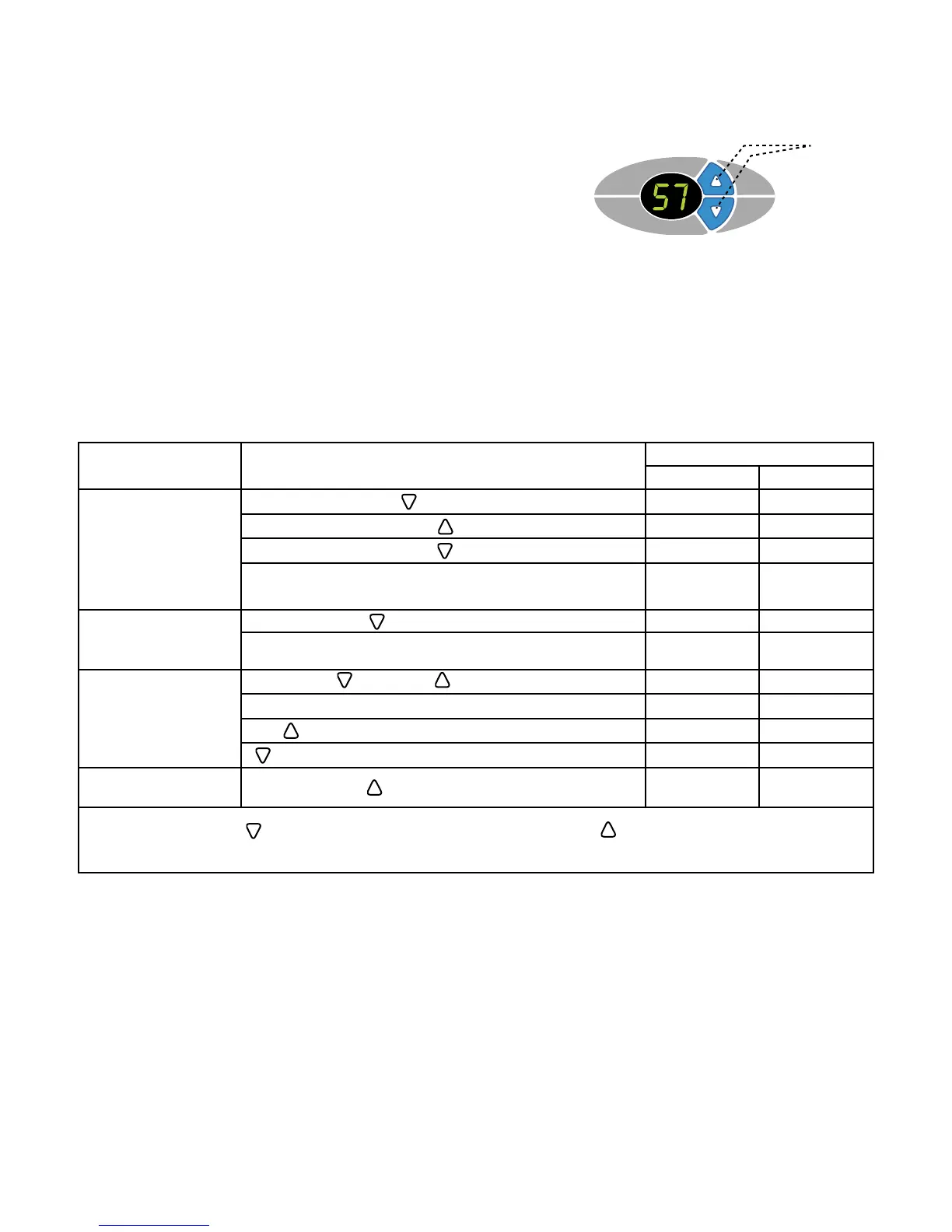
KEYS
DISPLAY:
= Default SET temperature 57º F/14º C (ideal for wine storage).
= Calibration option of the temperature sensor.
= SET temperature range 52ºF-72ºF.
= Digital temperature sensor.
= Dual display Fº/Cº.
= Magnetic overow sensor.
= Settings are stored in memory for power failures.
= Pre programmed software will reach the quietest most efcient operation.
FEATURES:
OPERATION:
= The display will show the detected temperature until the temperature falls within 3º of the SET POINT.
= If the temperature is above the default 57º F + 1º or other preset value, after a delay of 1 minute the fan
will start after a delay of one minute, followed by the compressor within the next minute.
= The unit will cycle ON/OFF based on the temperature reading. Fan speeds are automatically set by the
controller to achieve optimum performance.
= Minimum ON and OFF cycle times are imposed by software, to prevent “short cycling”.
CONTROLLER
OPERATION
ACTION
DISPLAY EXAMPLE
BEFORE AFTER
TO MODIFY THE SET
TEMPERATURE
(range is 52-72ºF):
PRESS and RELEASE 57º 57º
To increase: PRESS once per degree 57º 58º
To decrease: PRESS once per degree 57º 56º
The new value will be memorized and the controller will
reset automatically.
TO CHANGE FROM
ºF to ºC or ºC to ºF:
PRESS and HOLD until buzzer sounds in 5 seconds 57º 14º
The new value will be memorized and the controller will
reset automatically.
TO CALIBRATE:
HOLD DOWN KEY, PRESS and RELEASE BOTH. 57º 57º
Wait 5 seconds 57º F0
USE or F0 F1
for each degree of offset F0 -1
TO DISPLAY CURRENT
TEMP. OF SENSOR:
PRESS and HOLD to display, Release to get out.
NOTE: A negative offset will result in a warmer cabinet and a positive offset will result in a cooler cabinet.
The new value will be memorized and the controller will reset automatically.


 To Next Page
 Loading...