. HOW TO USE
ATTENTION! BEFORE STARTING THE APPLIANCE, ENSURE THAT THE WATER TANK IS COMPLETELY EMPTY AND
CORRECTLY INSTALLED.
The dehumidifier cannot operate if the water in the tank is full or if the tank is not installed properly. If the tank is
full as a result of previous use, proceed as follows:
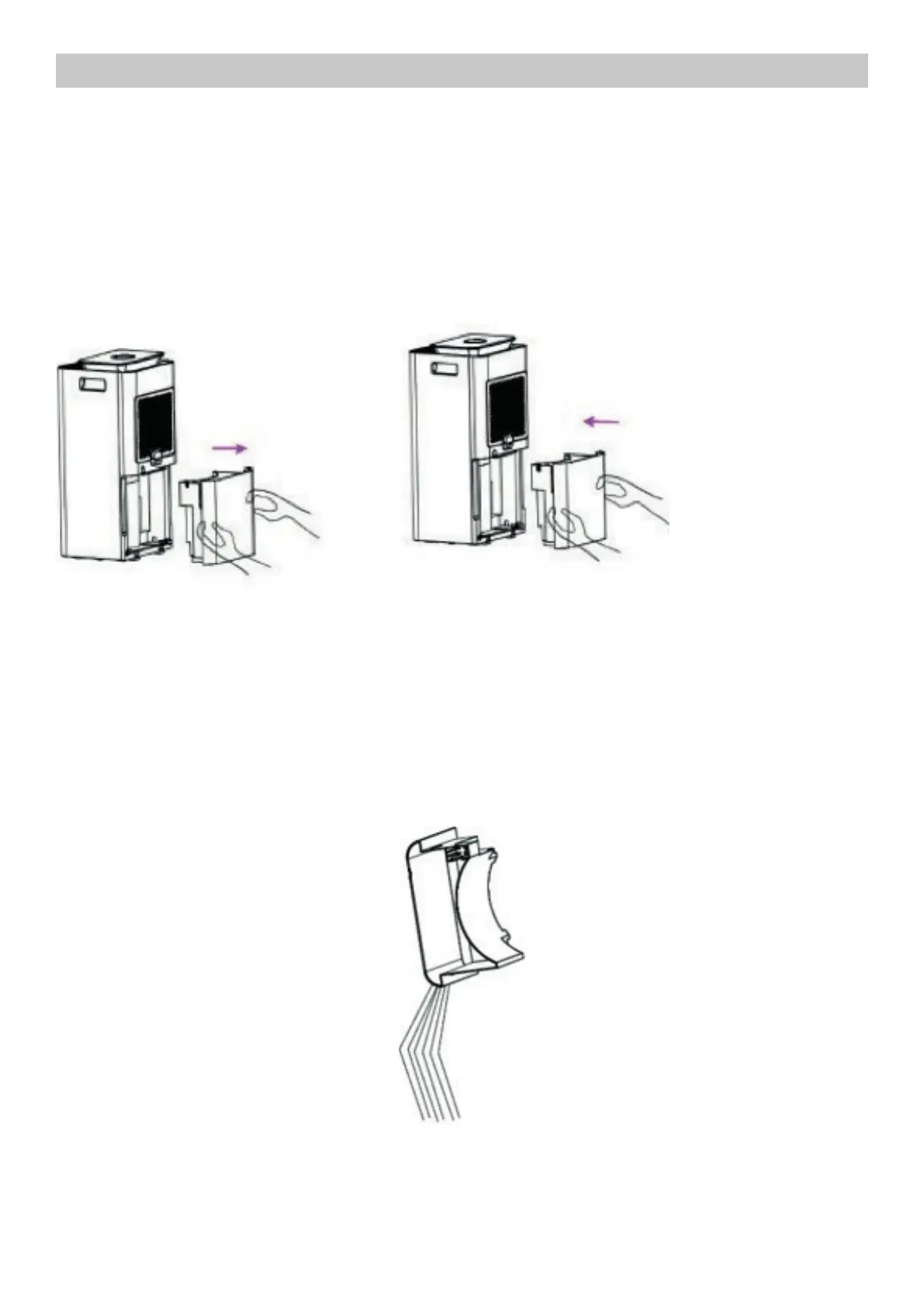
REMOVING / INSERTING THE WATER TANK
Hold the tank firmly with both hands by the side handles and pull gently to your side.
EMPTYING THE WATER TANK
1. Remove the water tank as indicated above.
2. Tilt the water tank to empty it.
3. Reinsert the tank as described above.
CAUTION! DO NOT MOVE THE DEHUMIDIFIER IF THE TANK IS FULL! NOTE:
After prolonged use of the dehumidifier, the water tank may be completely full. In this case, a warning light will
indicate the need to empty the tank.



 To Next Page