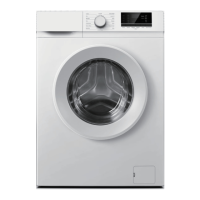
The dryer
cannotbe started
and displays “End”
- Check whether the program setting is correct;
- Confirm there are clothes in the drum;
Excessive drying
time
- Check whether the program setting is correct;
- Confirm whether there are too many clothes wrapping into clusters
- Check whether the filter screen is cleaned;
- There will be air supply for cooling after drying in some programs;
Poor drying eect - Confirm that the clothes have been dehydrated;
- Check whether the program setting is correct;
- Confirm that there are too many clothes;
- Load is not properly sorted. Whether clothes that are not easy to dry are
mixed with clothes that are easy to dry;
- Large load of heavy fabrics.
- Check whethetrhe filter screen is cleaned;
The remaining
time of the display
stops or jumps
The remaining time varies with clothing type, load, dehydration and
ambient temperature, which is a normal phenomenon;
Clothes are
wrinkled.
- Clothes have dried too long. Try a shorter drying time.
- Clothes have been left in the appliance for too long after cycle ends.
The dryer is too
loud
- Look for coins, loose buttons, nails, and other objects and remove them
immediately.
- Check the lint filter. Remove any items stuck inside the lint filter.
- Make sure the dryer is level and standing fimly on the floor.
- The dryer may hum due to air moving through the drum and fan. This is
normal.
Clothes are
shrinking
- Garment care instructions are not being followed. Use a low or no heat
setting.
Lint is left on
clothes
- Lint filter has not been cleaned properly.
- Clothes have not been sorted properly.
- Some fabrics cause more lint and should be dried separately from fabrics
that lint attaches easily.
- Tissue, paper, etc., has been left in pockets.



 To Next Page