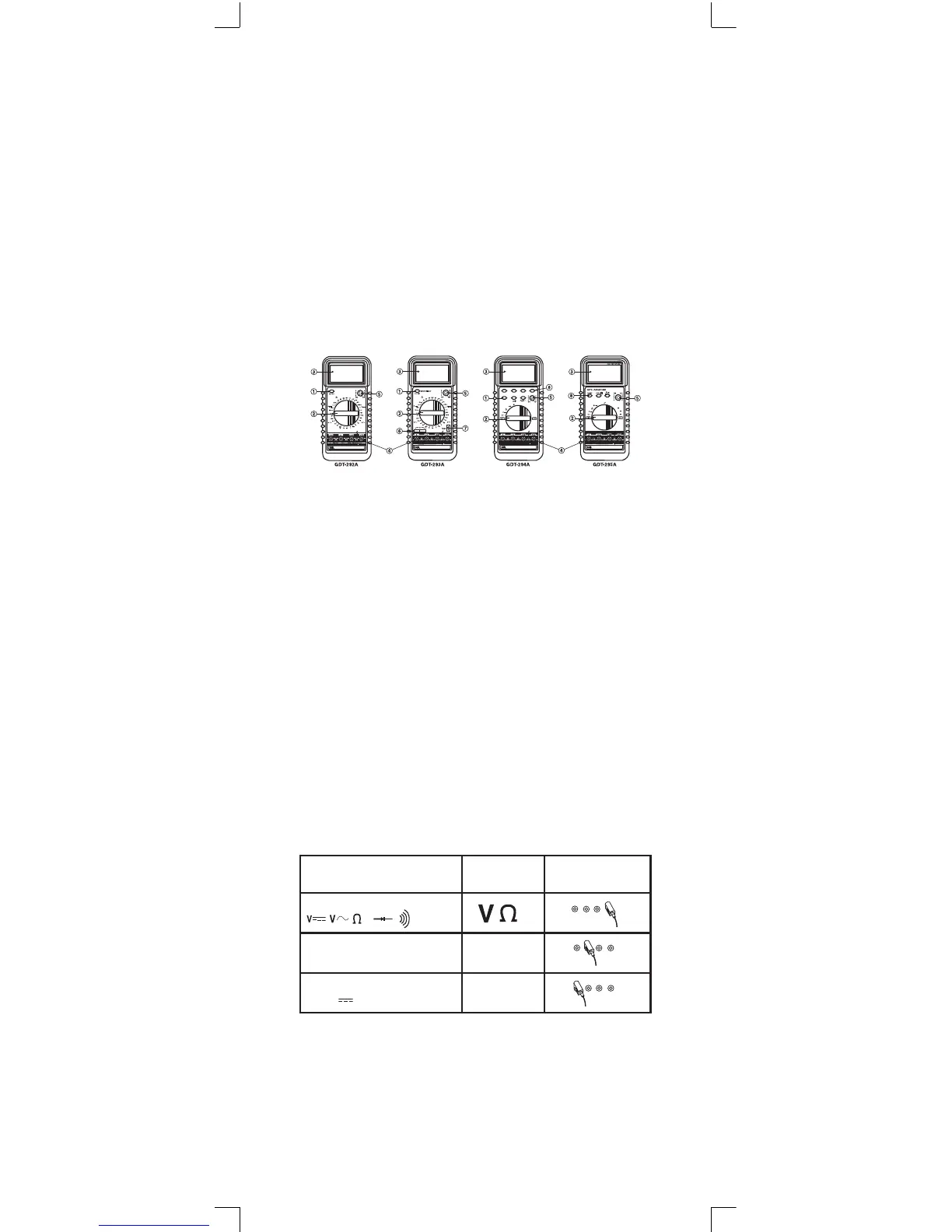
Meter Functions
1. Power ON - OFF Button
2. Function / Range Selector Switch
3. LCD Display
4. Input Jacks
5. Transistor testing socket
6. Capacitor measuring socket (on model GDT-293A only)
7. Temperature measuring socket (on model GDT-293A only)
8. Function Buttons (on models GDT-294A and GDT-295A only)
Range “Up”, Range “Down” Data Hold, Autoranging
Operating Instructions
Power ON-OFF Button (Models 292A, 293A, 294A)
Use this button to turn the meter ON or OFF. An Auto Power
OFF function is provided to extend battery life. If no inputs
happen within 30 to 40 minutes, the meter will turn off auto-
matically. To turn the meter on again, push this button once.
Model 295A turns on and off with the rotary function switch
only.
Input Jacks
This meter has four input jacks that are protected against
overload to the limits shown on the meter. During use always
connect the black test lead to the COM jack; connect the red
test lead to the other appropriate jack depending on the func-
tion selected. See chart below.
Function Red Lead Connection
HZ, Hfe
µA, mA, F mA
A~, A A
18



 To Next Page