EasyManua.ls Logo

Korg 01/W pro - Page 13

Korg 01/W pro
41 pages
Print Icon
To Next Page IconTo Next Page
To Previous Page IconTo Previous Page
Loading...
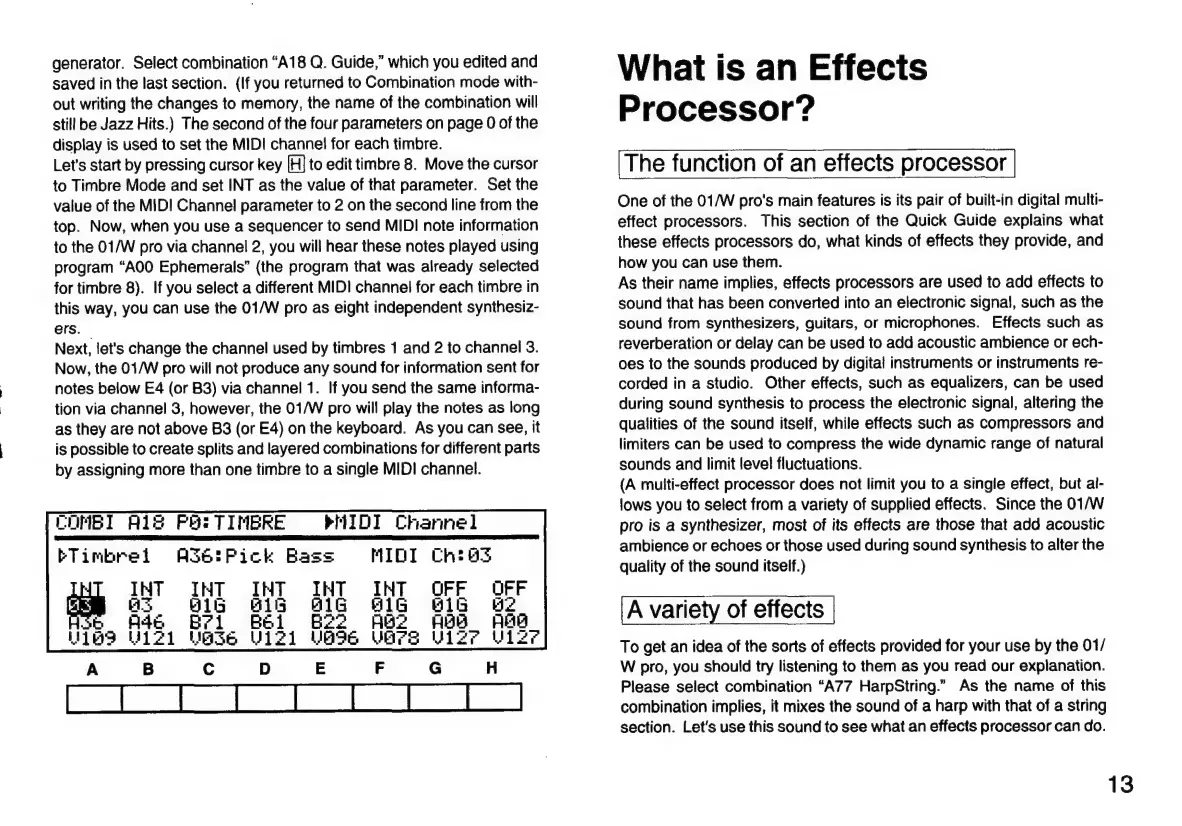
generator.
Select
combination
“A18
Q.
Guide,”
which
you
edited
and
saved
in
the
last
section.
(If
you
returned
to
Combination
mode
with-
out
writing
the
changes
to
memory,
the
name
of
the
combination
will
still
be
Jazz
Hits.)
The
second
of
the
four
parameters
on
page
0
of
the
display
is
used
to
set
the
MIDI
channel
for
each
timbre.
Let's
start
by
pressing
cursor
key
|H]
to
edit
timbre
8.
Move
the
cursor
to
Timbre
Mode
and
set
INT
as
the
value
of
that
parameter.
Set
the
value
of
the
MIDI
Channel
parameter
to
2
on
the
second
line
from
the
top.
Now,
when
you
use
a
sequencer
to
send
MIDI
note
information
to
the
01/W
pro
via
channel
2,
you
will
hear
these
notes
played
using
program
“A00
Ephemerals”
(the
program
that
was
already
selected
for
timbre
8).
If
you
select
a
different
MIDI
channel
for
each
timbre
in
this
way,
you
can
use
the
01/W
pro
as
eight
independent
synthesiz-
ers.
Next,
let's
change
the
channel
used
by
timbres
1
and
2
to
channel
3.
Now,
the
01/W
pro
will
not
produce
any
sound
for
information
sent
for
notes
below
E4
(or
B3)
via
channel
1.
If
you
send
the
same
informa-
tion
via
channel
3,
however,
the
01/W
pro
will
play
the
notes
as
long
as
they
are
not
above
B3
(or
E4)
on
the
keyboard.
As
you
can
see,
it
is
possible
to
create
splits
and
layered
combinations
for
different
parts
by
assigning
more
than
one
timbre
to
a
single
MIDI
channel.
COMBI
A128
Pe:
TIMBRE
bTimbrel
INT
a3
ÞHIDI
Channel
AS6:Pick
Bas
MIDI
What
is
an
Effects
Processor?
The
function
of
an
effects
processor
One
of
the
01/W
pro's
main
features
is
its
pair
of
built-in
digital
multi-
effect
processors.
This
section
of
the
Quick
Guide
explains
what
these
effects
processors
do,
what
kinds
of
effects
they
provide,
and
how
you
can
use
them.
As
their
name
implies,
effects
processors
are
used
to
add
effects
to
sound
that
has
been
converted
into
an
electronic
signal,
such
as
the
sound
from
synthesizers,
guitars,
or
microphones.
Effects
such
as
reverberation
or
delay
can
be
used
to
add
acoustic
ambience
or
ech-
oes
to
the
sounds
produced
by
digital
instruments
or
instruments
re-
corded
in
a
studio.
Other
effects,
such
as
equalizers,
can
be
used
during
sound
synthesis
to
process
the
electronic
signal,
altering
the
qualities
of
the
sound
itself,
while
effects
such
as
compressors
and
limiters
can
be
used
to
compress
the
wide
dynamic
range
of
natural
sounds
and
limit
level
fluctuations.
(A
multi-effect
processor
does
not
limit
you
to
a
single
effect,
but
al-
lows
you
to
select
from
a
variety
of
supplied
effects.
Since
the
01/W
pro
is
a
synthesizer,
most
of
its
effects
are
those
that
add
acoustic
ambience
or
echoes
or
those
used
during
sound
synthesis
to
alter
the
quality
of
the
sound
itself.)
A
variety
of
effects
To
get
an
idea
of
the
sorts
of
effects
provided
for
your
use
by
the
01/
W
pro,
you
should
try
listening
to
them
as
you
read
our
explanation.
Please
select
combination
“A77
HarpString.”
As
the
name
of
this
combination
implies,
it
mixes
the
sound
of
a
harp
with
that
of
a
string
section.
Let's
use
this
sound
to
see
what
an
effects
processor
can
do.
13

Related product manuals