EasyManua.ls Logo

Korg 01/W pro - Page 25

Korg 01/W pro
41 pages
Print Icon
To Next Page IconTo Next Page
To Previous Page IconTo Previous Page
Loading...
WaveShaping
adds
further
nuances.
The
01/W
pro
has
one
more
feature
which
can
greatly
effect
the
tone
of
the
sounds
it
produces.
This
is
the
WaveShaping
function.
Before
we
explain
this
function,
let's
first
listen
to
a
program
using
it
to
see
how
it
works.
Return
to
Program
mode
and
select
program
A01
16'
Piano.
This
is
a
standard
piano
sound.
Now
enter
Edit
Program
mode
and
display
page
1,
then
move
the
cursor
to
the
W.S
Table
parameter
in
the
lower
left
corner
of
the
display.
Press
the
VALUE
key
several
times
and
listen
to
how
the
sound
changes
each
time.
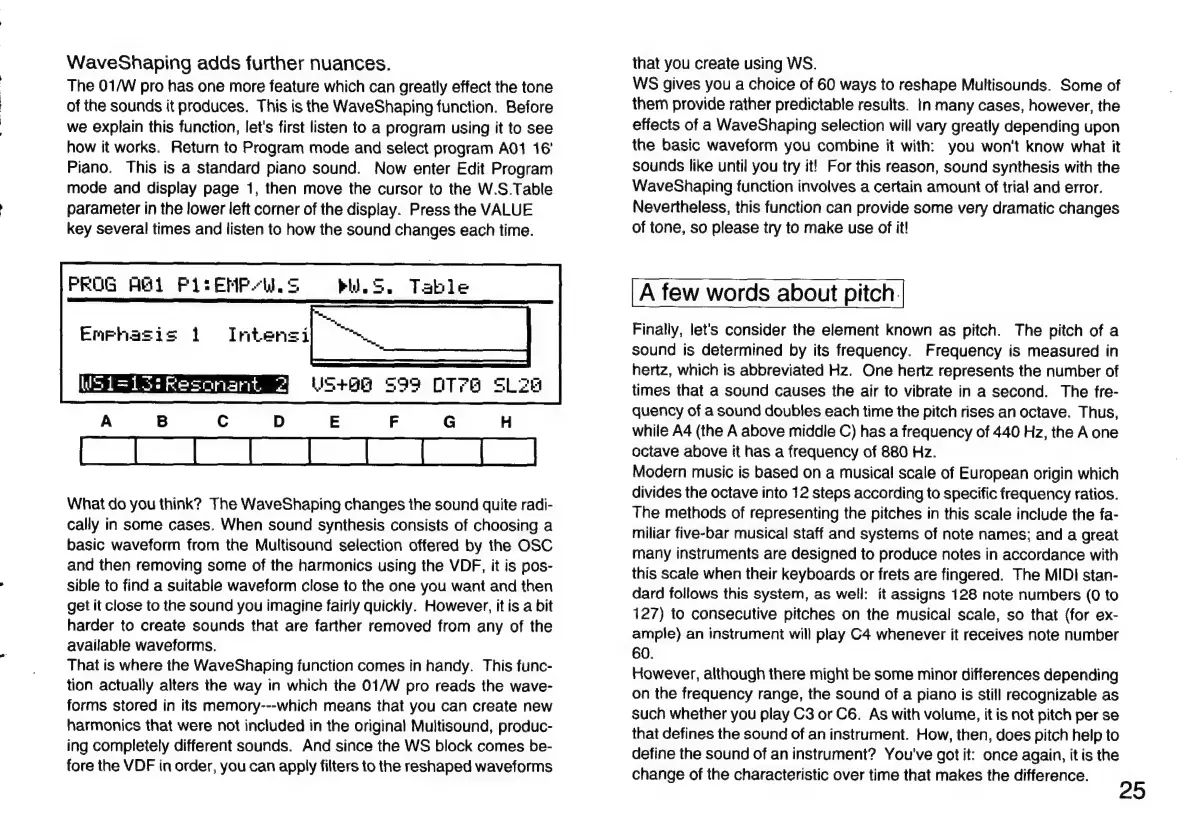
PROG
AGI
Pi:
EMPAL
S
Pid.
S.
Table
Enphasis
i
Intensi
What
do
you
think?
The
WaveShaping
changes
the
sound
quite
radi-
cally
in
some
cases.
When
sound
synthesis
consists
of
choosing
a
basic
waveform
from
the
Multisound
selection
offered
by
the
OSC
and
then
removing
some
of
the
harmonics
using
the
VDF,
it
is
pos-
sible
to
find
a
suitable
waveform
close
to
the
one
you
want
and
then
get
it
close
to
the
sound
you
imagine
fairly
quickly.
However,
it
is
a
bit
harder
to
create
sounds
that
are farther
removed
from
any
of
the
available
waveforms.
That
is
where
the
WaveShaping
function
comes
in
handy.
This
func-
tion
actually
alters
the
way
in
which
the
01/W
pro
reads
the
wave-
forms
stored
in
its
memory---which
means
that
you
can
create
new
harmonics
that
were
not
included
in
the
original
Multisound,
produc-
ing
completely
different
sounds.
And
since
the
WS
block
comes
be-
fore
the
VDF
in
order,
you
can
apply
filters
to
the
reshaped
waveforms
that
you
create
using
WS.
WS
gives
you
a
choice
of
60
ways
to
reshape
Multisounds.
Some
of
them
provide
rather
predictable
results.
in
many
cases,
however,
the
effects
of
a
WaveShaping
selection
will
vary
greatly
depending
upon
the
basic
waveform
you
combine
it
with:
you
won't
know
what
it
sounds
like
until
you
try
it!
For
this
reason,
sound
synthesis
with
the
WaveShaping
function
involves
a
certain
amount
of
trial
and
error.
Nevertheless,
this
function
can
provide
some
very
dramatic
changes
of
tone,
so
please
try
to
make
use
of
it!
A
few
words
about
pitch.
Finally,
let's
consider
the
element
known
as
pitch.
The
pitch
of
a
sound
is
determined
by
its
frequency.
Frequency
is
measured
in
hertz,
which
is
abbreviated
Hz.
One
heriz
represents
the
number
of
times
that
a
sound
causes
the
air
to
vibrate
in
a
second.
The
fre-
quency
of
a
sound
doubles
each
time
the
pitch
rises
an
octave.
Thus,
while
A4
(the
A
above
middle
C)
has
a
frequency
of
440
Hz,
the
A
one
octave
above
it
has
a
frequency
of
880
Hz.
Modern
music
is
based
on
a
musical
scale
of
European
origin
which
divides
the
octave
into
12
steps
according
to
specific
frequency
ratios.
The
methods
of
representing
the
pitches
in
this
scale
include
the
fa-
miliar
five-bar
musical
staff
and
systems
of
note
names;
and
a
great
many
instruments
are
designed
to
produce
notes
in
accordance
with
this
scale
when
their
keyboards
or
frets
are
fingered.
The
MIDI
stan-
dard
follows
this
system,
as
well:
it
assigns
128
note
numbers
(0
to
127)
to
consecutive
pitches
on
the
musical
scale,
so
that
(for
ex-
ample)
an
instrument
will
play
C4
whenever
it
receives
note
number
60.
However,
although
there
might
be
some
minor
differences
depending
on
the
frequency
range,
the
sound
of
a
piano
is
still
recognizable
as
such
whether
you
play
C3
or
C6.
As
with
volume,
it
is
not
pitch
per
se
that
defines
the
sound
of
an
instrument.
How,
then,
does
pitch
help
to
define
the
sound
of
an
instrument?
You've
got
it:
once
again,
it
is
the
change
of
the
characteristic
over
time
that
makes
the
difference.
25

Related product manuals