EasyManua.ls Logo

Korg 01/W pro - Page 30

Korg 01/W pro
41 pages
Print Icon
To Next Page IconTo Next Page
To Previous Page IconTo Previous Page
Loading...
Let's
try
recording
this
variation
after
the
phrase
you
just
recorded.
To
do
this,
you
will
want
to
record
the
third
and
fourth
measures
of
the
song,
leaving
the
first
measures
you
recorded
as
they
are.
This
is
where
the
technique
known
as
auto
punch-in
recording
comes
in
handy.
This
technique
lets
you
specify
one
or
more
measures
to
be
recorded.
It
is
commonly
used
to
re-record
parts
of
a
song
that
didn't
turn
out
quite
right.
Press
the
REC/WRITE
key,
then
move
the
cursor
to
the
second
line
from
the
bottom,
press
cursor
key
[E],
and
set
the
Rec
Mode
parameter
to
AUTP.
Set
Rec
Start
Measure
(cursor
key
[F])
to
3,
and
Rec
End
Measure
(cursor
key
[G])
to
4.
Finally,
set
the
Location
measure
to
1.
Now
when
you
press
the
START/STOP
key,
the
01/W
pro
will
start
playing
the
phrase
you've
already
recorded,
beginning
at
measure
1.
When
it
reaches
the
third
measure,
it
will
automatically
begin
recording.
Play
the
new
variation,
then
press
the
START/STOP
key
once
you're
past
measure
4.
As
before,
the
01/W
pro
will
automatically
return
to
the
measure
that
you
began
recording
at.
You
can
press
the
START/STOP
key
at
this
point
to
listen
to
the
notes
you
just
recorded.
30
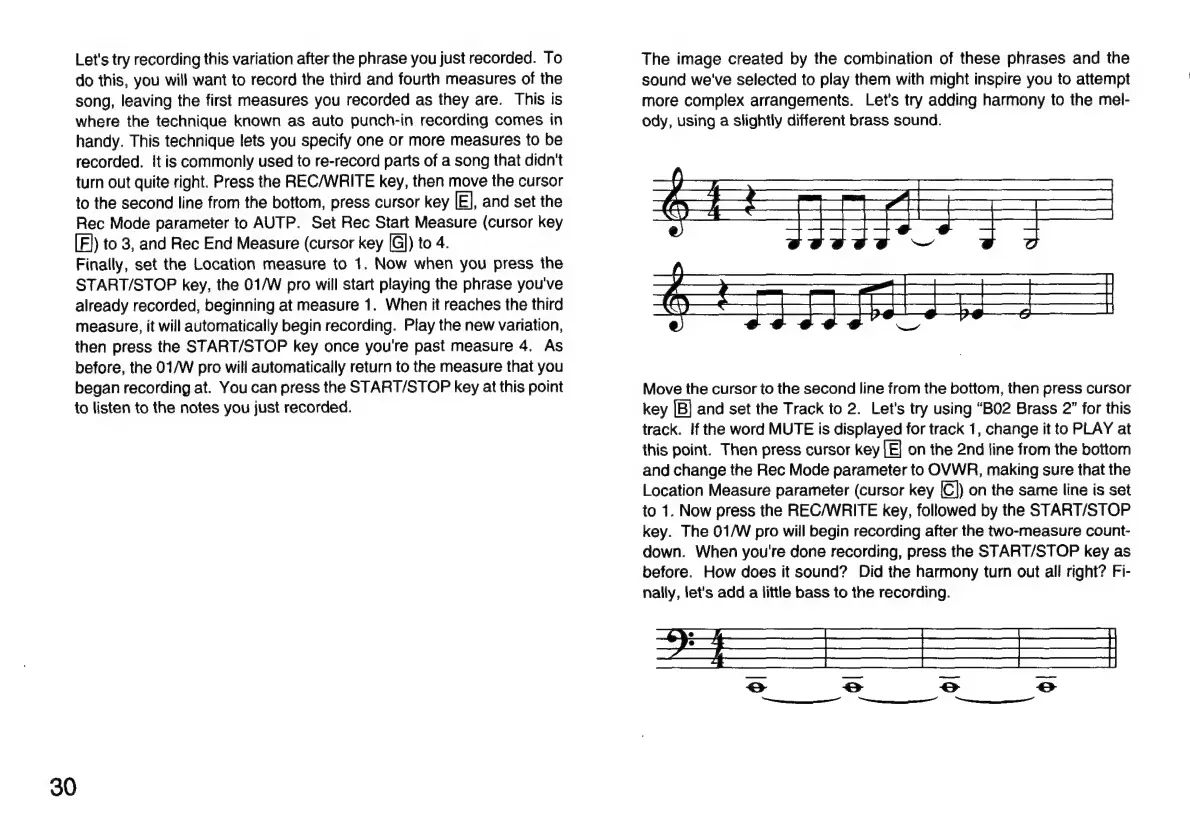
The
image
created
by
the
combination
of
these
phrases
and
the
sound
we've
selected
to
play
them
with
might
inspire
you
to
attempt
more
complex
arrangements.
Let's
try
adding
harmony
to
the
mel-
ody,
using
a
slightly
different
brass
sound.
TT
Ee
at
a
ha
a
a
SE
i
Ge
ee
a
eS
CC
SN
|
hg
|
Ug
hg
___—___
Move
the
cursor
to
the
second
line
from
the
bottom,
then
press
cursor
key
|B}
and
set
the
Track
to
2.
Let's
try
using
“BO2
Brass
2”
for
this
track.
If
the
word
MUTE
is
displayed
for
track
1,
change
it
to
PLAY
at
this
point.
Then
press
cursor
key
[E]
on
the
2nd
line
from
the
bottom
and
change
the
Rec
Mode
parameter
to
OVWR,
making
sure
that
the
Location
Measure
parameter
(cursor
key
[C])
on
the
same
line
is
set
to
1.
Now
press
the
REC/WRITE
key,
followed
by
the
START/STOP
key.
The
01/W
pro
will
begin
recording
after
the
two-measure
count-
down.
When
you're
done
recording,
press
the
START/STOP
key
as
before.
How
does
it
sound?
Did
the
harmony
turn
out
all
right?
Fi-
nally,
let's
add
a
little
bass
to
the
recording.

Related product manuals