EasyManua.ls Logo

Korg 01/W pro - Page 31

Korg 01/W pro
41 pages
Print Icon
To Next Page IconTo Next Page
To Previous Page IconTo Previous Page
Loading...
as
e
ais
ii
o
ceifa
Set
the
Track
to
3
and
select
the
program
you
will
use
for
the
third
track.
Let's
try
“A07
The
Strings.”
If
track
2
is
set
to
MUTE,
change
it
to
PLAY.
Check
Location
Measure
again
to
make
sure
it
is
set
to
1.
Then
press
the
REC/WRITE
key
followed
by
the
START/STOP
key
to
record
the
new
part
as
before.
How's
that?
The
simple
phrase
we
began
with
is
gradually
becoming
more
and
more
elaborate.
By
add-
ing
new
parts
a
little
at
a
time
in
this
manner,
you
can
eventually
cre-
ate
a
complete
work
of
art
like
the
demo
song
you
listened
to
earlier.
We'll
put
this
example
aside
for
now,
though,
and
move
on
to
some-
thing
else.
But
wait---there's
something
you
should
keep
in
mind
be-
fore
you
turn
off
the
power
to
the
01/W
pro.
Once
you
turn
off
the
power
to
the
01/W
pro,
all
of
the
data
in
the
01/W
pro's
sequencer
will
be
lost.
After
taking
the
time
to
record
a
song,
you
don't
want
all
that
effort
to
go
to
waste,
so
it's
a
good
idea
to
get
in
the
habit
of
saving
your
song
data
to
disk
before
you
turn
off
the
power.
If
you
have
a
new
disk
that
you
want
to
save
a
song
to,
you
must
format
the
disk
before
you
can
use
it.
Make
sure
the
disk
is
not
write-protected,
then
insert
it
into
the
disk
drive,
press
the
DISK
mode
key,
and
move
to
page
2.
The
word
SAVE
should
appear
at
the
top
of
the
display.
Use
the
CURSOR
UP
and
DOWN
keys
to
move
the
cursor
to
Format
Disk,
the
fourth
item
down
on
the
left
side
of
the
display.
Then
press
cursor
key
Glor
[H]
((FORMAT])).
Since
any
data
contained
on
the
disk
will
be
destroyed
during
formatting,
the
01/W
pro
will
display
a
message
ask-
ing
if
you're
sure
you
want
to
go
ahead
with
the
formatting
operation.
if
you're
certain
that
the
disk
doesn't contain
any
data
that
you
want
to
keep,
press
cursor
key[EJor[FI(YES)
to
go
ahead.
The
01/W
pro
will
display
the
message
"Now
Formatting"
while
it
formats
the
disk.
Be
sure
not
to
remove
the
disk
from
the
disk
drive
while
this
message
is
displayed.
DISK
P2:
SAVE
Save
All
Data
Save
Combi/Prog
Saran
3
t
Disk
CFORMATI
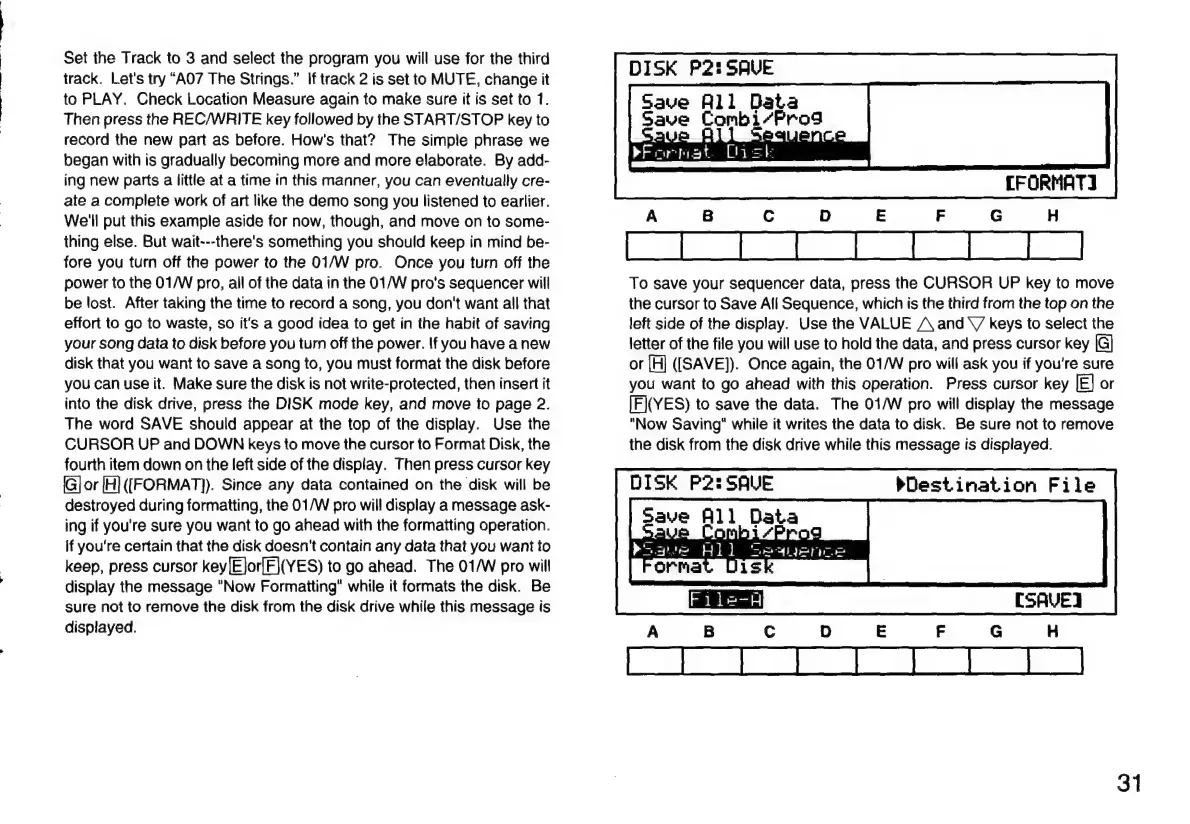
To
save
your
sequencer
data,
press
the
CURSOR
UP
key
to
move
the
cursor
to
Save
All
Sequence,
which
is
the
third
from
the
top
on
the
left
side
of
the
display.
Use
the
VALUE
/\
and
\/
keys
to
select
the
letter
of
the
file
you
will
use
to
hold
the
data,
and
press
cursor
key
or
[H]
(ISAVE]).
Once
again,
the
01/W
pro
will
ask
you
if
you're
sure
you
want
to
go
ahead
with
this
operation.
Press
cursor
key
or
IFI(YES)
to
save
the
data.
The
01/W
pro
will
display
the
message
"Now
Saving"
while
it
writes
the
data
to
disk.
Be
sure
not
to
remove
the
disk
from
the
disk
drive
while
this
message
is
displayed.
DISK
P2:
SAVE
save
All
Data
:
Save
Wl]
Seaan
Py
Destination
File
[SAVE
31

Related product manuals