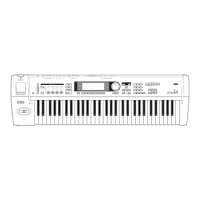
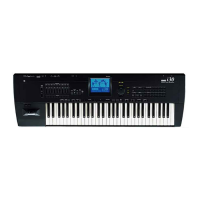
Front and rear panels Front panel
7
•IfTriggerissettoNoteOn,samplingwillbeginas
soonasyouplayanoteonthekeyboard.
•IfTriggerissettoThreshold,samplingwillbegin
assoonastheselectedaudiosourcereachesa
presetvolumelevel.
OntheSamplingmode’sP1:SampleEditpage,
pressingthisbuttonwillplayth
eselectedsample.
ThisbuttonisalsousedtoplaybackWAVfilesfrom
thedisk.YoucanplaybackWAVfilesinthedirectory
windowofvariousDiskmodepages,intheDiskmode
MakeAudioCDpage,intheSequencermodeaudio
trackeditingdialogboxes,andintheSelec
t
Dir
ectory/FileforSampletoDiskmenucommandin
Program,Combination,Sequencer,andSampling
modes.
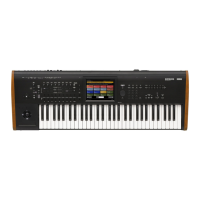
19. TouchView display
TheKRONOSfeaturesourexclusiveTouchView
graphicinterface,basedonatouch‐panelLCDscreen.
BytouchingitemsontheLCDscreen,youcanselect
pages,tabs,andparameters,andsetparametervalues
viaon‐screenmenusandbuttons.
Shortcuts
Thefront‐panelcontrolsofferanumberofshortcuts
forcommonly‐usedfeatures,asdetailedbelow.
ENTER + numeric keys 0–9: Menu commands
Eachpagehasasetofmenucommands,which
provideaccesstodifferentutilities,commands,and
options,dependingonthepageyou’recurrentlyon.
Youcanusethemenucommandsentirelyfromthe
touch‐screen,bypressingthemenubuttoninthe
upperright‐handcornerofthescreenandthen
sel
e
ctinganoptionfromthemenuthatappears.
Eventhougheachpagemayhaveitsownunique
menucommands,themenusarestandardizedasmuch
aspossible.Forinstance,WRITEisalmostalwaysthe
firstmenuiteminProgram,Combination,andGlobal
modes.
Youcantakeadvantageofthisstandardizationby
usingashortc
utto
accessanyofthefirsttenmenu
items:
1. HolddowntheENTERbutton.
2. Pressanumber(0‐9)onthenumerickeypadto
selectthedesiredmenucommand,startingwith0.
Forinstance,press0forthefirstmenucommand,1for
thesecond,andsoon.
Ifthemenuco
mmandjusttoggl
esanoptiononandoff
(suchasExclusiveSolo),thenyou’redone.Ifthe
commandcallsupadialogbox,thedialogwillappear
ontheLCD,andyoucanproceedjustasifyou’d
selectedthecommandfromthetouch‐screen.
ENTER + REC/WRITE: Auto Song Setup
TheAutoSongSetupfeaturecopiesthecurrent
ProgramorCombinationintoaSong,andthenputs
theKRONOSinrecord‐readymode.
Ifinspirationforaphraseorsongstrikesyouwhile
you’ replaying,youcanusethisfunctiontostart
recordingimmediately.Todoso:
1. HolddowntheENTERkeyandpressthe
SEQUE
NCERREC/WRITEkey.
TheSetuptoRecorddialogboxwillopenandask“Ar e
yousure?”
2. PressOK.
YouwillautomaticallyenterSequencermode,andwill
beintherecord‐readystate.
3. PresstheSTART/STOPkeytostartthesequencer
andbeginrecording.
ENTER + keyboard: Enter note or velocity value
Generally,ifaparameterspecifiesanotenumberor
velocity,youcanenterthevaluebyplayingonthe
keyboard.Todoso:
1. SelectoneoftheKeyparameters.
2. HolddowntheENTERbutton.
3. WhileholdingENTER,playanoteonthe
keyboard.
YoucanusethisshortcutthroughouttheKRONOS,
suchasforsettingkeyboar
dandvelocityzones,or
selectingthenotetoeditinDrumKits,Multisamples,
orRPPRsetups.
ENTER + LOCATE: Set locate point
ThisshortcutsetstheSequencer’slocatepointtothe
currentmeasure,beat,andtick,similartousingtheSet
Locationmenucommand(see“SetLocation(for
LocateKey)”onpage 626oftheParameterGuide).
1. HolddowntheENTERbutton.
2. WhileholdingENTER,presstheLOCATEkey.
Afterthis,pressingLOCATEreturnstheSongtothe
newlysetmeasure,beat,andtick.
CONTROL ASSIGN RT KNOBS/KARMA switch (LED
ON) + KARMA MODULE CONTROL switch
InCombinationandSequencermodes,thissetsthe
ModuleControltoMaster.Thisisthesameassetting
ModuleControltoMinP0:ControlSurface–
RT/KARMA.
CONTROL ASSIGN TONE ADJ/EQ switch
(LED ON) + SWITCH 1…16 switches
InCombinationandSequencermodes,youcanusea
shortcuttochangethecurrentTimbredirectlyfromthe
ControlSurface,withoutleavingToneAdjustmode:
1. PressandholdtheTONEADJ/EQbutton.
2. WhileholdingTONEADJ/EQ,pressa
PLAY/MUTEorSELECTbuttontoselectaTimbre.
ThePLAY/MUTEbuttonsselectTimbres1–8,andthe
SELECTbuttonsselectTimbres9–16.
ThisisthesameastheselectedTimbre/Trackin
TIMBRE/TRACKmode;changingonewillalsochange
theother.
3. ReleasetheTONEADJ/EQbutton.
TheControlSurfaceandscreenwillchangetoshow
theToneAdjustparametersforthenewlyselected
Timbre.



 To Next Page