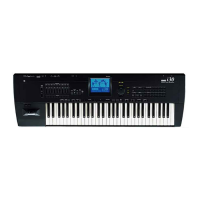
Performing with KARMA Performing with KARMA in Program mode
217
Performing with KARMA
Basedonyourkeyboardplayingoronthenotedata
receivedfromMIDIIN,KARMAautomatically
generatesadiversevarietyofphrasesorpatterns,such
asguitarorkeyboardbackingriffs,bassphrases,or
drumpatterns.YoucanusetheKARMACONTROLS
slidersandtheKARMASWITCHEStofreelymodify
theseph
rasesorpatterns.
TheKRONOSco
ntainspre‐loadedprogramsand
combinationsthattakefulladvantageofKARMA,
coveringawiderangeofinstruments,playing
techniques,andmusicalgenres.Intheseprogramsand
combinations,theparametersmostusefulfor
controllingKARMAhavebeenassignedtothe
KARMACONTROLSslidersandKARMA
SWITCHES.
Performing with KARMA in Program mode
InProgrammodeyoucanuseoneKARMAmoduleto
generateaphraseorpatternappropriateforthesound
oftheprogram.
Selecting a Program and switching
KARMA on/off
1. PressthePROGRAMswitchtoenterProgram
mode,andselectthedesiredprogram.(See
“SelectingPrograms”onpage 27.)
Asyoustepthroughtheprograms,you’llfindsome
programsforwhichtheKARMAON/OFFswitchLED
islit.
Pressakeyoron‐screenpad(on
theP1:Basic/Vector‐Padspage),
andKARMAwillbe
ginpl
aying.
InotherProgramsaswell,you
canpresstheON/OFFswitch
(LEDlit)toturnKARMAon.
Note:IftheDrumTrackison,
andtheTriggerModeissetto
WaitKBDTrig,theDrumTrack
willstartplaying
simultaneously.
Adjusting the performance tempo
1. UsetheTEMPOknobortheTAP
TEMPOswitchtoadjustthe
performancetempo.
Thiswillchangethe“q =”valuelocated
intheupperrightofthedisplay.Youcan
adjustthetempoinarangeof40.00–
300.00.TheLEDlocatedabovetheTAP
TEMPOswitchwillblinkatintervalsof
aquarternote( q ).
Asanalternativ
etousingtheTEMPOknobortheTAP
TEMPOswitch,youcanchoose“q =”inthedisplay,use
numerickeys0–9toenterthetempo,andthenpress
theENTERswitch.YoucanalsousetheVALUE
controllertosetthete
mpo.TheLEDwillblinkatthe
tempoyouspecify.
Note:ThesettingoftheTEMPOknobisalsosaved
whenyouwriteaprogram.
IftheGlobalP1:MIDI–MIDIpageMIDIClock
parameterissettoExternal,orsettoAutoandMIDI
Clockmessagesarebeingreceived,theTempo
displaywillind
i
cate“q =”EXT,andtheKRONOS
willbesynchronizedtoanexternalMIDIdevice.In
thiscase,youwon’ tbeabletochangethetempoby
operatingtheKRONOS.



 To Next Page