EasyManua.ls Logo

Korg MMT microKORG XL+ - Page 15

Korg MMT microKORG XL+
103 pages
Print Icon
To Next Page IconTo Next Page
To Previous Page IconTo Previous Page
Loading...
Quick start
15
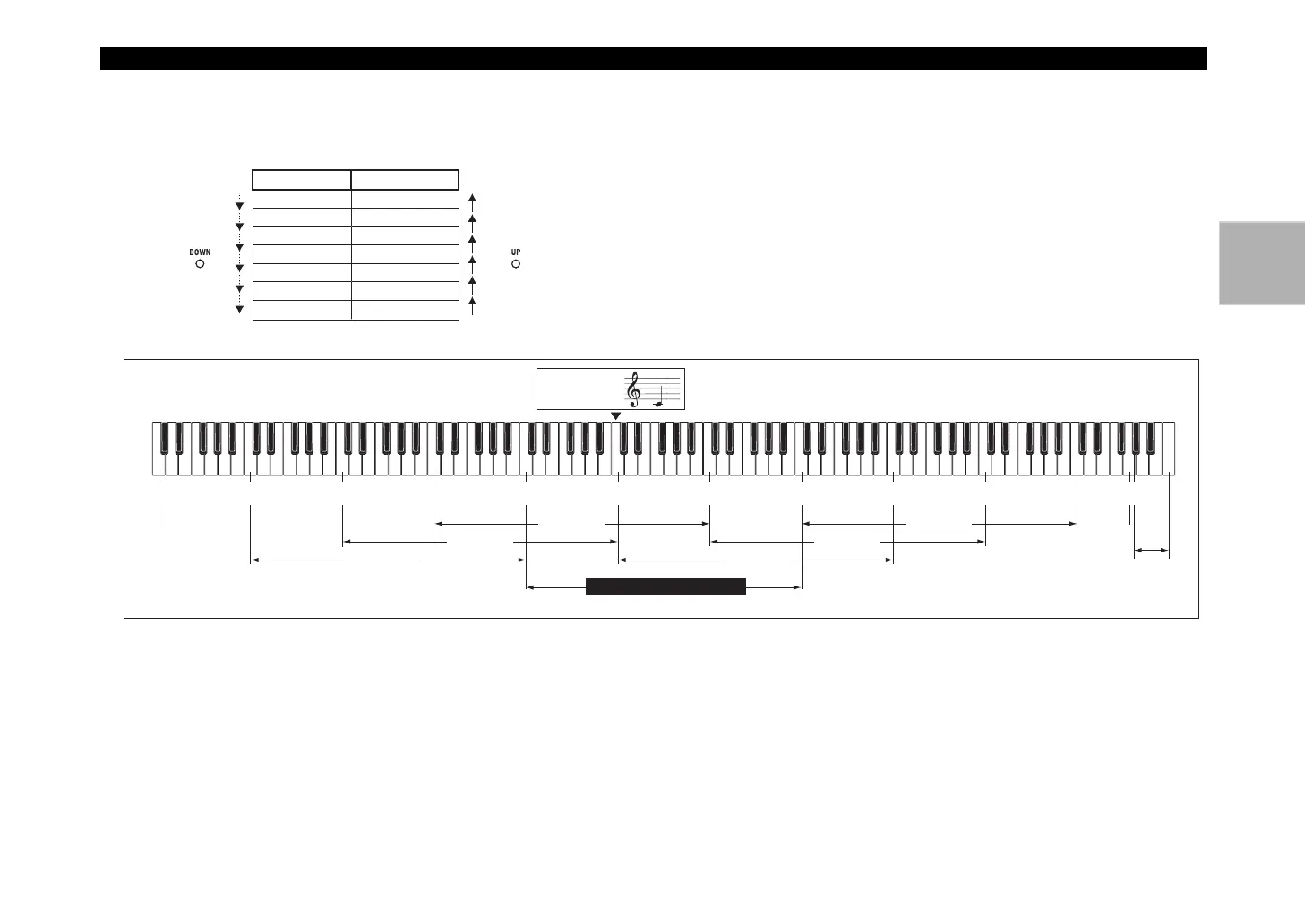
Using the [OCTAVE] lever to switch octaves
The area of pitches assigned to the keyboard can be changed in one-
octave steps over a range of +/–3 octaves.
C6–C9 UP LED lit red
C5–C8 UP LED lit orange
C4–C7 UP LED lit green
Lever operation Lever operation
Move toward
DOWN
Move toward
UP
C3–C6 dark
C2–C5 DOWN LED lit green
C1–C4 DOWN LED lit orange
C0–C3 DOWN LED lit red
Keyboard range Key LED
Middle C on a
piano is C4 (MIDI
note number 60)
Octave Shift settings and note numbers
C7
(96)
C8
(108)
C9
(120)
G9
(127)
C#8
(116)
C9
(120)
C5
(72)
C6
(84)
C3
(48)
C4
(60)
C1
(24)
C2
(36)
C-1
(0)
C0
(12)
Octave Shift not used
+1 octave
+2 octaves
+3 octaves
-3 octaves
-2 octaves
-1 octave
Quick start

Table of Contents