User Manual
14
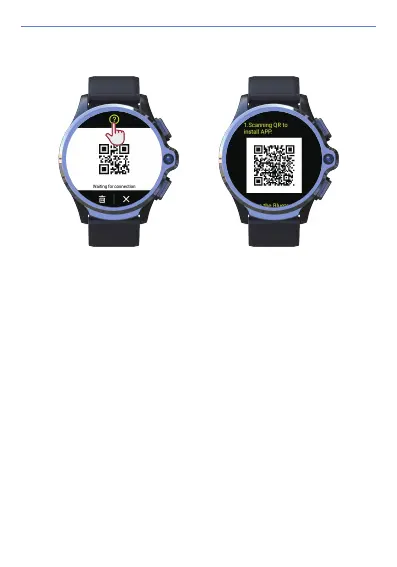
2) When it shows "waiting for connection" QR code on the screen, click the "?" At
the top of the screen to return to the download Wiiwatch 2 interface.
5) If none of the above-mentioned resolutions work, please contact KOSPET
customer service at after-sales@kospet.com.
1) Make sure that the Bluetooth of the mobile phone and watch are turned on.
2) Delete all paired Bluetooth device names in the Bluetooth setting list. Restart
the watch and the phone, and then try to connect again.
3) Reset the watch to factory settings.
4) Download the latest version of the Wiiwatch 2 app and Re-install the app.
Resolutions for Connection Failure:


 To Next Page